
DroboAI Review: eBay Dropshipping Automation, Features, Pricing, and Proxy Setup



DroboAI is an AI dropshipping automation tool for eBay sellers. It helps users source products from Amazon and AliExpress, create eBay listings, refresh supplier prices and stock, and track orders with profit calculations.
The market it serves is large. Vogue Business reported that eBay has 134 million active buyers across 190 countries and more than 2.4 billion products listed. For sellers, that scale creates opportunity, but it also makes listing quality, price accuracy, and stock control harder to manage manually.
For this review, we reviewed DroboAI and checked its pricing, credit system, desktop app flow, sourcing options, onboarding, and proxy setup. The tool has desktop apps for Windows and macOS, free starter credits, a setup video after signup, and free 1-on-1 setup help for users who want a screen-share walkthrough.
In short, DroboAI can save time for sellers who already understand eBay dropshipping, especially around listing creation and price refresh. It still needs careful setup. eBay has strict sourcing rules, and sellers still need to check suppliers, delivery times, listing accuracy, and platform policies before scaling.

Use NodeMaven ISP proxies for stable eBay sessions or residential proxies to check Amazon and AliExpress prices, stock, and delivery from the right region, with 750 MB trial traffic for $3.50
What is DroboAI?
DroboAI is built around eBay dropshipping automation. The workflow starts with a connected eBay session, then moves through product sourcing, AI listing creation, price refresh, and order tracking.
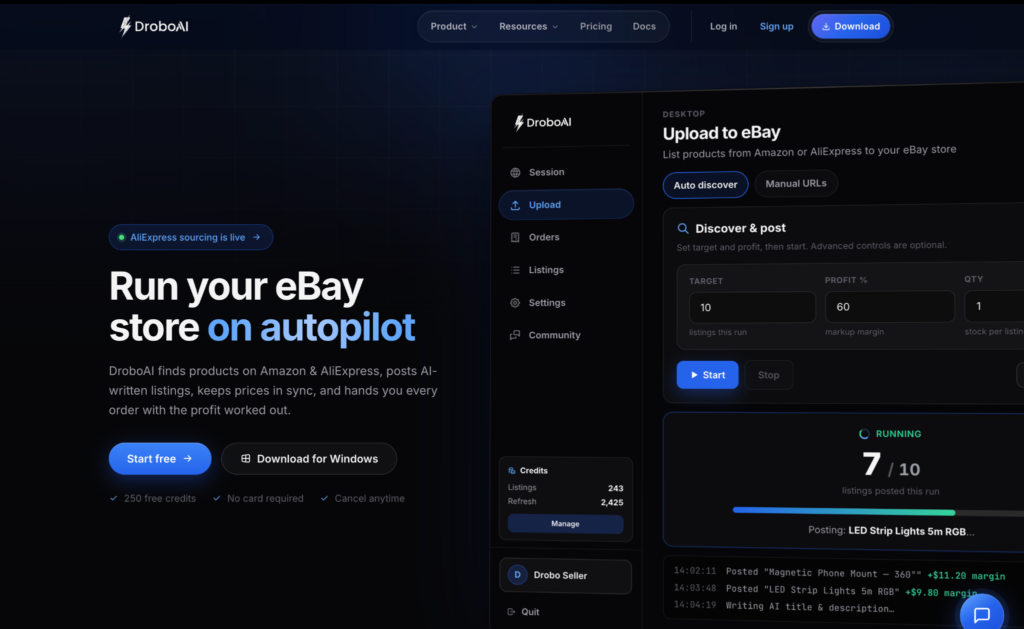
A seller can use DroboAI to find a product on Amazon or AliExpress, generate an eBay listing, keep supplier prices synced, and later review the supplier link, order details, and profit calculation when an order comes in.
The tool is most useful for sellers who want to reduce repetitive work. Instead of manually copying product information, rewriting descriptions, checking prices, and tracking supplier links in spreadsheets, DroboAI puts those steps into one desktop app.
Before using any eBay dropshipping automation tool, it is worth reading eBay’s dropshipping policy. eBay allows dropshipping from wholesale suppliers, but restricts buying from another retailer or marketplace after the sale and shipping directly to the buyer.
How DroboAI works
Connect your eBay session
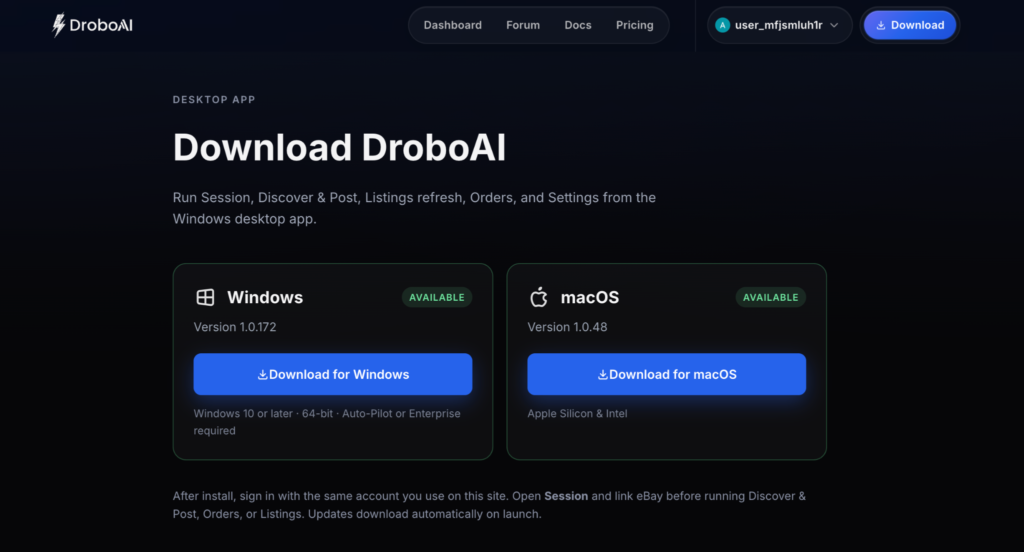
Start by downloading the DroboAI desktop app for your device. The download page includes a Windows app for Windows 10 or later, 64-bit, and a macOS app for Apple Silicon and Intel devices.
The app still feels fresh on macOS. After installation, sign in with the same DroboAI account you use on the website. During our review, the macOS app took some time to log in.
After successful login in the app, open Session, link your eBay account, and only then move to Discover & Post, Orders, or Listings refresh.
For daily eBay work, try to keep the session environment consistent. Avoid jumping between random VPN servers, public Wi-Fi, and unstable shared IPs, especially if the account is used for a store or long-running workflow.
A clean ISP proxy can help keep one static IP and location for the seller environment. Use it for stability, account separation and hygiene.
Source products from Amazon or AliExpress
DroboAI supports Amazon and AliExpress sourcing. The tool can turn supplier products into eBay listings faster than doing the same work manually.
This is useful for testing product ideas, but sourcing is also where sellers need the most discipline. Supplier prices change. Stock disappears. Shipping estimates move. A product that looks profitable today may become a weak listing tomorrow if the supplier changes price or delivery terms.
Before publishing, sellers should check whether the product is available, whether the delivery estimate is realistic, and whether the item location and shipping terms match what the eBay buyer will see.
Generate AI listings
DroboAI writes eBay titles and descriptions with AI. This is one of the clearest time savers, especially for sellers creating many listings.
Still, AI-generated listings need manual review. The seller should check the title, item specifics, brand names, condition, images, return terms, delivery estimate, and any claims in the description.
This is not only about quality. eBay’s selling practices policy covers item descriptions, item location, handling time, tracking, shipping costs, and buyer expectations. The seller is responsible for the listing even when software writes the first draft.
Refresh prices and stock
Price and stock refresh is one of DroboAI’s stronger use cases.
Dropshipping margins can disappear quickly. A supplier raises the price, changes shipping, or runs out of stock, while the eBay listing stays live. That can lead to cancelled orders, lower margins, or unhappy buyers.
DroboAI includes bulk refresh, so sellers can update supplier price and stock data without checking every listing manually.
This is also where proxies can support the workflow. Amazon and AliExpress can show different availability, prices, shipping options, and delivery estimates depending on the region. NodeMaven residential proxies help sellers check supplier pages from the market they are selling to.
For Amazon-specific research, Amazon proxies are a better fit than free VPNs or free public proxy lists because supplier checks often need clean IPs, stable sessions, and accurate geo-targeting.
Setup and onboarding
DroboAI does a good job of reducing the first setup barrier.
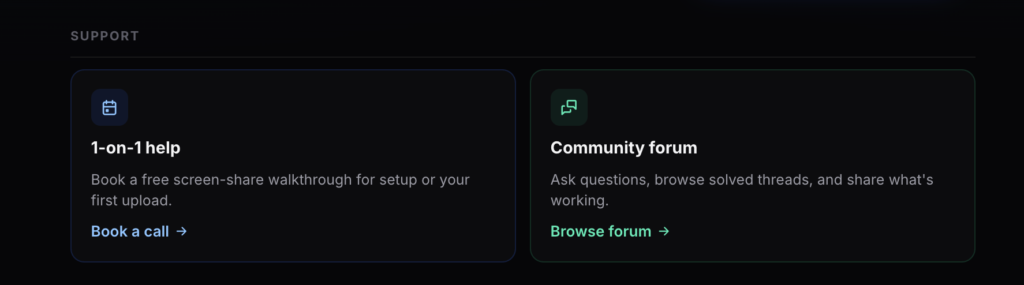
After signup, users see a detailed setup video that walks through the first steps. The site also offers documentation, a forum, Discord, troubleshooting pages, and a free 1-on-1 setup call for users who want help with setup or their first upload, which can be booked in the dashboard.
That matters because eBay automation tools can feel overwhelming and confusing at the beginning. DroboAI’s onboarding makes the tool easier to test and set up for a stable workflow.
DroboAI pricing and credits
DroboAI uses a plan plus credit system. The free signup offer includes 250 listing credits and 2,500 refresh credits with no card required.
| Plan | Price | Best for |
| Free credits | 250 listing credits + 2,500 refresh credits | Testing the workflow |
| Starter | $19/month | New stores |
| Growth | $49/month | Higher listing and refresh volume |
| Pro | $99/month | Larger stores |
| God Mode | $250/month | Unlimited listings and refreshes |
| Managed accounts | From $250/month per account | Done-for-you setup |
The credit model is worth checking before choosing a plan. Amazon and AliExpress actions do not cost the same.
| Action | Credit cost |
| Amazon upload | 1 listing credit |
| Amazon refresh | 1 refresh credit |
| AliExpress upload | 10 listing credits |
| AliExpress refresh | 75 refresh credits |
Failed actions are not charged, which is useful when testing products.
DroboAI pros and cons
What works well
DroboAI is strongest in reducing repetitive work. The combination of Amazon and AliExpress sourcing, AI listing generation, bulk refresh, and order profit tracking gives sellers one place to manage the daily mechanics of eBay dropshipping.
The free credits also make it easier to test the workflow and tools before paying.
The onboarding is another strong point. Desktop apps for Windows and macOS, a setup video, documentation, and free 1-on-1 setup help make DroboAI easier to start with than tools that leave users to guess the first setup.
The refresh system is the most practical and competitive feature. In dropshipping, stale prices and out-of-stock supplier pages are a direct margin risk.
What to check before scaling
DroboAI is a newer tool, so public third-party reviews are still limited. The best way to evaluate it is to use the free credits, test the desktop app, and see how well the workflow fits your store before moving to a larger plan.
Start with a small batch of products. Go through the setup video, connect your eBay session, create a few listings, and run several price and stock refreshes. If you need help with the first setup, DroboAI also offers a free 1-on-1 walkthrough.
Before publishing more listings, check the product title, item specifics, delivery estimate, supplier details, item location, and return terms. eBay’s selling practices policy is useful here because it covers listing accuracy, item location, handling time, tracking, and buyer expectations.
How proxies improve DroboAI workflow
Proxies are not required for every DroboAI user, but they can help when the workflow depends on stable access, regional supplier checks, or separated seller environments.
For daily eBay work, NodeMaven ISP proxies are usually the best fit. They provide a static IP and consistent location, which is useful when the same eBay session is used through DroboAI over time. Check our guide for Windows proxy settings.
For supplier research, residential proxies are more flexible. Amazon and AliExpress can show different prices, availability, shipping options, and delivery estimates depending on location. Residential proxies offer ZIP-level geo-targeting and help sellers check supplier pages from the market they plan to sell to.
If a seller manages several stores, client accounts, or testing environments, keep each setup separate: one browser profile, one stable proxy session, and no random VPN switching. Check out our Chrome proxy setting guide to learn how to set proxies and manage multiple profiles with separate browser accounts. For more advanced profile separation, an antidetect browser can handle cookies and browser fingerprints while NodeMaven handles the IP layer.
Use NodeMaven ISP proxies for stable eBay sessions or residential proxies to check Amazon and AliExpress prices, stock, and delivery from the right region, with 750 MB trial traffic for $3.50
Final verdict
DroboAI is worth testing if you already know the basics of eBay dropshipping and want to spend less time on sourcing, listing creation, price monitoring, refreshes, and order tracking.
The tool is strongest when it handles repetitive work: turning supplier products into listings, keeping prices updated, and making order details easier to follow. It will not do the harder parts for you, though. You still need reliable suppliers, accurate delivery estimates, clean margins, customer support, and a setup that follows eBay policy.
To start, use the free credits, publish a small batch of listings, review every listing manually, and watch how refreshes behave before scaling. If you also need regional supplier checks or a stable seller session, pair DroboAI with clean proxies instead of jumping between random VPNs or shared public IPs.


