Black Friday came early Get 2× traffic and 2× ISP proxies with code BF26
Buy now
Start your trial

High-Quality Residential Proxies

Buy residential proxies with household IPs for web scraping, market research, ad verification and localized testing. Target by country, city, ZIP code or ISP, choose rotating or sticky sessions, and connect using IPv4 or IPv6 over HTTP(S) or SOCKS5

30M+ residential IPs
190+ countries available
<0.3s average response time
Up to 24 hours sticky sessions

How much do residential proxies cost?

Choose monthly pricing for predictable usage or pay as you go for flexible traffic.

Need 1,000+ GB? Contact our team for custom pricing

Crypto friendly:
We accept:
40
3.45
4.31
138.00 172.50

Fixed monthly pricing for predictable rotating proxy workloads

  • 30M+ Residential + 295K Mobile IPs
  • 95% IP clean rate
  • Cashback for used GBs
  • Sticky sessions up to 24 hours
  • Country, city & ISP targeting
  • 99.54% avg. success rate
  • <0.3s avg. speed
  • Proxy expert support
  • Traffic rollover
  • IP Quality Filter
Custom pricing available for 1,000+ GB plans
Contact us

Why choose NodeMaven residential proxies?

Get more from your residential proxy service with bonus traffic, advanced settings, built-in IP checks and additional tools

Why choose NodeMaven residential proxies?
Cashback rewards
Get up to 10% bonus traffic
back on the GBs you use
Advanced settings included
Quality and speed filters, plus
ZIP-level targeting
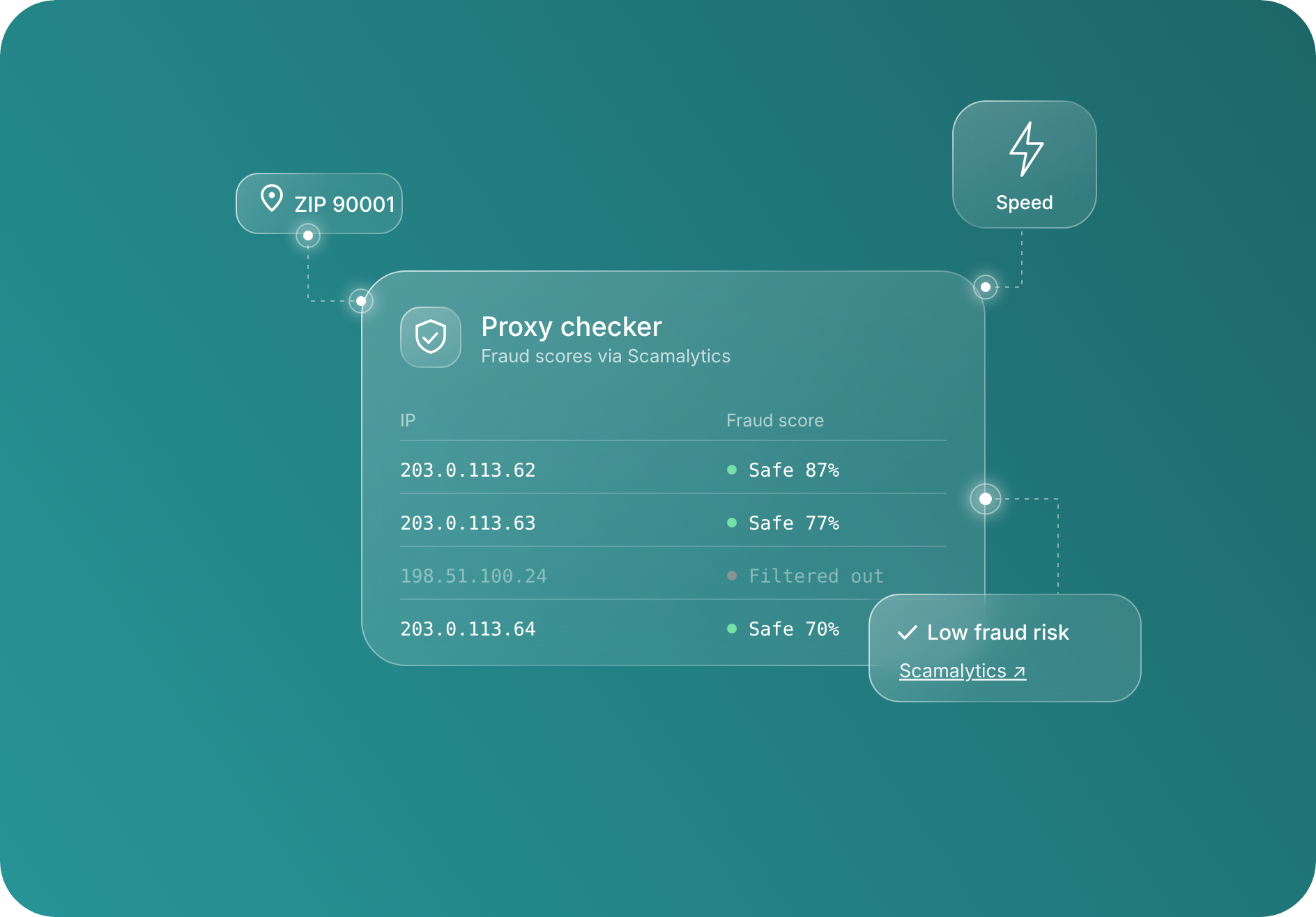
Built-in proxy checker
Check IP fraud scores via
Scamalytics in your dashboard
More tools in one place
Access Scraping Browser and LLM
GEO tools in the same dashboard

Residential proxy features for every task

Work with screened residential IPs, review fraud scores in your dashboard, choose rotating or sticky sessions up to 24 hours, target by country, city, ZIP or ISP, and connect through HTTP(S) or SOCKS5

Screened residential IPs with fraud-score checks

NodeMaven screens residential IPs before assignment. Balance IP reputation, speed and pool size with quality filters, then review fraud scores via Scamalytics in your dashboard

  • Quality filtering
  • Speed and pool size filters
  • Built-in checker

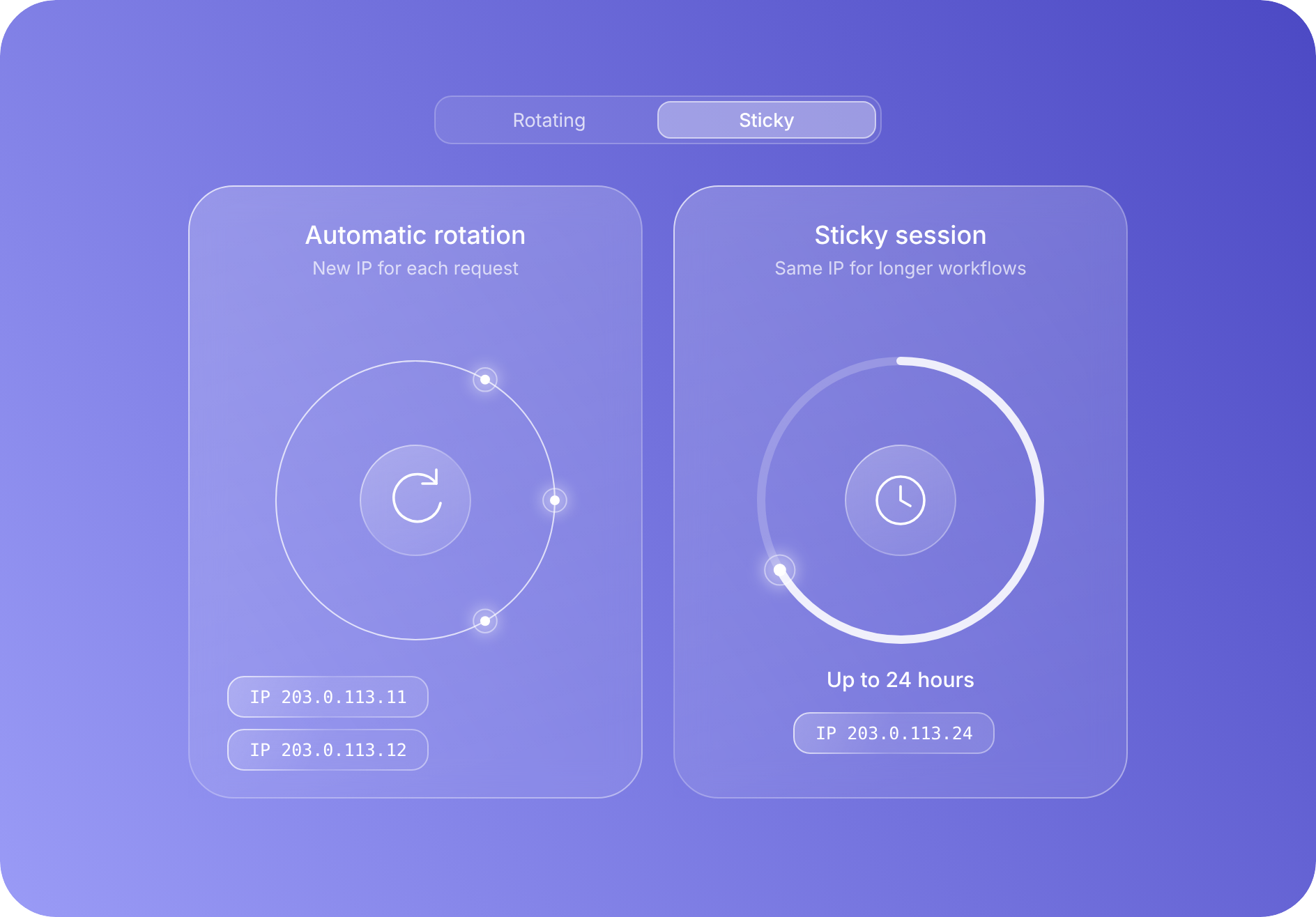
Choose when your residential IP changes

Rotate the IP with each request or keep the same IP for up to 24 hours with a sticky session. Set the session type and duration for short requests or longer workflows

  • Automatic rotation
  • Sticky sessions
  • Up to 24 hours

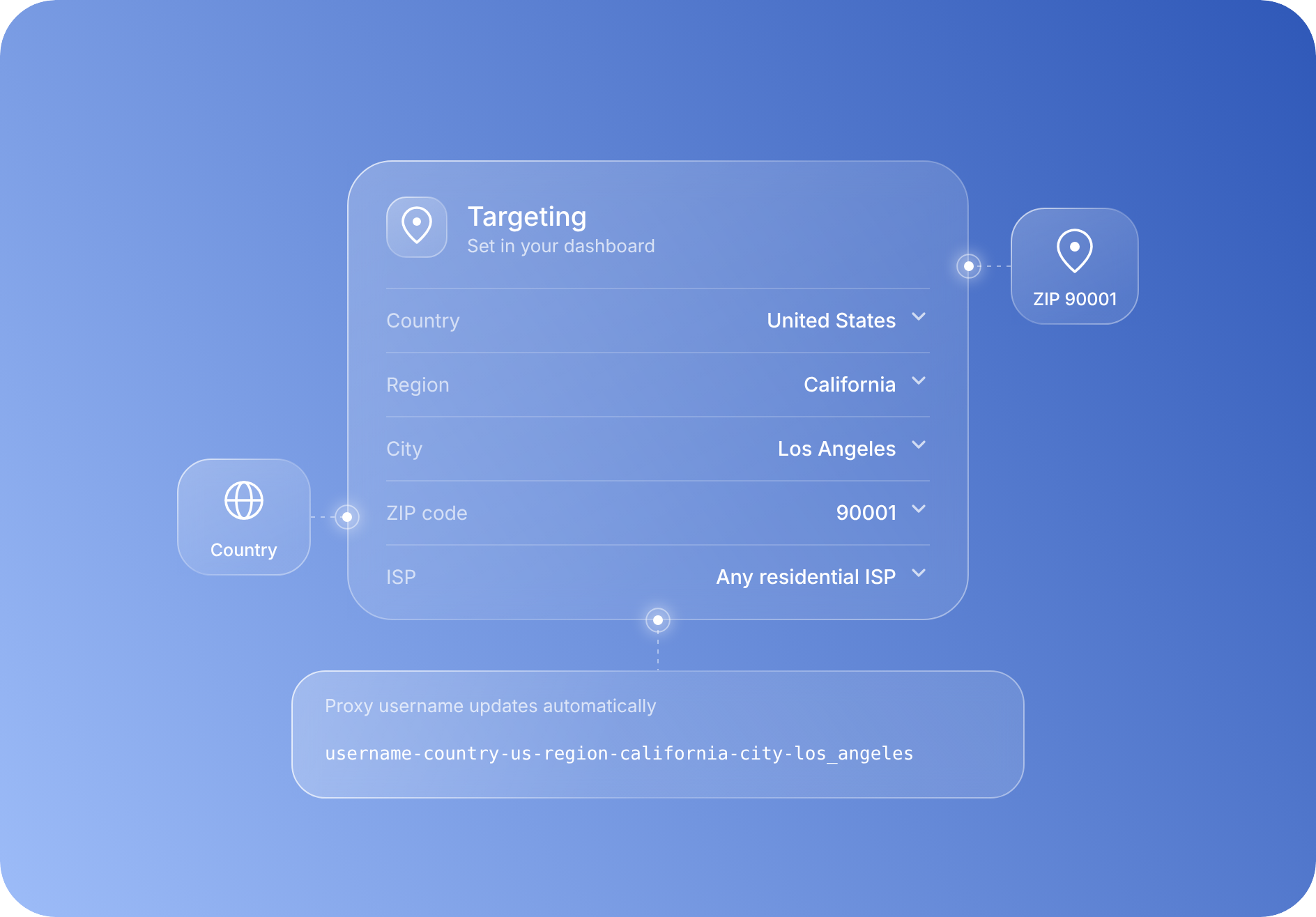
Target residential IPs by location and ISP

Choose a country, region, city, ZIP code or ISP from your dashboard. Your proxy credentials update with the selected targeting settings, while availability may vary by location

  • Country and region
  • City and ZIP
  • ISP targeting

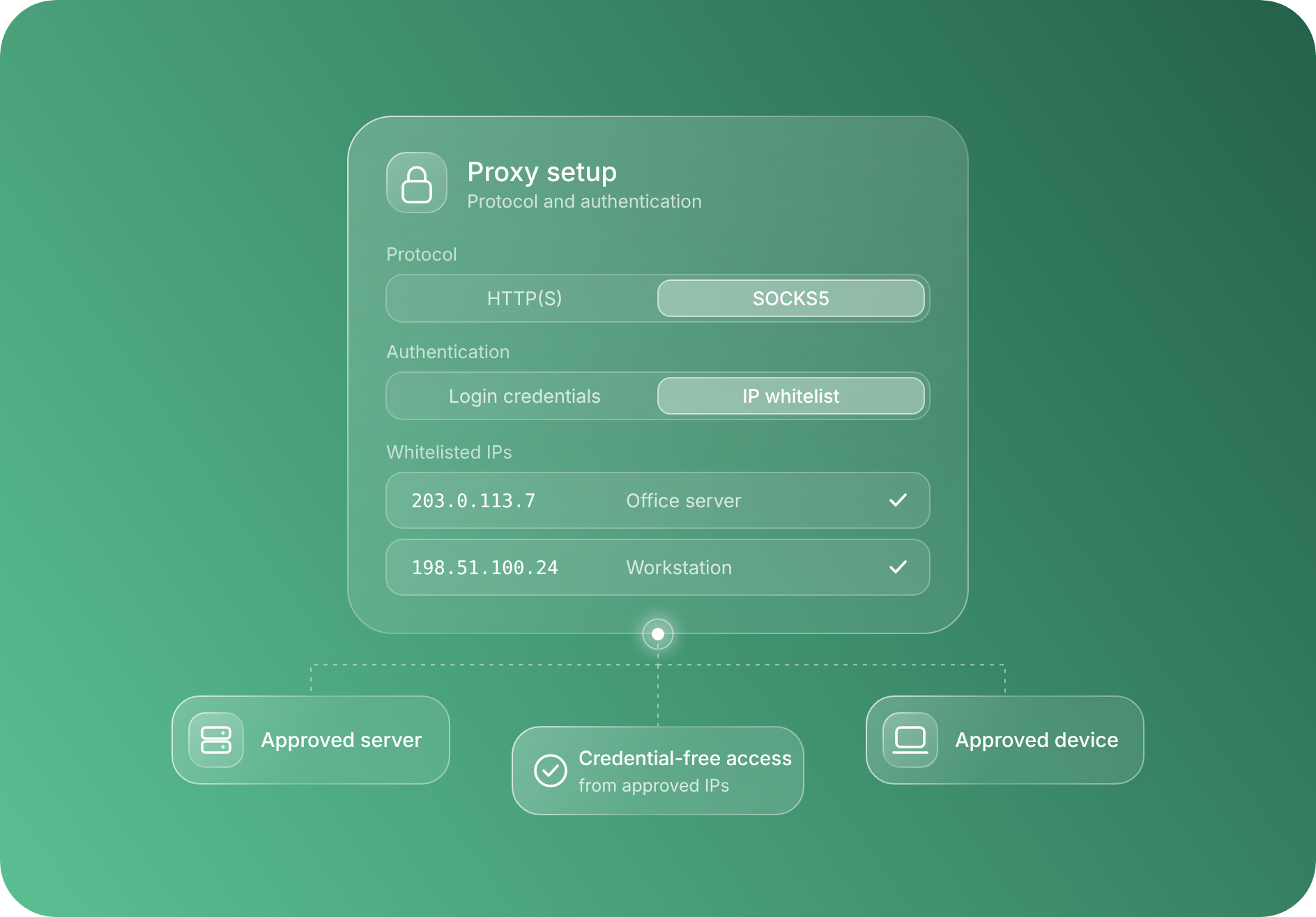
Connect with the protocol your tools support

Use HTTP(S) or SOCKS5. Authenticate with proxy login credentials or whitelist your IP for credential-free access from approved devices and servers

  • HTTP(S) and SOCKS5
  • IP authentication
  • IP whitelisting
IP quality filtering

What are residential proxies?

A residential proxy routes a request through an IP address assigned by an internet service provider to a household connection. The website sees that residential IP address instead of your original one. Different proxy types suit different tasks: compare the IP source, session behavior and intended workload before choosing

Feature
Residential proxies
ISP proxies
Mobile proxies
IP source
Household internet connections
ISP-assigned addresses, typically hosted on servers
Mobile carrier networks
Session behavior
Rotating IPs or sticky sessions
Static IPs for continuing work
Rotation or sticky sessions, depending on setup
Typical workloads
Web scraping, market research and local testing
Tasks that need a fixed address over time
Mobile app testing, localized browsing and carrier-network research

Residential proxy locations across 190+ countries

Choose residential IPs by country, city, ZIP code, or ISP for market research, localized search monitoring, web scraping, price comparison, and ad verification

Connect your workflow with the NodeMaven API and MCP

Manage your account, track usage and look up locations through the API. Connect our MCP server to a compatible AI assistant to generate proxy URLs, check connections and review account information

Account API

Track usage, look up locations and manage sub-users and IP whitelists

Track usage, look up locations and manage sub-users and IP whitelists

MCP for AI workflows

Give your AI assistant access to NodeMaven proxy tools

Give your AI assistant access to NodeMaven proxy tools
Proxy URLs and <br />
session settings
Proxy URLs and
session settings
Connection<br />
checks
Connection
checks
Locations<br />
and usage
Locations
and usage

Start with NodeMaven’s Python and Rust SDKs

Working with code? Save time configuring proxies with our open-source SDKs. Set location, IP filtering and session options, catch parameter-name errors before connecting, and use the settings with your preferred HTTP client or browser framework

01
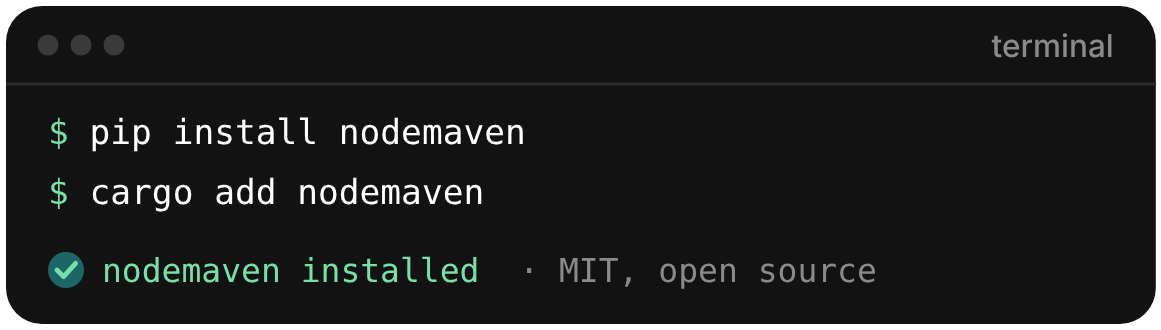
Install the SDK

Add the Python package to your project, or choose
the Rust SDK for a Rust application
02
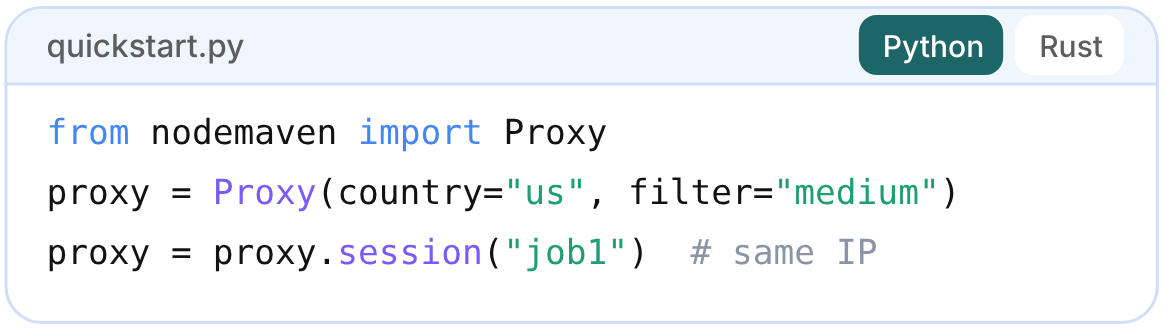
Choose your proxy settings

Set your proxy credentials from Proxy Setup as
environment variables. Select a country and choose
rotation or a sticky session in code
03
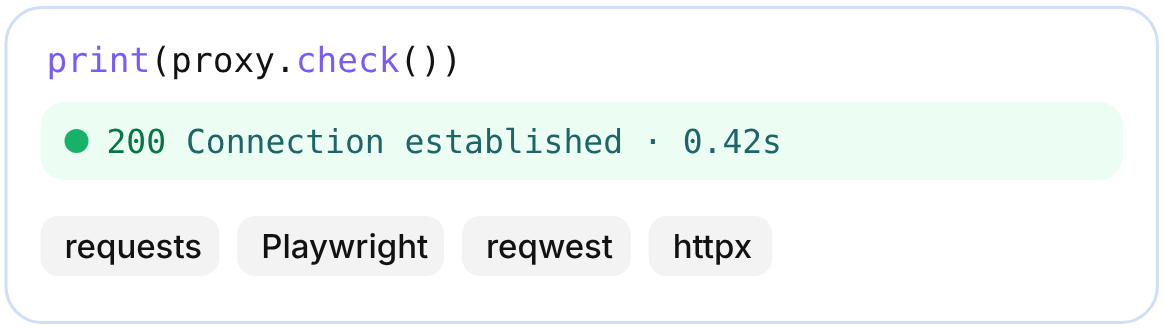
Check and connect

Check the gateway response, then pass the proxy
to requests, Playwright or another compatible
client. Send a test request to confirm the exit IP

Reviews from our clients and partners

Honest feedback from the people who use and trust NodeMaven

A unique antidetect phone solution built for managing mobile accounts at scale
«NodeMaven works closely with Geelark to support reliable mobile multi-account workflows, tested and proven in daily use».
Cloud phones & multi-account platform built for social media management
«The only high-quality proxy provider we’ve chosen to integrate with. Nodemaven provides clean, stable traffic to power our workflows».
A leading antidetect browser trusted by users around the world
«We recommend NodeMaven as the #1 proxy service for multi-accounting. 
It integrates closely with Dolphin Anty to ensure smooth setup».
The #1 Anti-detect Browser Trusted By 9M+ Users
«NodeMaven delivers reliable, high-quality proxies that integrate seamlessly with AdsPower. Together, we make multi-account management smoother, more stable, and easier to scale».
An all-in-one antid-etect browser built for secure and scalable multi-account management
«NodeMaven provides stable, high-quality proxies that work smoothly, supporting secure and efficient multi-account workflows».
The world's most trusted multi-account management expert
«BitBrowser partners with NodeMaven to create a robust anti-detect environment. Multi-account advertising and social media management can easily mitigate the risk of account locking. Using the NodeMaven security proxy ensures stability and protects local data privacy. Clean, high-quality, and stable. We recommend NodeMaven».
Anti-detect browser and cloud phone platform for secure multi-account management at scale
«NodeMaven is the proxy provider our users recommend most in our community. It delivers high-quality, stable IPs that matter most for multi-account professionals who need reliability at scale».

Frequently asked questions

Yes. Start with 750MB of proxy traffic for $3.50 to test your target websites, location settings, and session behaviour before purchasing a larger plan.

NodeMaven residential proxies are billed by traffic usage in GB. Choose a monthly plan for regular workloads or pay as you go for occasional projects. Use the pricing section above to compare the rate and total cost for your selected volume.

A residential proxy routes your requests through an IP address assigned by an internet service provider to a household connection. Your application connects through NodeMaven’s gateway, and the destination website sees the residential IP instead of your original address.

Yes. Sticky sessions let you reuse the same residential IP for up to 24 hours, while the underlying connection remains available. Choose sticky sessions for multi-step tasks that need continuity, or rotation when separate connections should use different IPs.

Yes. NodeMaven supports country, city, ZIP-code, and ISP targeting. Available IPs depend on the location and filters you select; combining narrow targeting with stricter quality settings can reduce the available pool.

NodeMaven’s IP Quality Filter screens residential IPs before assigning them to your connection. Available settings let you adjust the balance between IP quality, connection speed, and pool size. Test the settings against your target websites to find the right balance for your workload.

Yes. NodeMaven supports HTTP(S) and SOCKS5 connections for compatible browsers, scraping frameworks, and automation tools. Configure your proxy endpoint and authentication details using our integration guides, or use our Python and Rust SDKs to build your proxy configuration.

Choose residential proxies when you need rotating IPs across different locations for scraping, monitoring, or research. Choose static ISP proxies when your workflow needs a fixed IP over a longer period. A sticky residential session provides temporary IP continuity, but it does not turn a rotating proxy into a permanently assigned address.

Yes. Residential IPs can still face blocks or CAPTCHAs. Websites also assess request frequency, browser fingerprints, cookies, and behaviour. IP quality filtering help with IP reputation, but it cannot guarantee access to every website.

Check your credentials, traffic balance, location filters, and session settings first. If the issue continues, contact NodeMaven support with the target URL, error message, and a brief description of your setup. Never include your proxy password in screenshots or public messages.

Start your trial for $3.50 and get 750MB of bandwidth

Start your trial for $3.50 and get 750MB of bandwidth
This site uses cookies to enhance your experience. By continuing, you agree to our use of cookies.