
Google Maps scraping: comparison of 5 methods and tools



Google Maps holds one of the largest collections of local business data on the internet. Local SEO teams, sales teams, and researchers use it to build lead lists, study competitors, and understand a market before entering it. Because the data is so useful, there are just as many ways to pull it out: browser extensions, cloud platforms, dedicated data services, automation tools, and visual no-code scrapers.
This article compares five methods to scrape Google Maps: Instant Data Scraper, Apify Google Maps Scraper, Outscraper, PhantomBuster, and Octoparse. One of them was tested hands-on, and the results are included below.
What is Google Maps scraping?
A Google Maps scraper is a tool that automatically pulls structured data out of Google Maps search results and listing pages. Instead of manually copying business names and phone numbers one at a time, a Google Maps data scraper reads the page and saves specific fields into a spreadsheet, JSON file, or database.
Most tools collect a similar core set of fields:
- Business name and category
- Address and coordinates
- Phone number and website
- Rating and review count
- Google Maps URL
- Opening hours, where supported
- Reviews, where supported
Some tools stop at the basics. Others add opening hours, popular times, or review text. The amount of detail depends entirely on which google map data scraper you pick.
What data can you scrape from Google Maps?
Google Maps data generally falls into a few buckets: business information (name, category, claimed status), contact information (phone, website), location information (address, coordinates, service area), and ratings and reviews (star rating, review count, sometimes review text).
Not every scraper pulls every field. A basic tool might return only name, address, and rating. A fuller Google Maps business scraper adds categories, hours, and reviews. Email addresses are a separate case, and are covered in their own section below.
How to Scrape Google Maps
1. Choose a search query
A single broad search, such as “dentists in Florida”, rarely returns comprehensive coverage. Google Maps does not surface every business in a large area from one query, so broad searches tend to prioritize the most prominent listings.
A more reliable approach pairs a specific business category with a specific, narrow location. Instead of one search for “dentists in Florida,” run separate searches such as “dentists in Miami, FL”, “dentists in Fort Lauderdale, FL”, and “dentists in Boca Raton, FL”. This breaks a large market into smaller geographic searches and can produce a much broader dataset. The basic principle is simple: combine the business category with a specific location to improve the coverage of your scrape.
2. Collect the search results
This step depends on the tool. Browser extensions like Instant Data Scraper read the page you are already viewing. Cloud scrapers and APIs like Apify or Outscraper run the search remotely and return structured data. Custom scripts do the same thing with code you control directly.
3. Export the data
Most tools export to CSV or Excel. Cloud platforms usually also support JSON and direct API access, which matters if the data feeds into a CRM or another system.
4. Clean and deduplicate
Running several city level searches inevitably produces overlap between neighboring areas. Removing duplicate place IDs or duplicate phone numbers is a normal, expected step, not an edge case.
5 Google Maps scraping methods and tools compared
The five tools below represent five different approaches: a browser extension, a cloud scraper API, a dedicated data service, an automation platform, and a visual no code scraper.
| Tool | Method | Free option | API | Best for | Main limitation |
| Instant Data Scraper | Browser extension | Fully free | No | Quick, small jobs | Manual, one page at a time |
| Apify Google Maps Scraper | Cloud scraper / API | $5/month credits | Yes | Developers, automation | Add on fees for extra fields |
| Outscraper | Dedicated data service | 500 free records | Yes | Bulk business data | Enrichment billed separately |
| PhantomBuster | Automation platform | 2 hrs/month runtime | Yes | Lead gen workflows | Execution time pricing model |
| Octoparse | Visual no code scraper | Free plan, 50,000 rows/mo | Yes | Non-technical scaling | Learning curve on complex sites |
1. Instant Data Scraper
Instant Data Scraper is a free Chrome extension that detects repeating structured elements on a page and turns them into table rows. It was not built specifically for Google Maps, but it works on the Maps results sidebar because that panel is a repeating list.
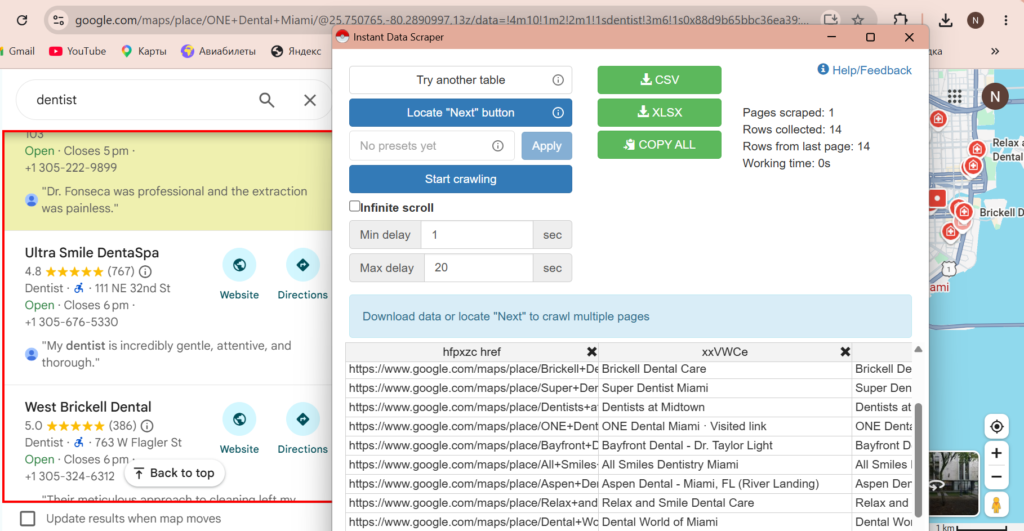
Setup is quick: install the extension, run a Google Maps search, scroll the results panel to load more listings, then click the extension icon. It auto detects the list and previews the data before export.
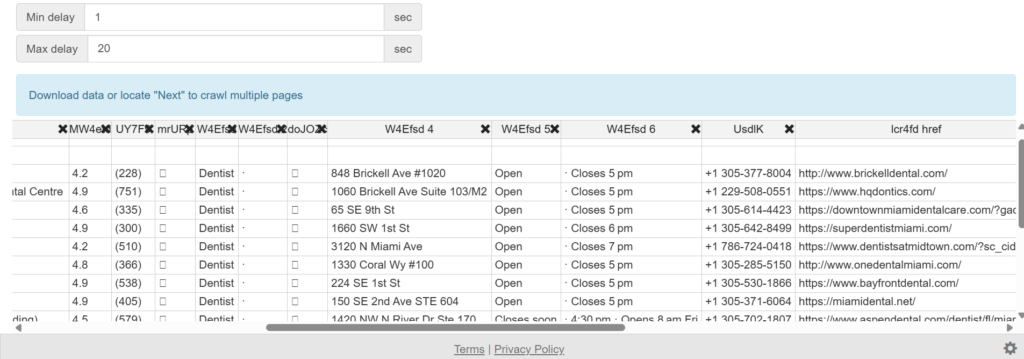
| Field | Result |
| Setup time | 1 min |
| Search query used | “Dentists” (opened location Florida) |
| Approximate results returned | ~155 listings |
| Fields extracted | Business name, rating, review count, category, address, Google Maps URL, closing time, clinic website, first review, link for appointment booking where available |
| Export format | CSV, Excel |
| Duplicate results | No automatic deduplication |
| Missing information | Phone numbers and emails are not available from the Maps results panel |
| Pagination behavior | Requires manual scrolling of the Google Maps results panel to load more listings |
| Manual work required | Run the search, scroll the Maps results panel, start the scraper, check the detected table, and export the file |
| Overall ease of use | 9/10 |
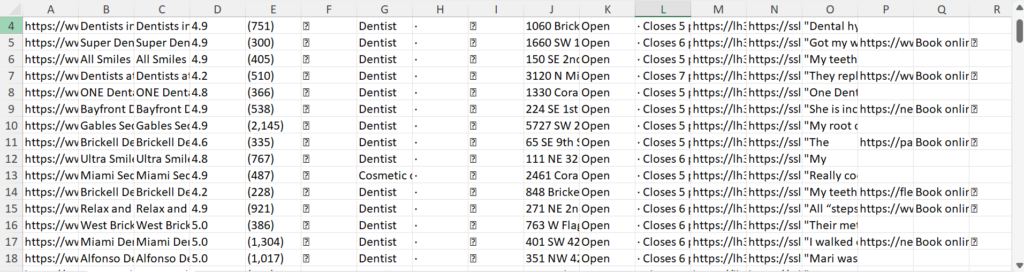
As a free Google Maps scraper chrome extension, it is best suited to small, one-off jobs rather than anything that needs to run unattended or at scale. Scrolling and clicking are manual, and there is no scheduling or API.
2. Apify Google Maps Scraper
Apify Google Maps Scraper is a cloud-based scraper that runs on Apify’s servers. It collects structured business data without requiring the browser to stay open. You can enter keywords and locations, set a result limit, and export the output or access it through the API. The current Compass Actor has more than 568,000 total users.
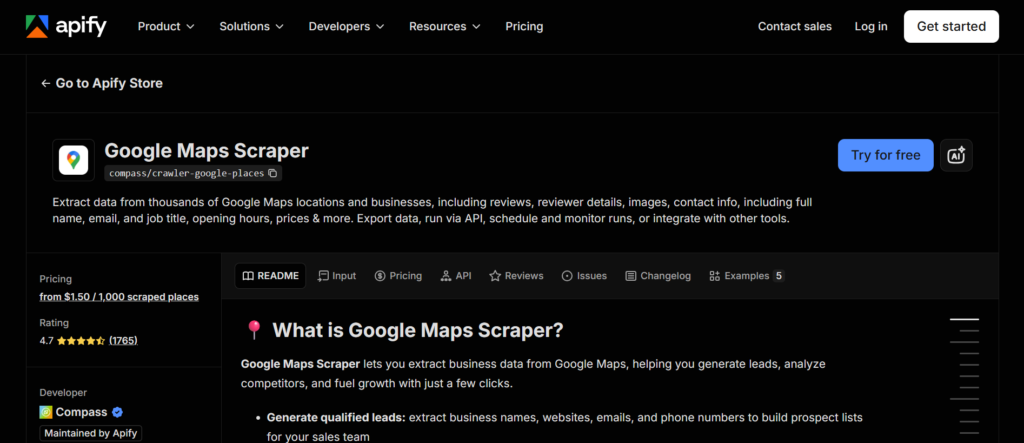
Depending on the configuration, the scraper can return business names, categories, addresses, phone numbers, websites, ratings, review counts, coordinates, opening hours, and Google Maps URLs. Reviews and contact enrichment are available as additional options.
Pricing
Apify provides $5 in monthly free platform credits. The current page shows pricing from $1.50 per 1,000 places, while additional features can increase the cost. Reviews are charged separately based on the number collected. Check the current pricing before running a large job.
Best for: larger datasets, recurring scraping, and API based workflows.
Main limitation: it takes more setup than a simple Chrome extension, and the final cost depends on which additional data you collect.
3. Outscraper
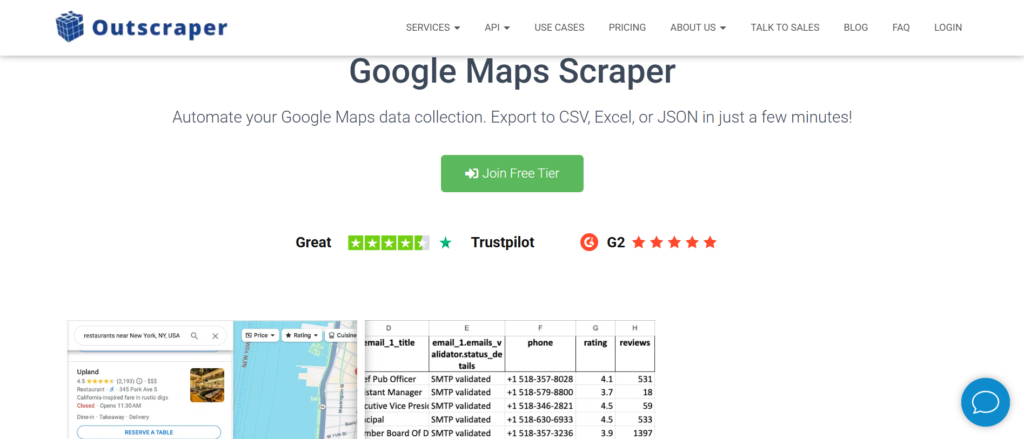
Outscraper is a dedicated data extraction platform, meaning Google Maps is one of several supported sources rather than a general automation tool applied to Maps. The Outscraper Google Maps scraper covers business name, address, category, phone, website, rating, review count, and reviews, across a claimed 100 million-plus listings worldwide.
Pricing
Pricing is pay-as-you-go rather than subscription based. The first 500 records are free, and after that Outscraper Google Maps scraper pricing runs about $3 per 1,000 records for basic listing data, dropping at very high volume.
Email finding and verification are billed as separate add-on services, so an Outscraper “Google Maps reviews scraper” run plus contact enrichment costs more than the base $3 rate implies. There is no monthly platform fee.
Best for: Outscraper suits teams that want bulk business data without managing infrastructure, and who are comfortable with usage-based billing rather than a flat plan.
4. PhantomBuster
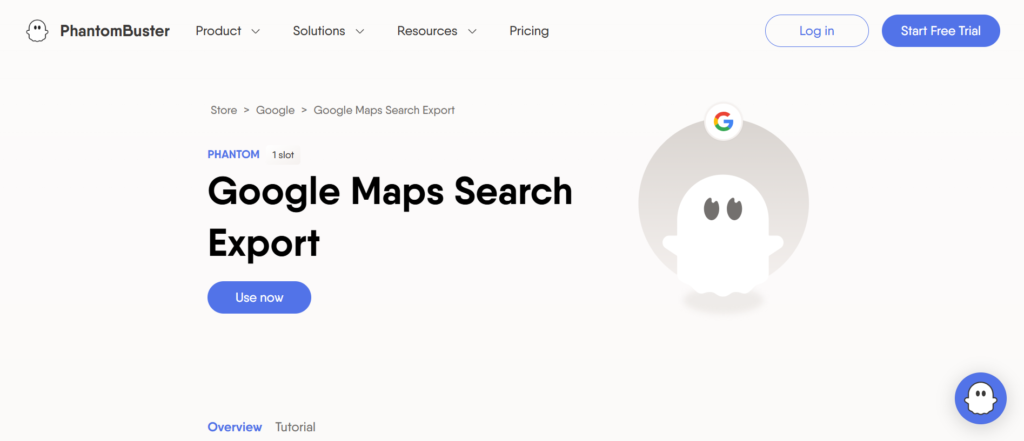
PhantomBuster is a general automation platform built around pre-built “Phantoms” for LinkedIn, Instagram, and other sites, one of which extracts Google Maps search results. The PhantomBuster Google Maps scraper exports business name, address, phone, website, rating, and category, and can chain into other Phantoms, for example passing scraped websites into an email finding step.
Pricing
The catch is the pricing model. PhantomBuster bills by execution time rather than by result: the Starter plan costs around $69 a month for 20 hours of runtime, shared across every automation on the account, not just Google Maps. A single Maps job across several cities can use a meaningful share of that monthly allowance. The free plan gives about two hours of execution time per month, enough for a small test but not a production workflow.
Best for: PhantomBuster is worth considering when the goal is a broader automated lead generation pipeline, Maps data feeding into further enrichment and outreach steps, rather than Maps scraping as a standalone task.
5. Octoparse
Octoparse is a visual, point and click scraper. Instead of writing code or configuring API parameters, you build a workflow by clicking the elements you want on the page, and Octoparse records that as a repeatable task. It ships with a pre-built Google Maps template that handles keyword and location input directly.
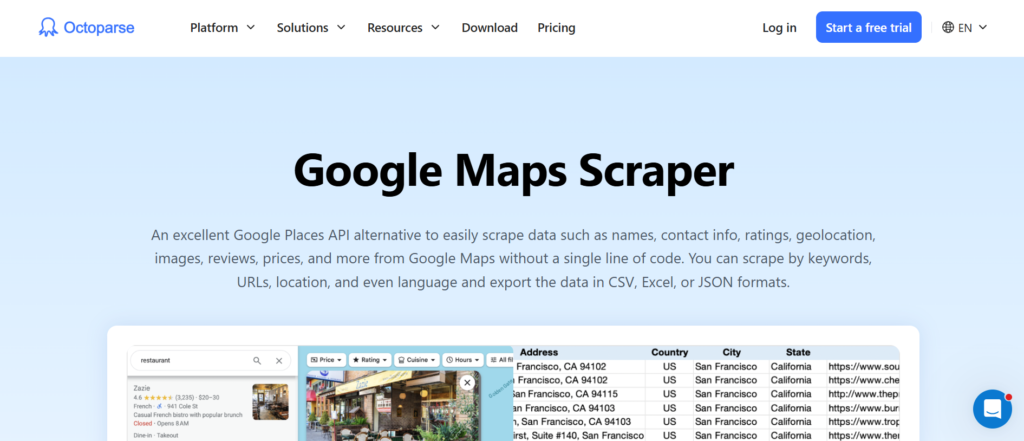
The Octoparse Google Maps scraper runs locally through a desktop app or in the cloud with scheduling, IP rotation, and automatic CAPTCHA handling on paid plans. The free plan allows up to 10 tasks and 50,000 rows of monthly export, which covers a fair amount of small to mid sized work. Paid plans start around $69 a month and add more concurrent cloud tasks and higher volume.
Best for: Octoparse fits non-technical users who need a scraper that can run repeatedly and at some scale, without writing code, but it has a steeper learning curve than a one click browser extension.
Google Maps scraper comparison
| Criteria | Instant Data Scraper | Apify | Outscraper | PhantomBuster | Octoparse |
| Ease of use | Very easy | Moderate | Easy | Moderate | Moderate |
| Free access | Full free use | $5 credits/mo | 500 free records | 2 hrs/mo | 50,000 rows/mo |
| Scale | Low | High | High | Medium | High |
| API | No | Yes | Yes | Yes | Yes |
| Review scraping | Limited | Add on | Yes | No | Limited |
No single tool wins across every category. Instant Data Scraper is best for quick, free, one-page jobs. Apify suits developers who want an API and automation. Outscraper fits bulk business data collection without managing infrastructure. PhantomBuster works when Maps data is one step in a larger automated lead gen pipeline. Octoparse suits non technical users who need a repeatable, no code workflow.
Why one Google Maps search may not be enough
Google Maps does not return every matching business for a broad query. Coverage tends to thin out for anything beyond a certain number of visible results, and the exact number can vary by search and location, so it is not something this article states as a fixed limit.
The fix is geographic segmentation: breaking one broad search into several narrower ones by city, neighborhood, or ZIP code.
Combining that with a few different phrasings of the same category (for example “dentist” and “Stomatologist”) widens coverage further. The tradeoff is more duplicate results, which is why a cleanup step belongs in every workflow, not just the large ones.
Can you scrape Google Maps reviews?
Review extraction is a separate task from scraping the base listing. A Google Maps reviews scraper typically pulls reviewer name, star rating, review text, date, and sometimes the owner’s response.
Not every tool covers this well. Instant Data Scraper can pull whatever text is visible on the page but does not handle Google’s review pagination cleanly.
Outscraper and Apify’s dedicated review actors are built to scrape Google Maps reviews at scale, including loading additional pages of reviews. None of them can guarantee every review is captured, since some listings have thousands, and rate limits or blocks can interrupt a large pull.

Scaling your Google Maps scraping? Use NodeMaven proxies for $3.50 and get 750MB to test your workflow
Can you scrape emails from Google Maps?
Google Maps listings do not directly expose email addresses in most cases. A Google Maps email scraper cannot pull what is not there.
The common workflow instead goes: Google Maps listing, then the business website, then contact or footer information, then an enrichment step if the email still is not visible.
Some tools bundle this enrichment in, visiting each website automatically and attempting to find a contact address. Others treat it as a separate paid add-on.
Either way, expect lower coverage than the base listing data, since not every business publishes an email address, and privacy rules in some regions limit how contact data can be collected and used.
How to scrape Google Maps with Python
For teams that want full control, a Python Google Maps scraper is a common custom option.
The general shape of a project like this involves browser automation (Playwright or Selenium, since Maps is JavaScript heavy), a parser to pull fields out of the rendered page, pagination handling, and a place to store results, usually a CSV file or a database.
Open-source Google Maps scraper projects on GitHub, such as gosom/google-maps-scraper, give developers a working starting point, though any scraper built against Google Maps needs regular maintenance as the site’s layout changes.
The short version is: build or borrow the scraping logic, add retries and error handling, and add proxies once the workflow needs to run at more than a handful of requests. NodeMaven has a longer Python web scraping guide and a roundup of open-source scraping projects worth a look for anyone building this in house.
How to scale Google Maps scraping
Small jobs rarely run into trouble, but larger ones do. Once a workflow moves from a handful of searches to hundreds of queries across many cities, a few problems show up consistently: repeated requests from the same IP get rate limited or blocked, sessions need to be managed across retries, and requests need to be distributed so no single connection looks like an obvious bot.
Do you need proxies for Google Maps scraping?
A scraper collects and structures the data. A proxy controls the network connection those requests travel through. They solve different problems, and at scale, most workflows need both.
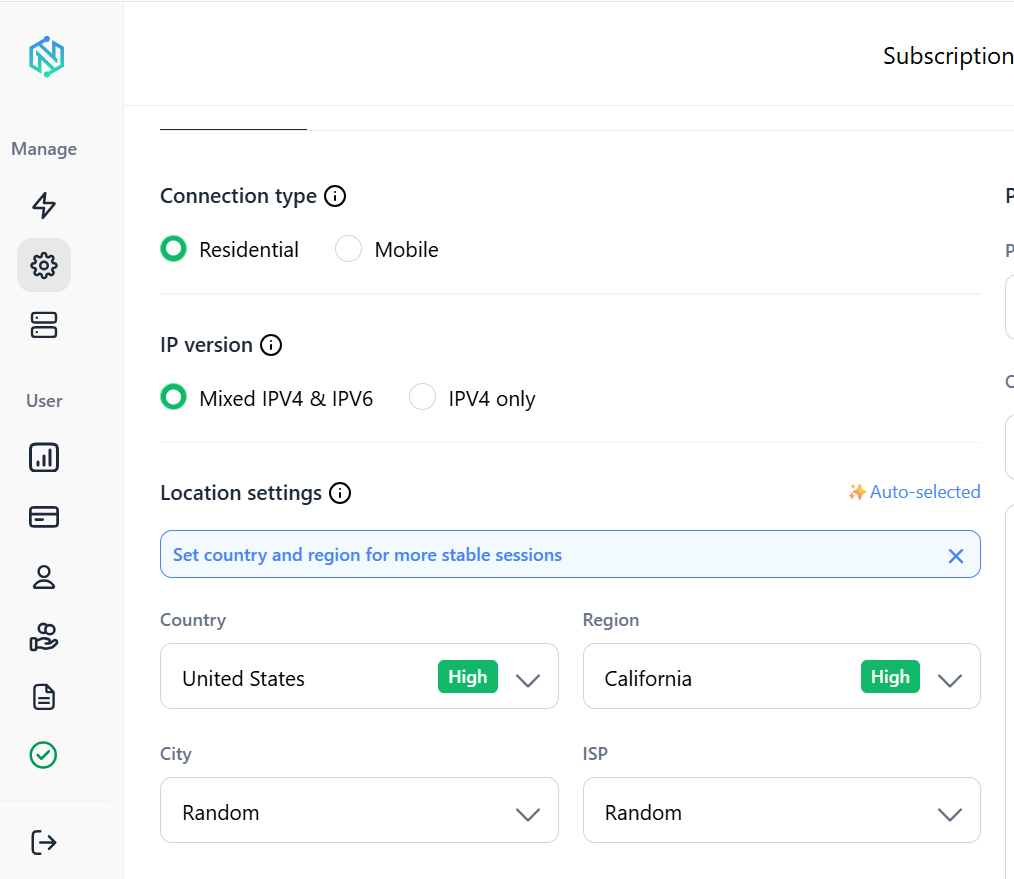
For larger Google Maps scraping jobs, rotating residential proxies distribute requests across many different residential IP addresses instead of one server IP, which reduces how often a workflow gets flagged. Mobile proxies are useful when a workflow specifically benefits from carrier network IPs rather than home broadband IPs.
NodeMaven provides residential and mobile proxy options from the same dashboard and account, rather than requiring separate providers or separate contracts for each IP type. Plans include: IP quality filtering, city level geo-targeting, rotating and sticky sessions, and traffic rollover so unused bandwidth carries into the next billing period.
For workflows built on Playwright, Puppeteer, or Selenium, NodeMaven’s scraping browser pairs the same proxy pool with a managed, cloud-based browser.
Is it legal to scrape Google Maps?
This is not legal advice, and the answer depends on more than one factor. Google’s Maps Platform Terms of Service explicitly prohibit exporting, extracting, or otherwise scraping Maps content for use outside Google’s own services. That is a clear statement of what Google does not want, regardless of whether the data is publicly visible.
Separately, courts in the United States have generally held that scraping publicly accessible data is not automatically a violation of computer access laws like the CFAA. That legal question is distinct from whether scraping breaks a platform’s terms of service, which is a contract issue rather than a criminal one. Privacy regulations such as GDPR also apply once collected data can identify an individual person, which matters more for review authors than for business listings.
This means: publicly visible listing data is not automatically illegal to collect, Google’s terms still prohibit it, enforcement typically shows up as blocked IPs or suspended accounts rather than lawsuits against small scale users.
Which Google Maps Scraper Should You Choose?
The right pick depends on the job, not a universal ranking.
- Small, one-time task: Instant Data Scraper. Free, no signup, good enough for a single city or neighborhood.
- Free scraping with more structure: Outscraper’s free tier or Octoparse’s free plan, both of which go further than a browser extension without an upfront cost.
- Developer workflow: Apify, for the API, scheduling, and integrations.
- Large business datasets: Outscraper, for bulk pay as you go pricing without managing infrastructure.
- Lead generation pipelines: PhantomBuster, when Maps data feeds into further automation.
- No code scraping at scale: Octoparse, for recurring jobs run by non technical users.
- Review collection: A dedicated review actor on Apify or Outscraper rather than a general listing scraper.
Conclusion
The right method for scraping Google Maps depends on scale, technical skill, which fields are actually needed, whether the job needs to run repeatedly, and budget.
A free browser extension covers a small, occasional job well. APIs and cloud scrapers become more useful as the number of searches, the need for scheduling, or the need for integrations grows.
For workflows that scale past a handful of manual searches, residential and mobile proxies are one part of a larger, more reliable setup.
Collecting data from multiple locations? Try NodeMaven residential proxies for $3.50 with 750MB of bandwidth


