Best AI CAPTCHA Solver for Automation in 2026: CaptchaAI Explained



CAPTCHA is one of the most common security layers on the modern web. Websites use it to reduce spam, protect forms, secure login pages, limit abusive traffic. For developers, automation engineers, SaaS platforms, and data teams, it can become a serious operational bottleneck.
In 2026, automation supports web scraping, data collection, QA testing, SEO monitoring, browser workflows, backend systems, and infrastructure. These workflows depend on speed, consistency, and predictable cost. When CAPTCHA appears, it can stop requests, slow sessions, trigger retries, increase infrastructure usage, and reduce workflow efficiency.
This is why AI CAPTCHA solvers matter. A modern solver helps automated systems process CAPTCHA challenges through AI-based recognition and challenge-specific workflows. Instead of relying on manual input or basic OCR tools, teams can use scalable CAPTCHA solving infrastructure to keep automation running with fewer interruptions.
CaptchaAI is built for this need. It is an AI CAPTCHA solving service designed for developers, scripts, browser automation, and high-volume workflows. With wide CAPTCHA support, fast response times, API access, Chrome Extension support, and fixed monthly thread-based pricing, CaptchaAI gives teams a practical way to handle CAPTCHA at scale without paying per CAPTCHA request.
However, a CAPTCHA solver works best when the rest of the automation or multi-account stack is clean too. Low-quality free IPs, noisy VPNs, and overused datacenter proxies can trigger more CAPTCHA challenges before the solver even starts working. This is where NodeMaven proxies can help: pre-filtered residential, mobile, and ISP IPs with low fraud scores can reduce unnecessary CAPTCHA and verification prompts on protected websites.

Use NodeMaven residential and mobile with pre-filtered IPs, low fraud scores, and stable sessions to reduce unnecessary CAPTCHA and verification prompts in automation, scraping and multi-account workflows. Start with 750MB for just $3.50
What Is CAPTCHA?
CAPTCHA stands for Completely Automated Public Turing test to tell Computers and Humans Apart. It is a verification method used by websites to help determine whether an interaction is likely coming from a human user or an automated system.
Early CAPTCHA systems were simple text puzzles. Users typed distorted letters or numbers from an image. As OCR technology improved, these basic tests became easier to process automatically, so CAPTCHA providers developed more advanced verification methods. Modern systems may use image recognition, behavioral analysis, browser signals, risk scoring, IP reputation, device data, timing patterns, and session quality.
Today, CAPTCHA is part of a broader web security stack. It appears on login forms, search pages, registration pages, checkout flows, protected content, cloud security pages, and web applications.
Common CAPTCHA Types in 2026
The CAPTCHA landscape is more complex than before. Different websites use different systems depending on their security needs.
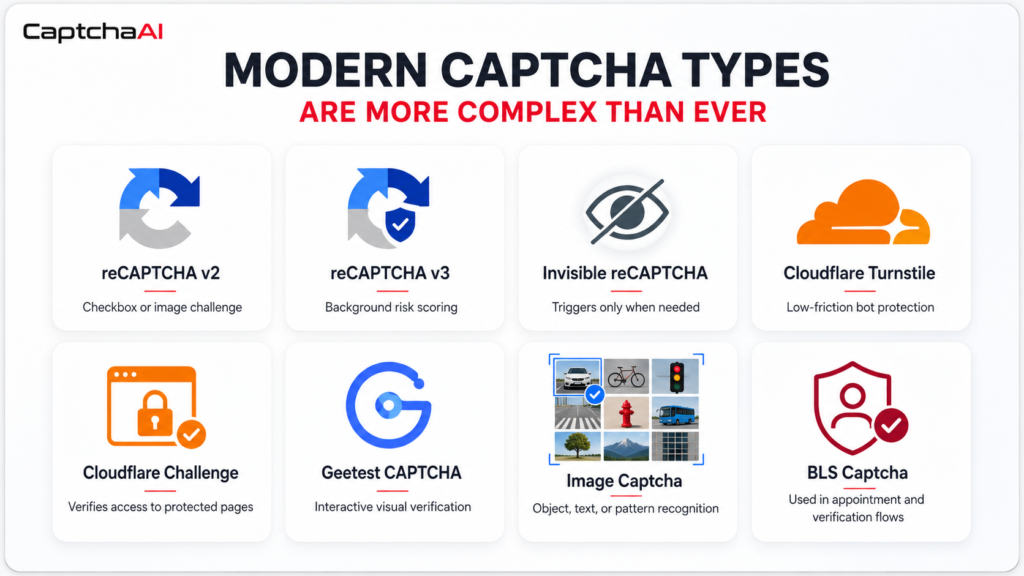
Google reCAPTCHA v2 usually appears as a checkbox or image selection challenge. Users may be asked to identify objects such as buses, traffic lights, bicycles, crosswalks, or cars.
Google reCAPTCHA v3 works in the background and assigns a risk score based on user behavior and session signals. It often does not show a visible challenge unless additional verification is needed.
Invisible reCAPTCHA is designed to reduce visible friction, but it can still trigger a challenge when risk signals appear.
Cloudflare Turnstile is a modern verification system created to provide security with minimal user friction. Cloudflare Challenge protects websites from suspicious traffic and may appear before access is allowed to a page or service.
Geetest CAPTCHA often includes visual or interactive challenges and is used across high-security environments. Image Captcha and Grid Image Captcha require users to recognize objects, text, patterns, or instructions. BLS CAPTCHA is also important for specific appointment and verification workflows where response time and stability can matter.
For automation teams, supporting only one CAPTCHA type is no longer enough. A practical solving platform needs broad coverage across multiple systems.
Why CAPTCHA Breaks Automation Workflows
Automation works best when every step is predictable. A workflow opens a page, submits a request, collects a result, and moves to the next task. CAPTCHA interrupts that flow.
When CAPTCHA appears, the workflow may pause, fail, retry, or require manual intervention. At high volume, it becomes expensive. More retries can consume proxy bandwidth and compute resources. Failed requests can reduce data quality. Delayed tasks can affect monitoring, reporting, testing, and backend processes.
CAPTCHA frequency often depends on the full session quality, not only the automation script. Websites may look at IP reputation, session stability, browser behavior, request timing, and traffic history. If the IP looks risky, the workflow may see more challenges, even if the scraper or browser setup is technically correct.
Teams usually need both parts of the stack: a CAPTCHA solver for challenges that appear, and clean residential proxies to reduce avoidable challenges in the first place. NodeMaven’s pre-filtered proxies are useful here because clean residential, mobile, and ISP IPs with low fraud scores can make automation sessions look less suspicious and more consistent.
This is why CAPTCHA solving should be treated as infrastructure, not as a minor add-on. Teams running large-scale automation need a solver that is fast, reliable, scalable, and easy to integrate.
What Is an AI CAPTCHA Solver?
An AI CAPTCHA solver is a system that uses artificial intelligence to process CAPTCHA challenges automatically. It may rely on computer vision, pattern recognition, image classification, machine learning models, and challenge-specific solving logic.
The workflow is usually simple. An automation system detects a CAPTCHA challenge. The challenge data is sent to the solver through an API, extension, or integration. The solver processes the challenge and returns a result. The automation workflow then continues.
For image-based CAPTCHA, the solver may analyze visual content and detect requested objects or patterns. For systems such as reCAPTCHA, Turnstile, or Geetest, the solving process depends on the challenge type and supported integration method.
A strong AI CAPTCHA solver should provide fast response times, high success rates, wide CAPTCHA coverage, stable performance under load, scalable concurrency, simple developer integration, and predictable pricing.
Why CaptchaAI Fits Automation at Scale
CaptchaAI is designed for developers and businesses that need CAPTCHA solving as part of their automation infrastructure. It supports common automation environments, including Python scripts, Node.js applications, browser automation tools, SaaS systems, and custom backend workflows.
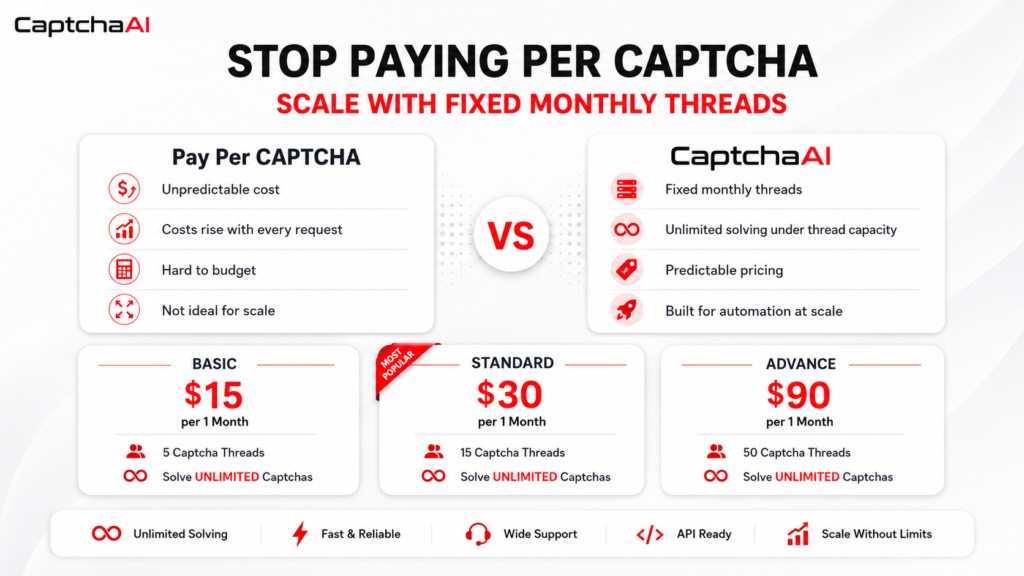
The main difference is the pricing model. Many traditional CAPTCHA services charge per CAPTCHA request. That model can work for small usage, but it becomes expensive and difficult to forecast when volume grows. CaptchaAI uses fixed monthly thread-based pricing instead. Users choose a plan based on the number of threads they need, then solve unlimited CAPTCHAs under that plan’s thread capacity.
This model is valuable for high-volume workflows because costs become more predictable. Instead of calculating every CAPTCHA request, teams can focus on selecting the right concurrency level for their workload.
The first visible CaptchaAI plans are:
BASIC: $15 per 1 Month, 5 Captcha Threads, Solve UNLIMITED Captchas
STANDARD: $30 per 1 Month, 15 Captcha Threads, Solve UNLIMITED Captchas
ADVANCE: $90 per 1 Month, 50 Captcha Threads, Solve UNLIMITED Captchas
Threads represent parallel solving capacity. Five threads allow up to five CAPTCHA solving tasks at the same time. Higher plans support larger workloads and more concurrent automation sessions.
Key CaptchaAI Features
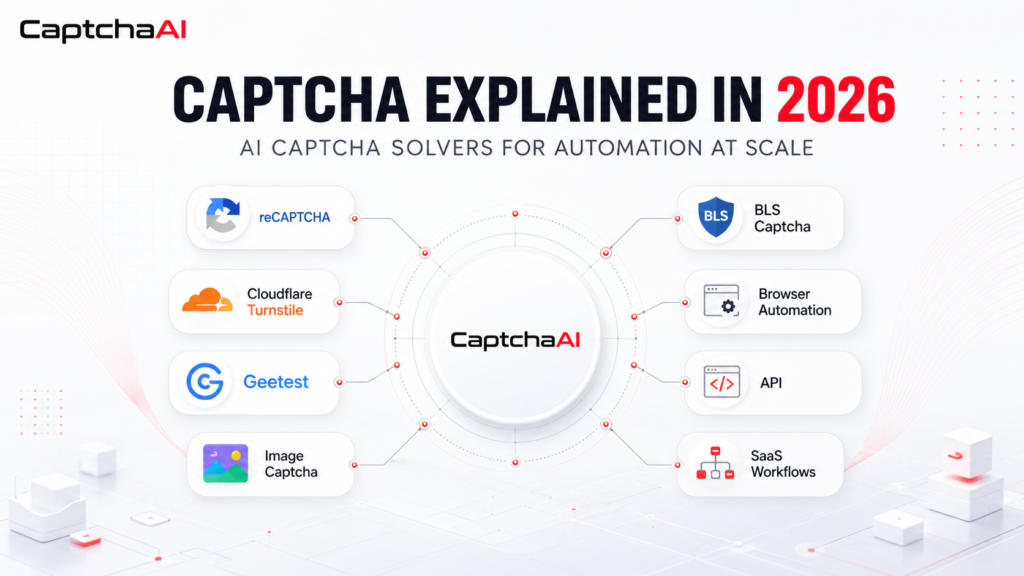
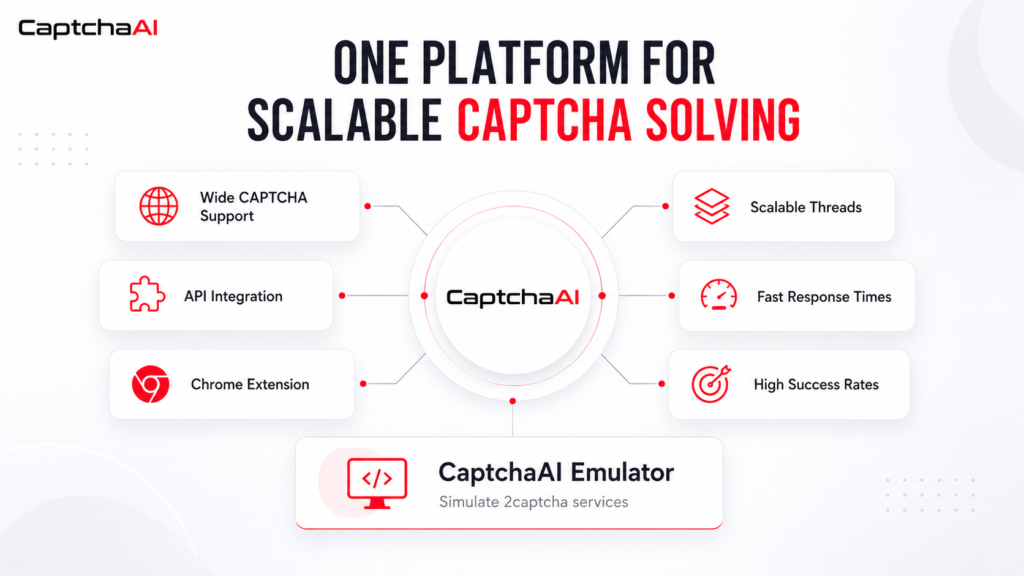
CaptchaAI supports a wide range of CAPTCHA systems, including Image Captcha, Grid Image Captcha, Google reCAPTCHA v2, Google reCAPTCHA v3, Invisible reCAPTCHA v2, reCAPTCHA Enterprise, Cloudflare Turnstile, Cloudflare Challenge, Geetest CAPTCHA, and BLS CAPTCHA.
This broad support helps teams avoid switching between multiple solving providers.
CaptchaAI is optimized for fast response times and stable solving performance. Speed matters because every delay can reduce throughput. For continuous automation, faster solving helps preserve session efficiency and reduce operational friction.
The service also provides developer-friendly integration. Its API can be connected to scripts, applications, backend systems, browser automation frameworks, and SaaS workflows. CaptchaAI also provides a Chrome Extension.
CaptchaAI Emulator: Simulate 2captcha services. This gives users a familiar service structure while working with CaptchaAI solving infrastructure.
Another important feature is scalable thread-based concurrency. Automation systems often run many sessions in parallel. If solving capacity is too low, tasks can queue up and slow down the whole workflow. With scalable threads, users can match solving capacity to workload size and upgrade when automation requirements grow.
CaptchaAI Use Cases
CaptchaAI is useful for legitimate automation and development scenarios where CAPTCHA creates workflow friction.
Web scraping and data collection systems can use CaptchaAI to reduce interruptions during page access and data retrieval.
SEO monitoring tools can maintain smoother ranking checks, search analysis, and competitor tracking workflows.
QA teams can test forms, user flows, and application behavior with less manual solving.
Browser automation teams can support research, monitoring, and operational workflows that encounter CAPTCHA challenges.
SaaS platforms and backend systems can reduce CAPTCHA-related interruptions in automated processes.
Large-scale data pipelines can use thread-based concurrency to process more challenges in parallel.
For workflows that rely on proxies, CaptchaAI pairs naturally with NodeMaven. CaptchaAI handles CAPTCHA challenges when they appear, while NodeMaven helps improve the access layer with clean high-trust IPs, stable sessions, and geo-targeting. This combination is especially useful for protected websites where poor IP reputation can lead to more CAPTCHA prompts, verification loops, or blocked sessions.
Why Fixed Monthly Threads Matter
Predictable pricing is one of the strongest reasons to use CaptchaAI. With pay-per-captcha services, costs rise with every request. This makes budgeting difficult when traffic changes daily or when a workflow scales quickly.
CaptchaAI solves this problem with fixed monthly plans. Users pay for thread capacity, not every CAPTCHA request. This gives teams better cost control, simpler scaling, and more confidence when running continuous workflows. This supports long-running automation without unexpected costly usage limits.
The strategy is simple: stop paying per CAPTCHA. Scale with unlimited solving and fixed monthly threads.
Community and Updates
Follow CaptchaAI community channels for updates, announcements, and new offers.
Telegram: Join CaptchaAI on Telegram
Discord: Join CaptchaAI on Discord
Final Thoughts
CAPTCHA will continue to evolve as websites improve security and bot protection. At the same time, automation will remain essential for data collection, QA testing, SEO monitoring, SaaS workflows, browser automation, and backend operations.
For teams operating at scale, CAPTCHA solving is part of the infrastructure that keeps workflows stable. A solver handles the challenge, but proxy quality still affects how often those challenges appear. Clean IPs, stable sessions, and low fraud scores can reduce unnecessary friction before it reaches the solving layer.
CaptchaAI fits this need by combining broad CAPTCHA coverage, fast response times, high success rates, API support, Chrome Extension access, CaptchaAI Emulator, scalable threads, and fixed monthly pricing. With plans starting at $15 per month and unlimited solving under thread capacity, CaptchaAI is a strong choice for developers and businesses that need reliable CAPTCHA solving for automation in 2026.
For the proxy side of the workflow, NodeMaven helps teams run automation with pre-filtered residential, mobile, and ISP proxies designed for cleaner access and consistent performance. Together, CaptchaAI and NodeMaven give automation teams a more complete setup: fewer avoidable CAPTCHA prompts, faster challenge handling, and more stable sessions on protected websites.
Use NodeMaven residential and mobile with pre-filtered IPs, low fraud scores, and stable sessions to reduce unnecessary CAPTCHA and verification prompts in automation, scraping and multi-account workflows. Start with 750MB for just $3.50