




Buy 5G/4G/LTE Mobile Proxies
Buy 5G/4G/LTE mobile proxies from $2.20/GB for web scraping, account management, ad verification and app testing. Target by country, city, ZIP or carrier, with rotating IPs or sticky sessions up to 24 hours
Buy rotating mobile proxies with flexible pricing
Choose monthly pricing for predictable usage or pay as you go for flexible traffic.
Need 1,000+ GB? Contact our team for custom pricing
Fixed monthly pricing for predictable rotating proxy workloads
- 30M+ Residential + 295K+ Mobile IPs
- 95% IP clean rate
- Cashback for used GBs
- Sticky sessions up to 24 hours
- Country, city & ISP targeting
- 99.54% avg. success rate
- <0.3s avg. speed
- Proxy expert support
- Traffic rollover
- IP Quality Filter

Usage-based billing for flexible, on-demand rotating proxy usage
- 30M+ Residential + 295K+ Mobile IPs
- 95% IP clean rate
- Cashback for used GBs
- Sticky sessions up to 24 hours
- Country, city & ISP targeting
- 99.54% avg. success rate
- <0.3s avg. speed
- Proxy expert support
- Traffic rollover
- IP Quality Filter
Why choose NodeMaven mobile proxies?
Get bonus mobile traffic
with our proxy cashback
Earn up to 10% bonus traffic from your monthly GB usage. Claim your rewards in the dashboard


Carrier targeting and IP
checks at no extra cost
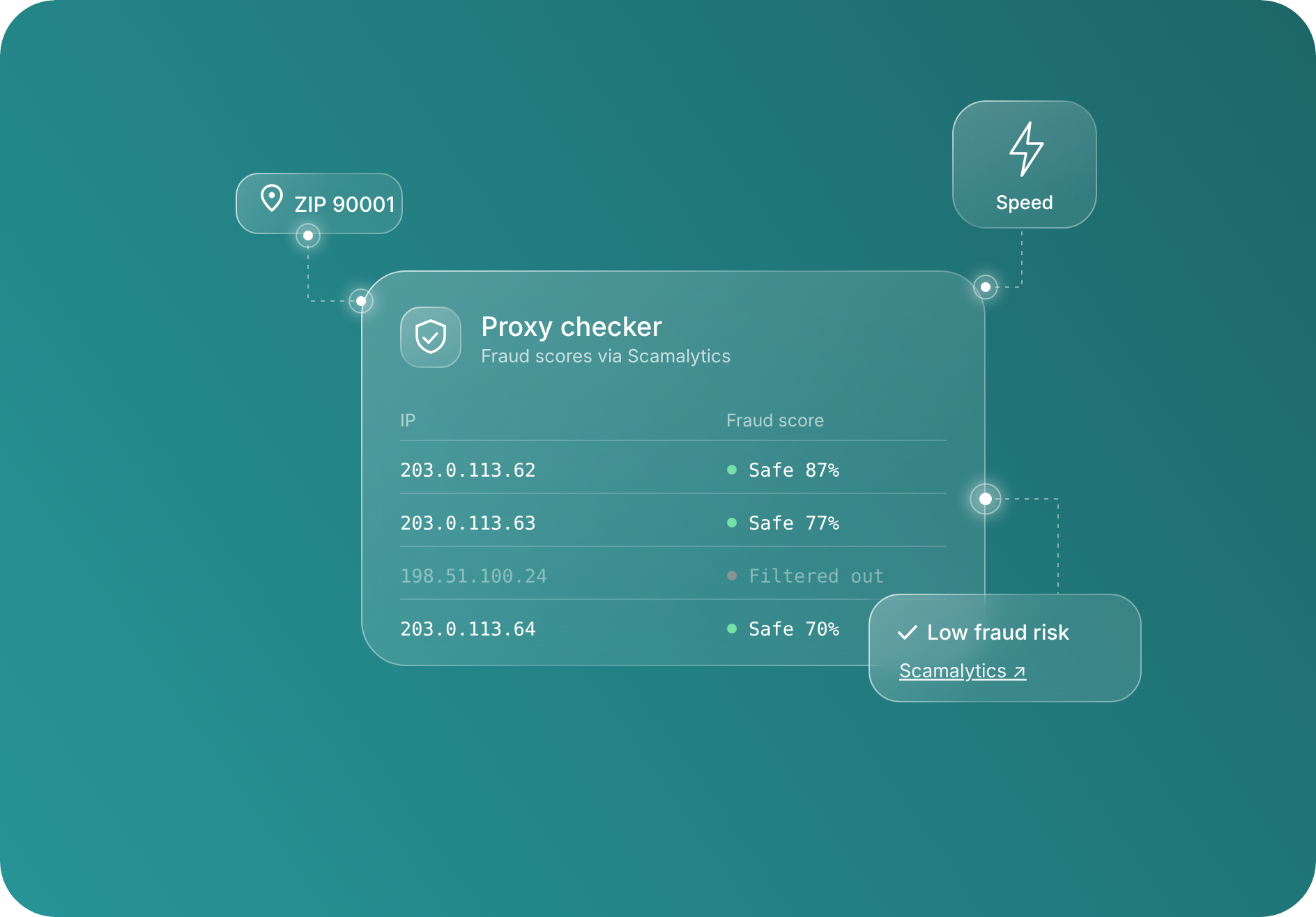
Select the network and area you need, then inspect the IP’s reputation from your dashboard
- Carrier or ZIP-level targeting
- IP quality and speed filters
- Built-in fraud-score checker
Scrape the web,
track the AI
More tools in your dashboard:
- Scraping Browser. Automate sites with prompts or code with no additional fee Learn more →
- LLM Visibility API. Compare AI answers across models and countries

Mobile proxy features and connection options
Choose where requests originate, how often the IP changes and how your tools connect. IP screening and dashboard checks help you assess the addresses you use
Filter mobile IPs and check fraud risk
Choose from four filter modes to prioritize quality, speed or pool size. Use Check proxy in your dashboard to see the IP, location and fraud risk, with a link to the Scamalytics report
- 4 filter modes
- IP and location checks
- Scamalytics report
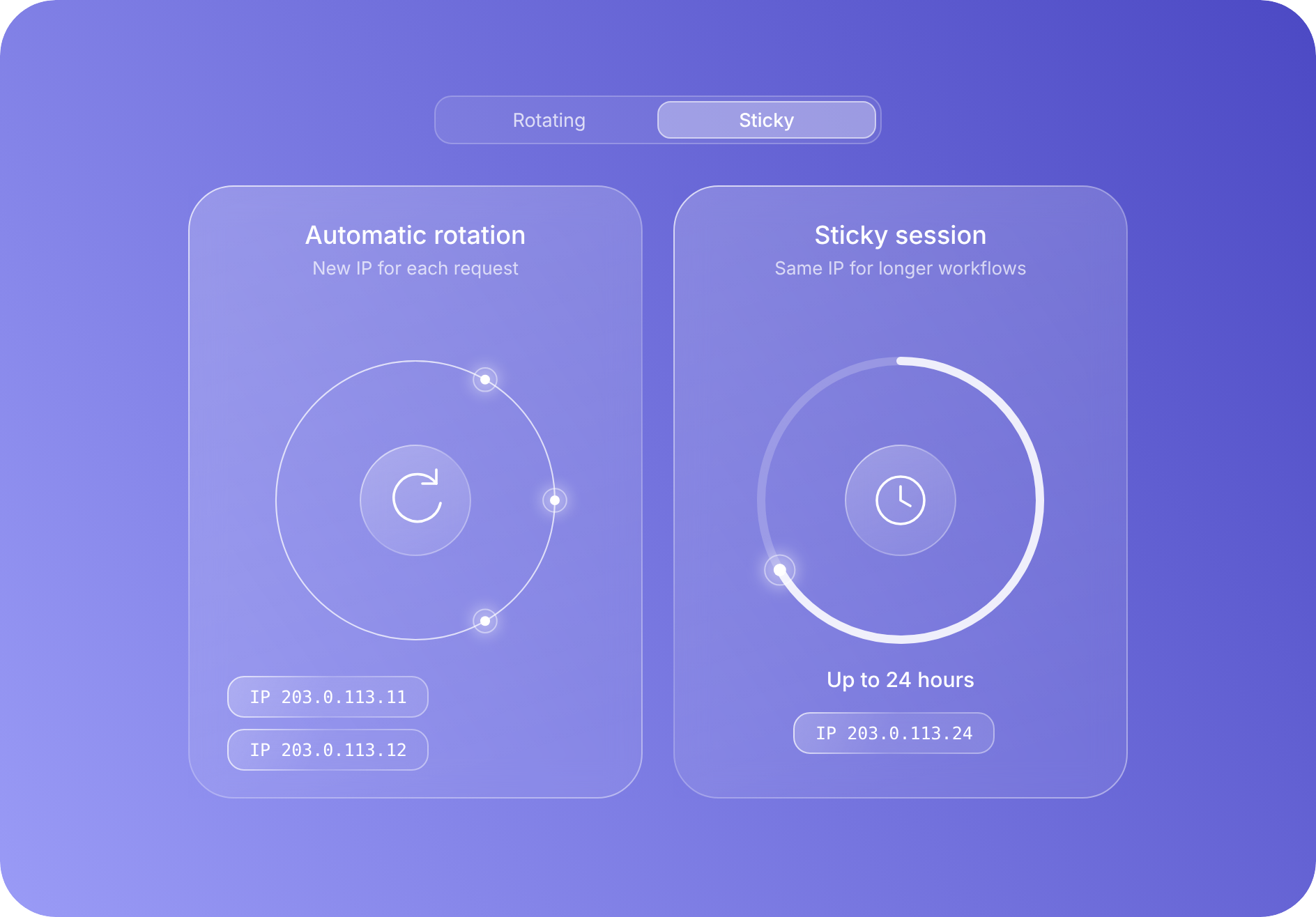
Choose how your mobile IP changes
Rotating mobile proxies change IPs per request. Sticky holds an IP for up to 24 hours, replacing it if it goes offline. No rotating keeps the selected IP and waits if it disconnects
- Per-request rotation
- 1min–24h sticky
- No rotating
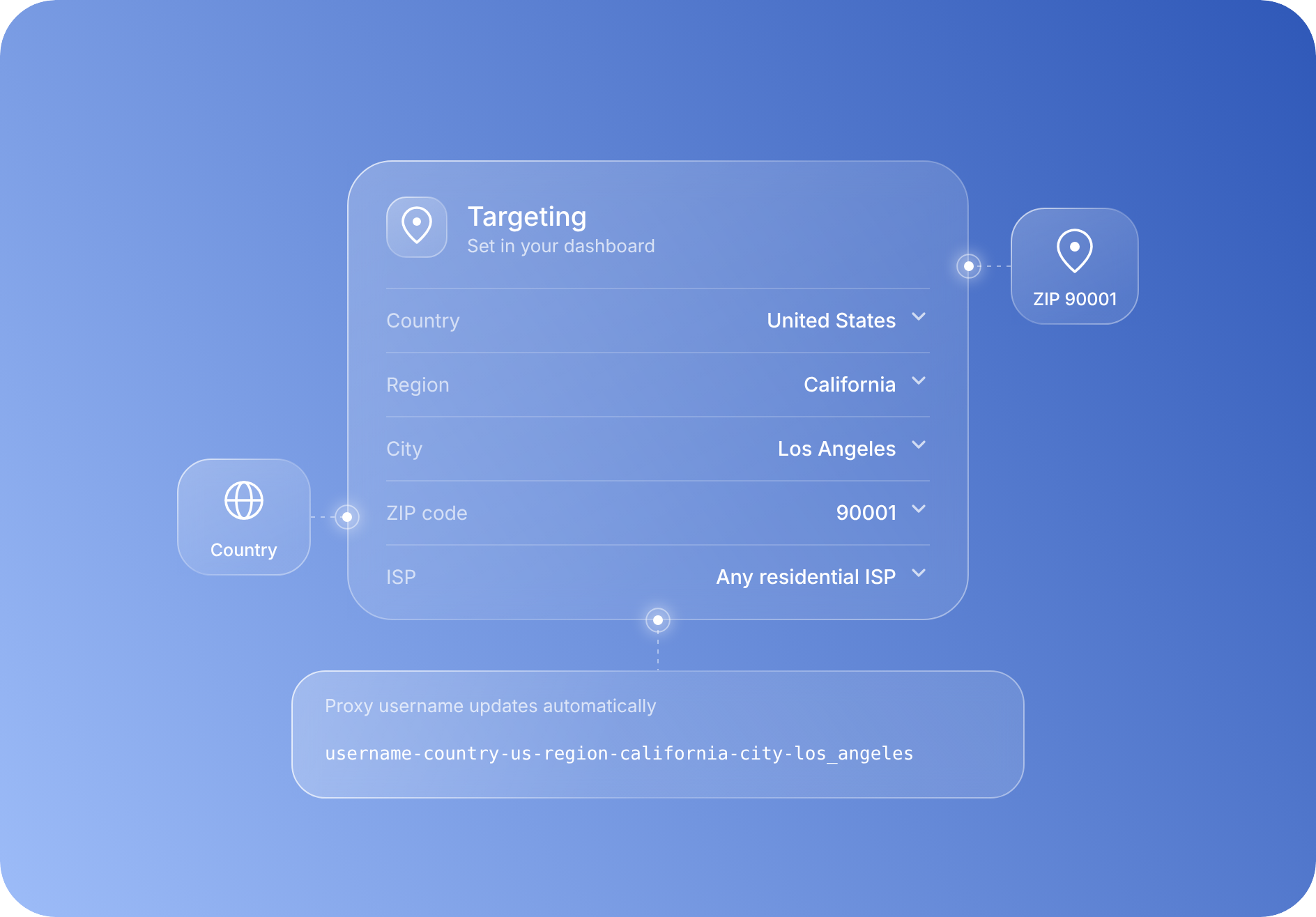
Set your location and mobile carrier
Select mobile IPs by country, region or city, with carriers such as AT&T Wireless, T-Mobile USA and Verizon Wireless in the US, or O2 and Three in the UK. Available carriers vary by location
- Country, region and city
- Carrier selection
- US ZIP mode
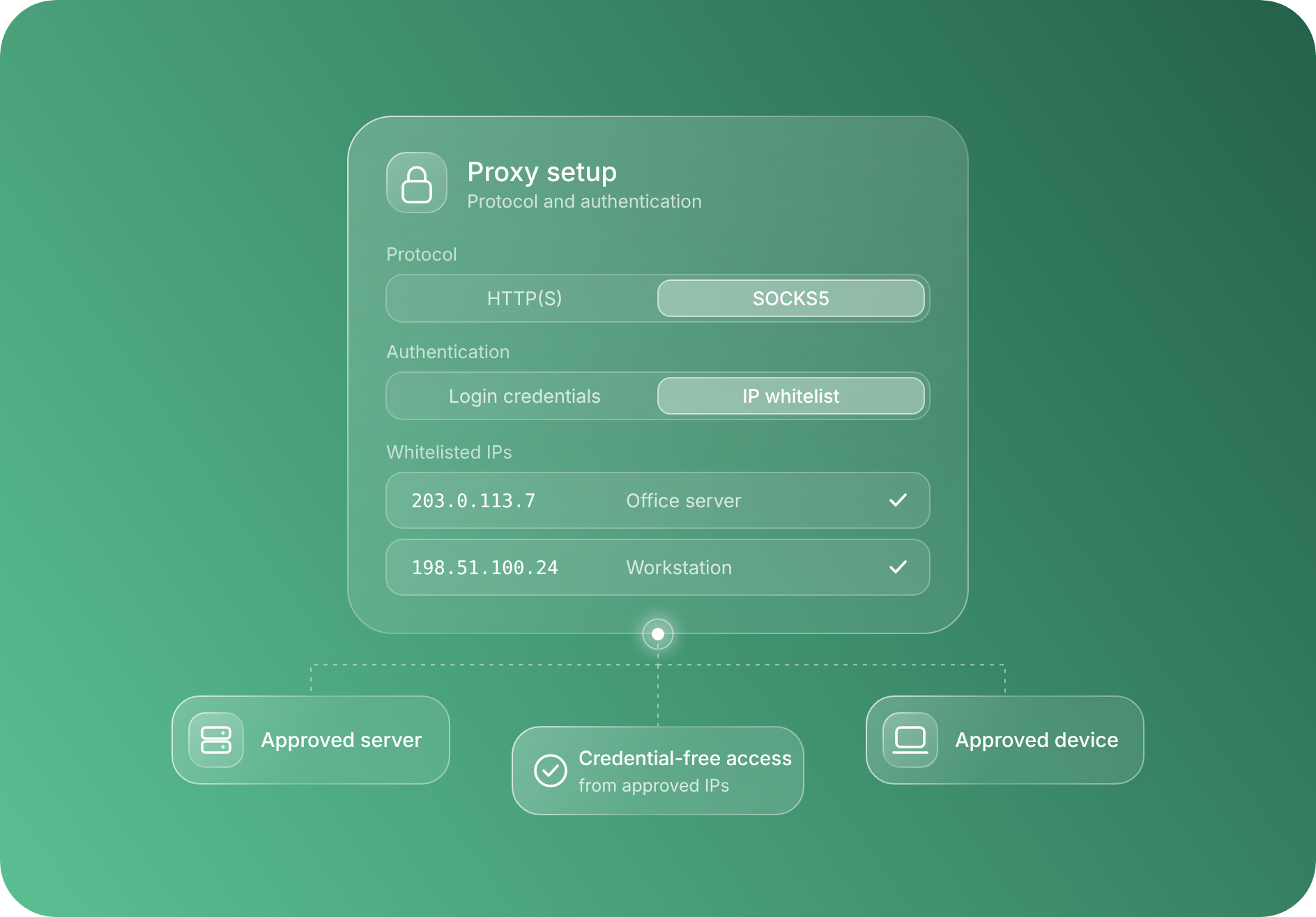
Connect through HTTP(S) or SOCKS5
Connect over HTTP(S) or SOCKS5, including requests to HTTPS websites. Choose IPv4-only or mixed IPv4/IPv6 addresses, and use proxy credentials or IP whitelisting to authenticate
- HTTP(S) and SOCKS5
- IPv4 or mixed
- IP whitelisting
Set up mobile proxies in your preferred tools
In Proxy Setup, set Connection type to Mobile, then run the built-in check. Copy the generated details into your browser extension, proxy client or automation tool. Our guides show a detailed step-by-step process


What are mobile proxies?
A mobile proxy server sends requests through an IP assigned by a cellular carrier. Your app connects to NodeMaven’s gateway, which forwards the request over a 4G, 5G or LTE connection. Use carrier IPs when your workflow and requests need a mobile network origin
Find mobile IPs by country and carrier
Access AT&T Wireless, T-Mobile USA and Verizon Wireless in the US, plus O2 UK and Three in the UK. Available carriers vary by location. We recommend checking your dashboard for the latest options
Build your mobile proxy workflows with API, MCP and AI skills
Manage traffic, locations and proxy access through the Account API. Use MCP tools to prepare mobile proxy URLs and check connections, or add NodeMaven skills to Claude Code or Cursor for proxy setup, SDK guidance and troubleshooting
Account API
Keep traffic usage and proxy access in your own app

MCP and AI skills
Give your AI assistant proxy tools and setup guidance



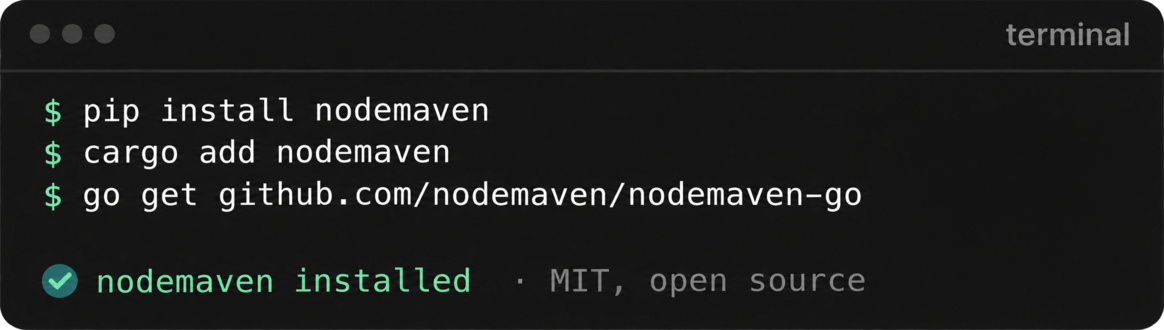
Start with NodeMaven’s Python, Rust, and Go SDKs
Build mobile proxy URLs in Python, Rust and Go with country, city, carrier and sticky-session parameters. Our open-source SDKs check parameter names and formatting locally before your HTTP client or browser uses the configuration

Add the Python, Rust, or Go SDK to your project. Follow your language’s quickstart to configure credentials and make your first request
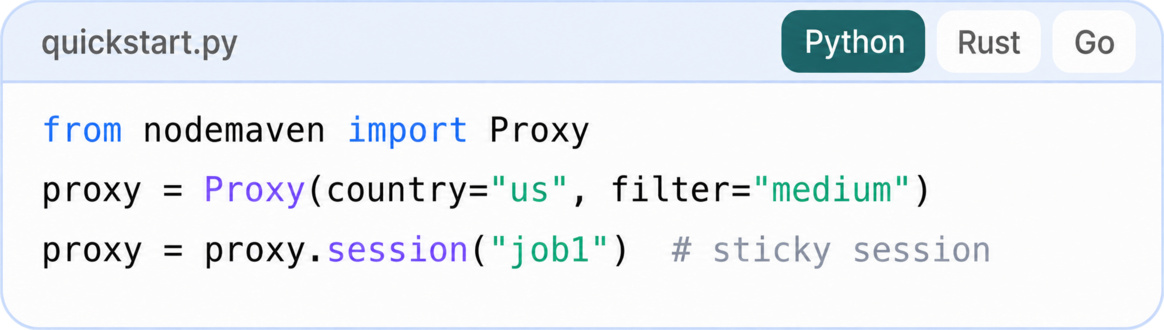
Set your proxy credentials as environment variables. Choose a location, apply IP filters, and configure rotation or a sticky session in code
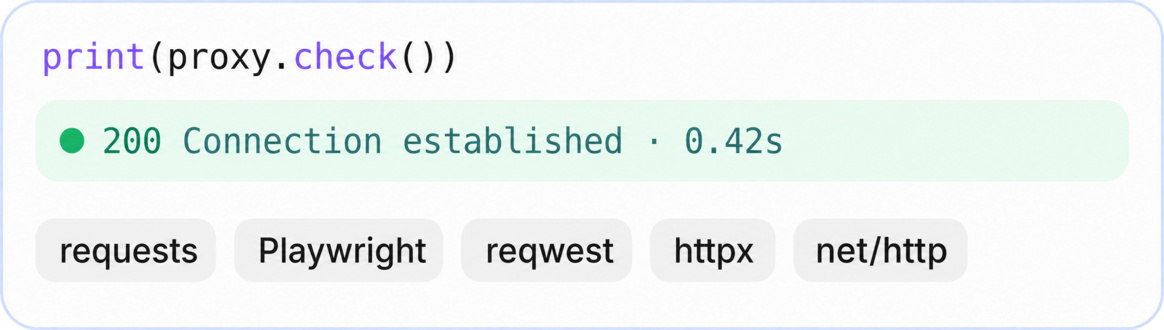
Check the gateway response, then connect through your preferred HTTP client or browser framework. Send a test request to confirm the exit IP
Reviews from our clients and partners
Honest feedback from the people who use and trust NodeMaven


Responsible IP sourcing and network standards
We are committed to lawful IP sourcing, required user consent and network integrity
- Sourcing and consent checks. We assess suppliers and proxy resources for lawful sourcing, authorization, security and consent status.
- Network integrity. Our sourcing criteria address malware, compromised devices, hidden proxy software and non-consensual participation.
- Action on concerns. We can investigate or remove suppliers and network resources that raise legal, security or consent concerns.
Frequently asked questions
A 4G mobile proxy gives your browser or application an exit IP from a carrier network using a 4G connection. LTE proxies follow the same routing model over LTE connections. You can use them from a computer or server through a proxy gateway.
Buy a traffic package in the dashboard; every plan includes Mobile and Residential. In Proxy Setup, set Connection type to Mobile, choose your settings and run Check proxy. Copy the generated host, port and proxy credentials into your tool.
Yes. Our mobile pool includes 5G, 4G and LTE carrier connections. Choose Mobile in Proxy Setup, then select the available location and carrier. If your task specifically requires 5G, contact our team to confirm suitable availability.
Test website or app responses from mobile IPs, check regional ad placements, and collect public prices or search results. Mobile proxies provide the carrier IP; your browser or testing tool determines the device settings used for the test.
Plans start from $2.20/GB, depending on the package and billing option. Mobile and Residential use one balance, with both uploaded and downloaded data counting toward usage. IP rotation itself adds no separate charge. Check the calculator for your total.
With 4G rotating proxies, the exit IP changes per request. Sticky sessions hold an IP for up to 24 hours and replace it from the same location if it goes offline. No rotating waits for the original IP instead. These are shared-pool options; for a dedicated fixed address, compare our ISP proxies.
Yes. US carrier options include AT&T Wireless, T-Mobile USA and Verizon Wireless, subject to availability. Set Connection type to Mobile and choose United States, then select your location and carrier. US ZIP mode is a separate alternative to region/city and carrier selection.
The 750MB paid trial costs $3.50, has no expiry and includes the same available locations, filter modes and session options as larger plans. It’s available once per account and covers both Mobile and Residential traffic.
Start with the carriers and countries your project needs, then compare per-GB costs, rotation behavior and connection support. Check whether IPs are shared or dedicated, and test representative requests rather than choosing only by advertised pool size.
Check your proxy credentials, traffic balance, mobile pool selection and targeting settings. Run Check proxy in your dashboard, then test your tool again. If the issue continues, contact support with the target URL and error message. Keep your proxy password out of screenshots and shared logs.