
How AI Agents Integrate with Enterprise Workflow Tools



A standalone AI agent is a demo. It can hold a conversation, summarize a document, or draft an email, but none of those changes how a business runs. Value shows up only when an agent can read a customer record, update a ticket, or trigger a workflow on its own. That step, moving from an isolated model to something wired into daily operations, is what most people mean by AI agent integration.
This article covers the systems agents typically plug into, the technical methods used to connect them, the problems teams run into along the way, and AI agent proxies that keep workflows stable once they are in production. The goal is AI agent integration that survives contact with a real enterprise environment, not just a proof of concept.

Build more reliable AI workflows with premium proxies.
Start your NodeMaven trial for $3.50, including 750 MB of traffic.
Key takeaways
- An AI agent only creates business value once it can read and write data inside real systems, not just generate text in a chat window.
- Model Context Protocol (MCP) is becoming the default way to standardize connections between agents and enterprise tools, replacing one-off custom integrations.
- CRM, ERP, help desk, and communication platforms are the most common integration targets, each with different data models and permission structures.
- Authentication, least-privilege access, and continuous monitoring are the biggest technical and governance hurdles, not model quality.
- Agents that interact with external websites or SaaS platforms depend on stable network infrastructure, which is often an overlooked part of reliability planning.
What is AI agents integration?
An AI assistant answers questions inside a chat interface. It has no independent access to company systems unless someone copies information in or out manually. An integrated AI agent is different. It can query a database, call an internal API, or push updates into a CRM without a human relaying each step.
AI agent integration is the work of connecting a model, and the logic layer around it, to the tools and data a business actually uses. That includes authentication, data formatting, error handling, and permission scoping. Done well, it turns a language model into something closer to a digital coworker that can complete multi-step tasks across systems.
The distinction matters because even the most capable AI model cannot deliver business value without reliable integration into the systems where data, processes, and users already exist.
Business systems AI agents commonly connect to
In practice, a handful of system categories account for most enterprise agent deployments:
- CRM platforms, for pulling customer history or logging interactions. AI agent CRM integrations are among the most common starting points because sales and support teams already track structured, well-defined data
- ERP systems, for inventory checks, order status, and finance workflows
- HR software, for onboarding tasks, policy lookups, and internal employee questions
- Help desk platforms, for triaging, tagging, and routing support tickets
- Slack and Microsoft Teams, as the interface where employees actually talk to the agent
- Databases and data warehouses, for direct queries against operational data
- Cloud storage, for retrieving and summarizing documents
- Knowledge bases, often paired with retrieval-augmented generation so answers stay grounded in current internal documentation
- Internal APIs, for anything custom-built that does not fit a standard category
For example, a support agent connected to both a help desk platform and a CRM can retrieve customer information, answer account questions, and update ticket statuses without switching between multiple systems.
Common AI agent integration methods
There is no single correct way to connect an agent to a system. The right method depends on the target platform, the data involved, and how much real-time interaction is required.
1. REST APIs and GraphQL
Most business software exposes a REST API, and many modern platforms support GraphQL. These remain the most direct route for ai agent API integrations, giving the agent structured, predictable endpoints to call for reading or writing data.
2. Webhooks
Webhooks push events to the agent instead of making it poll for changes. A new support ticket or a CRM field update can trigger the agent automatically, which fits well for reactive, event-driven workflows.
3. Model Context Protocol (MCP)
Model Context Protocol (MCP), introduced by Anthropic, is an open standard that helps AI agents connect to external tools in a consistent way. Instead of creating a separate integration for every application, developers can build one MCP connection that works with any compatible tool or AI agent. Such approach reduces development time and makes it much easier to expand AI agent backend integrations as new systems are added.
4. Workflow automation platforms
Tools built for no-code or low-code automation can sit between an agent and a target system, handling authentication and data mapping without custom development. This is a common route for teams that want AI agent workflow integrations without a large engineering investment.
5. Browser automation
Some systems, particularly older internal tools or third-party platforms without a usable API, only expose a web interface. Browser automation lets an agent interact with that interface directly, clicking, filling forms, and reading rendered pages the way a person would.
6. Middleware
AI agent integration middleware sits between the agent and backend systems to handle translation, queuing, and error recovery. It becomes useful once an organization has more than a couple of integrations, since it centralizes logic that would otherwise be duplicated across every connector.
| Method | Best for | Tradeoff |
| REST / GraphQL | Direct, well-documented systems | Custom code per system without a shared layer |
| Webhooks | Event-driven, real-time triggers | Needs a listener endpoint and retry logic |
| MCP | Multiple tools, multiple agents at scale | Requires MCP-compatible servers and clients |
| Automation platforms | Fast setup, limited engineering resources | Less control over edge cases |
| Browser automation | Systems with no usable API | Fragile against UI changes, slower than API calls |
Keep AI agents running smoothly with stable residential and ISP proxies.
Try NodeMaven for $3.50 and get 750 MB of included bandwidth
Choosing the right integration method
| Integration Type | Setup Effort | Scalability | Best Use Case |
| REST API / GraphQL | Medium | High | Modern SaaS and enterprise software |
| Webhooks | Low | High | Event-driven workflows |
| MCP | Medium | Very High | Multiple AI agents and connected tools |
| Automation platforms | Low | Medium | No-code and low-code automation |
| Browser automation | High | Medium | Legacy software and websites without APIs |
| Middleware | High | Very High | Large enterprise integration environments |
Example AI agent integration workflow
Most business workflows require data from several applications before an agent can complete a task. The example below shows how a customer support request can move through multiple systems without manual intervention.
| Step | Action |
| 1. Customer request | A customer submits a support ticket through the company website. |
| 2. Help desk | The help desk platform creates a new ticket and triggers the AI agent through a webhook or API. |
| 3. CRM lookup | The AI agent retrieves the customer’s account details, previous conversations, and subscription status from the CRM. |
| 4. ERP check | If the request relates to an order, the agent checks shipping or payment information in the ERP system. |
| 5. Knowledge base search | The agent searches internal documentation to find the most accurate solution. |
| 6. Response generation | Using the collected information, the AI agent drafts a personalized reply for the customer. |
| 7. Workflow update | The response is added to the support ticket, the ticket status is updated, and the support team receives a notification in Slack or Microsoft Teams if human review is required. |
This workflow illustrates why AI agent integrations matter. The agent is not relying on a single application, but it coordinates information from several business systems to complete a task that would otherwise require employees to switch between multiple tools.
Four real implementation challenges
Integration work looks straightforward until it runs into a real enterprise environment.
1. Legacy systems
Many organizations still rely on software that was never designed for modern integrations. These systems often lack APIs, forcing developers to use middleware, browser automation, or screen scraping to access the required data. Integrating AI agents with legacy software usually requires more development effort than connecting them to modern cloud applications.
2. Data consistency
Business data rarely lives in one place. Customer records, inventory, financial data, and internal documentation are often spread across multiple systems that use different formats. Before an AI agent can make reliable decisions, these data sources need to be connected and synchronized.
3. Secure access
An AI agent needs permission to access business systems, but it should never receive broader privileges than necessary. Authentication, role-based access, and permission management become increasingly important as agents interact with more applications and sensitive data.
4. Scalability and reliability
An integration that works for one workflow may struggle when hundreds of employees or multiple AI agents rely on it simultaneously. Stable APIs, monitoring, error handling, and reliable infrastructure help keep workflows running as usage grows.
Infrastructure considerations for reliable AI agent workflows
Not every AI agent works only with internal systems. Many also interact with websites, SaaS platforms, or browser-based applications where connection quality directly affects reliability. A dropped session or blocked IP can interrupt a workflow, forcing the agent to restart tasks or leaving data only partially updated.
This is especially important for browser automation and web data collection. Unlike API calls, these workflows depend on stable sessions and IPs that are less likely to trigger rate limits or anti-bot systems.
For these use cases, many organizations rely on residential or ISP proxies. NodeMaven’s residential proxies provide access to over 30 million IPs across 190+ countries and support sticky sessions for long-running automation tasks.
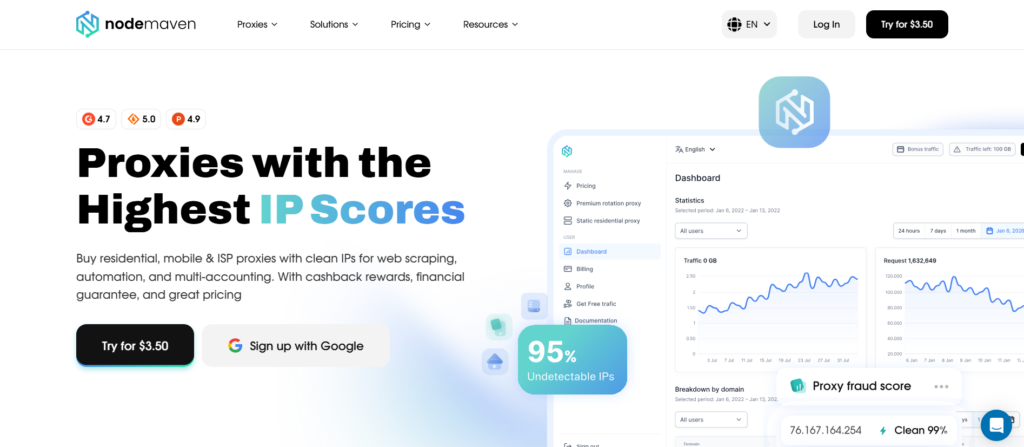
When AI agents require fast, long-term, and consistent connections to the same services, NodeMaven’s ISP proxies provide static residential IPs with unlimited bandwidth, making them well suited for continuous enterprise automation and AI-powered workflows.
While integrations begin with APIs and workflows, reliable network infrastructure is equally important for browser based AI automation.
Best practices for AI agent integration
A short list of practices consistently shows up across teams that have deployed agents successfully:
- Start with one workflow. Pick a narrow, well-defined task before expanding to a broader set of systems.
- Use least privilege. Grant an agent only the access it needs for its specific task, not broad standing permissions.
- Monitor continuously. Log every action an agent takes, and review that log on a schedule that matches how fast the agent operates, not a quarterly cycle.
- Document integrations. Every connector should have a clear owner and a record of what data it touches.
- Keep humans in the loop. High-impact actions, like financial transactions or customer-facing communication, should route through a review step before execution.
- Test before deployment. Validate integrations against edge cases and failure conditions, not just the happy path.
- Plan for scaling. Design the first integration with the assumption that more will follow.
Even small AI projects benefit from these practices early on, making future integrations easier to maintain as new systems and workflows are added.
Conclusion
The value of an AI agent depends on what it can connect to. Successful AI agent integrations require secure access, reliable infrastructure, and thoughtful planning from the start. For organizations building browser-based AI workflows or connecting agents to external services, NodeMaven can provide the network reliability needed to keep those integrations running consistently at scale.
Power browser automation and AI integrations with reliable proxy infrastructure.
Start your $3.50 NodeMaven trial with 750 MB of traffic included.


