Лучшие инструменты мониторинга цен в 2026 году: 11 инструментов в сравнении




Инструменты мониторинга цен помогают командам электронной коммерции отслеживать действия конкурентов до того, как это начнет негативно сказываться на прибыльности, конверсии или планировании запасов. Подходящий инструмент позволяет отслеживать цены на товары, историю цен, скидки, наличие товара, а также региональные различия в ценах в различных магазинах и на торговых площадках.
Но инструмент — лишь часть реализации. Данные о ценах полезны только тогда, когда точны. Если веб-сайт блокирует ваши проверки, показывает разную цену в зависимости от местоположения или отображает неполные страницы продуктов, ваши отчеты будут выглядеть безупречно, в то время как базовые данные будут неверны.
В этом руководстве сравниваются лучшие инструменты для мониторинга цен, объясняется, какие варианты подходят для команд электронной коммерции, рассказывается о мониторинге Amazon и Best Buy, о браузерных уведомлениях и настраиваемых рабочих процессах, а также объясняется, почему надежные прокси необходимы для эффективного мониторинга цен.
Что такое инструменты мониторинга цен?
Инструменты мониторинга цен — это программные продукты, которые отслеживают цены на сайтах электронной коммерции, торговых площадках, страницах товаров и в магазинах конкурентов. Они позволяют отслеживать изменения цен, скидки, состояние запасов, историю цен, условия доставки и наличие товаров.
Для покупателей ценовой трекер обычно означает уведомление о снижении цены. Для команд электронной коммерции мониторинг цен — это скорее операционная задача. Он поддерживает ценовую стратегию, анализ конкурентов, проверку ассортимента, мониторинг рекомендованных розничных цен (MAP) и принятие решений о переоценке.
Почему команды электронной торговли используют инструменты мониторинга цен
1. Отслеживать цены конкурентов
Цены конкурентов меняются быстро. Соперник может снизить цену, запустить купон, создать комплект из продуктов или распродать товар в ходе кратковременной акции до того, как ваша команда заметит это вручную. Инструменты мониторинга цен делают эти действия видимыми.
2. Защитить поля
Правильные данные о ценах помогают компаниям избежать двух нежелательных ситуаций: слишком поздней реакции на снижение цен конкурентами или чрезмерно агрессивного предоставления скидок, когда рынок этого не требует.
3. Поддержка динамического ценообразования
Динамическое ценообразование работает эффективнее, если основано на достоверных рыночных данных. Инструменты мониторинга цен могут служить основой для ценовых правил, рабочих процессов пересмотра цен и принятия решений на уровне категорий.
4. Отслеживать акции и спецпредложения
Цена конкурента имеет значение, но так же важно и наличие товара. Товар, которого нет в наличии, заблокирован промокодом или доступен только в комплекте, может исказить реальную картину рынка, но также открыть новые возможности.
5. Сравнить региональные цены
Некоторые сайты электронной коммерции отображают разные цены в зависимости от страны, города, валюты, региона доставки или сеанса. Проверку цен по регионам сложно проводить вручную, а без надлежащей настройки еще сложнее обеспечить их согласованность. Вот как выглядит этот рабочий процесс: резидентские прокси с широким географическим охватом приносят большую ценность.

Используйте прокси-серверы из частных сетей, мобильные прокси и прокси-серверы интернет-провайдеров со стабильными сессиями, поддержкой SOCKS5 и предварительно отфильтрованными IP-адресами для более надежного мониторинга цен. Начните с 750 МБ всего за $3.50
Краткое сравнение лучших инструментов для мониторинга цен
| Инструмент | Лучшее для | Покрытие | История цен | Оповещения | Цена |
| Присайнк | Мониторинг конкурентов в сфере электронной коммерции | Конкурирующие магазины и торговые площадки | Да | Да | Оплачено |
| Price2Spy | Уведомления и отчетность | Широкий охват рынка электронной коммерции | Да | Да | Оплачено |
| PricingHunter | Автоматическое отслеживание цен конкурентов и сопоставление товаров | Интернет-магазины, сайты конкурентов и крупные каталоги товаров | Да | Да, ежедневные оповещения на email | Платно, от $79/месяц с 14-дневным бесплатным пробным периодом |
| Миндерест | Корпоративная интеллектуальная система ценообразования | Розничные продавцы, бренды, торговые площадки | Да | Да | Custom |
| Конкурент | Оптимизация ценообразования с помощью ИИ | Розничная торговля для предприятий | Да | Деловые оповещения | Custom |
| прайсфай | Автоматический мониторинг конкурентов | Электронная коммерция и маркетплейсы | Да | Да | Оплачено |
| ВижуПинг | Простые уведомления о ценах на сайте | Любая страница, которую вы отслеживаете | Ограниченный | Да | Бесплатно и платно |
| Кипа | История цен на Amazon | Amazon | Сильный | Да | Бесплатно и платно |
| CamelCamelCamel | Бесплатное отслеживание Amazon | Amazon | Да | Да | Бесплатно |
| Дорогая | Оповещения о ценах для покупателей | Поддерживаемые магазины | Базовый | Да | Бесплатно |
| Google Покупки | Ручное сравнение | Котирующиеся на бирже розничные компании | Ограниченный | Отслеживание цен | Бесплатно |
| Самодельный скребок | Пользовательские рабочие процессы | Сайты, которые вы можете использовать для сбора | Custom | Custom | Затраты на |
Лучшие инструменты для мониторинга цен в 2026 году
Присин
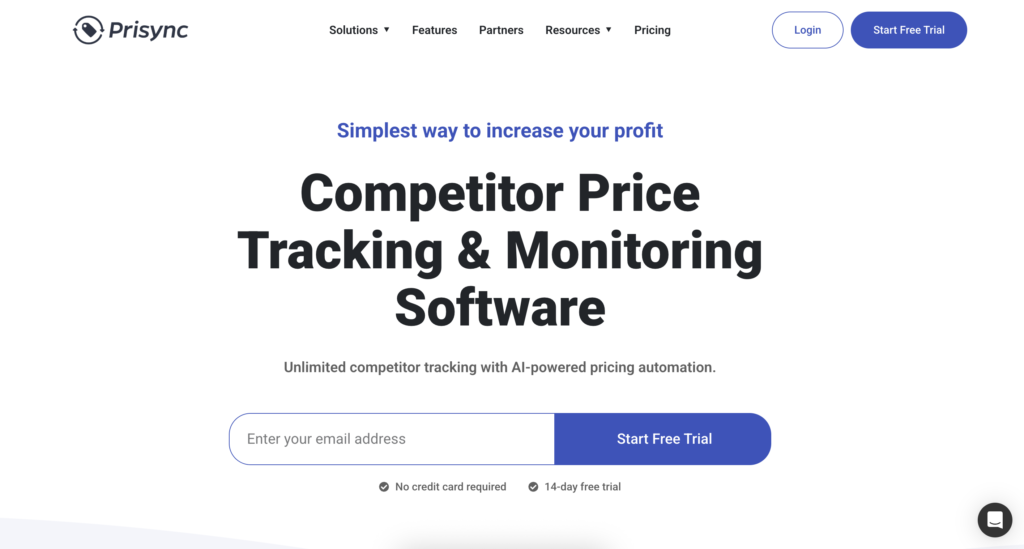
Prisync — отличный вариант для e-commerce команд, которые хотят отслеживать цены конкурентов, не создавая собственную систему. Он отслеживает цены конкурентов, наличие товаров и изменения цен, и разработан с учетом рабочих процессов электронной торговли, а не просто оповещений о распродажах.
Лучше всего подходит для: команды электронной коммерции, которым нужен мониторинг цен конкурентов, отслеживание запасов и отчеты по ценам.
Цены: Доступна бесплатная 14-дневная пробная версия; стоимость тарифного плана «Professional» начинается с $99 в месяц, а стоимость более дорогих тарифных планов составляет около $199 и $299 в месяц в зависимости от количества продуктов и набора функций.
Ограничения: цены и настройка могут зависеть от количества SKU, количества конкурентов и сложности каталога.
2. Price2Spy
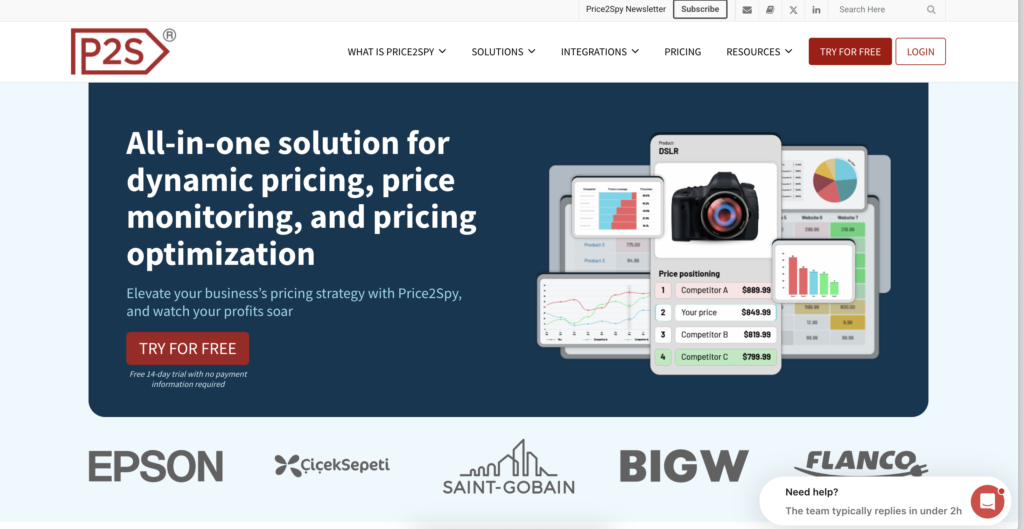
Price2Spy — это давно существующий инструмент для мониторинга цен, предназначенный для розничных продавцов, брендов и команд электронной коммерции. Он фокусируется на отслеживании конкурентов, уведомлениях о ценах, сопоставлении продуктов, отчетах и экспорте.
Лучше всего подходит для: командам, которым нужны не просто легкое браузерное расширение, а полноценные средства мониторинга, оповещения и отчетности.
Цены: 14-дневная бесплатная пробная версия; стоимость начинается от $78,95 в месяц для мониторинга небольшого объема; стоимость более крупных тарифных планов зависит от количества продуктов, URL-адресов и частоты проверок.
Ограничения: Настройка может занять время, если ваши правила сопоставления продуктов сложны.
3 . PricingHunter
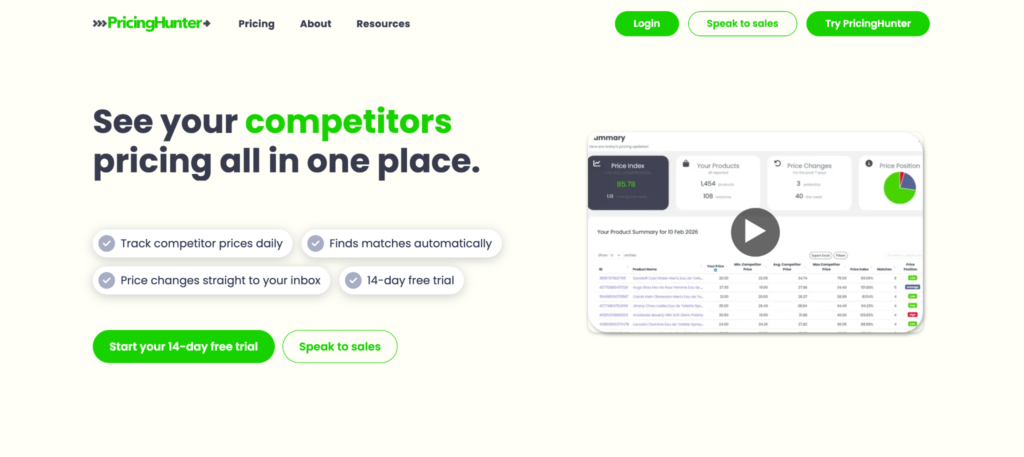
PricingHunter специализируется на автоматическом отслеживании цен конкурентов и сопоставлении товаров для интернет-магазинов. Он хорошо подойдёт компаниям, которым нужны ежедневная аналитика цен, мониторинг конкурентов и уведомления без сложной настройки и долгосрочных контрактов.
Лучше всего для: интернет-магазинов, которым нужны автоматическое отслеживание конкурентов, сопоставление товаров, ежедневные оповещения о ценах и история цен.
Цены: платные тарифы начинаются от $79/месяц за отслеживание до 200 товаров, для более крупных каталогов доступны старшие тарифы. Все платные тарифы включают неограниченное отслеживание конкурентов, автоматическое сопоставление товаров, ежедневные уведомления на email и историю цен. PricingHunter также предлагает 14-дневный бесплатный пробный период без контракта.
4. Minderest
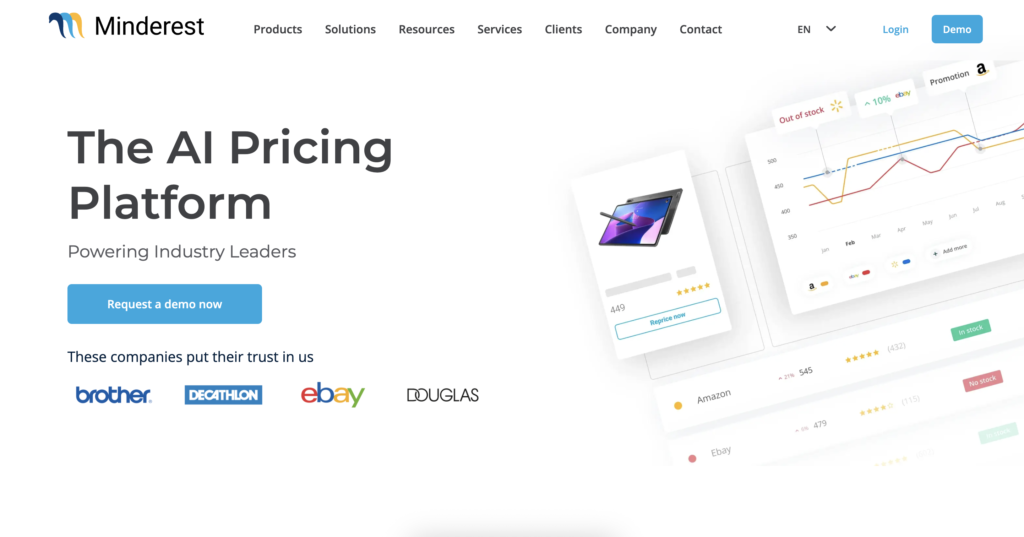
Minderest больше похож на интеллектуальный анализ цен для предприятий, чем на простой трекер цен. Он создан для ритейлеров и брендов, которым необходимо отслеживать цены, ассортимент, торговые площадки и конкурентов в более крупных масштабах.
Лучше всего подходит для: командам по электронной коммерции в крупных компаниях, брендам и ритейлерам, располагающим обширными каталогами и использующим более формализованные рабочие процессы по анализу цен.
Цены: индивидуальное корпоративное ценообразование; точная стоимость рассчитывается по запросу и зависит от размера каталога, рынков и модулей.
Ограничения: Это может быть больше, чем нужно небольшому интернет-магазину.
5. Competera
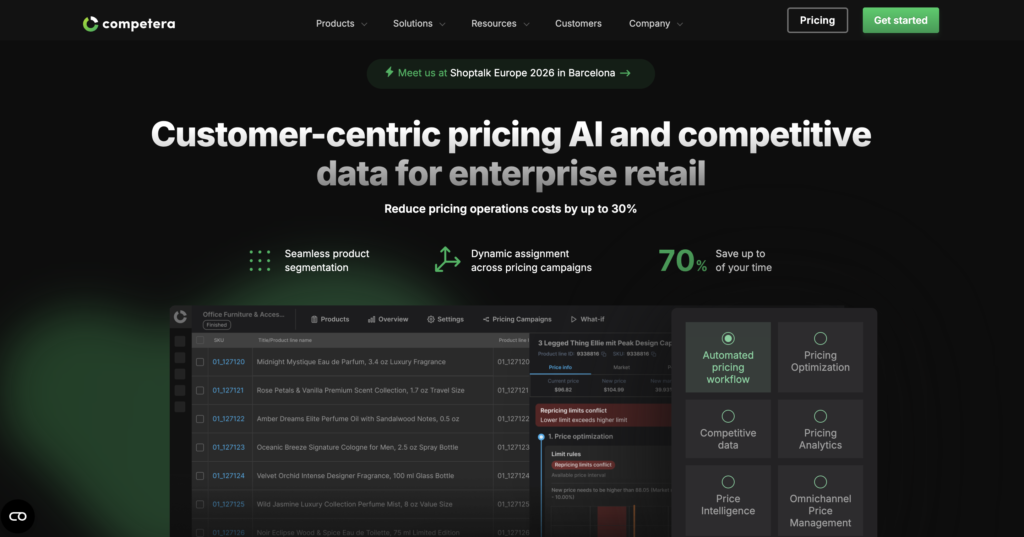
Competera создана для оптимизации ценообразования, а не только для отслеживания цен. Она наиболее эффективна, когда команде нужны рыночные данные, сигналы спроса и рекомендации по ценообразованию с поддержкой ИИ в рамках единого рабочего процесса.
Лучше всего подходит для: розничные сети, которым нужны рекомендации по ценообразованию и автоматизация ценообразования, а не просто мониторинг.
Цены: Индивидуальные цены для предприятий; публичные стартовые цены не указаны, а стоимость зависит от ценовых модулей, рынков и объема внедрения.
Ограничения: если вам нужны только уведомления для нескольких продуктов, это, вероятно, слишком громоздко.
6. Pricefy
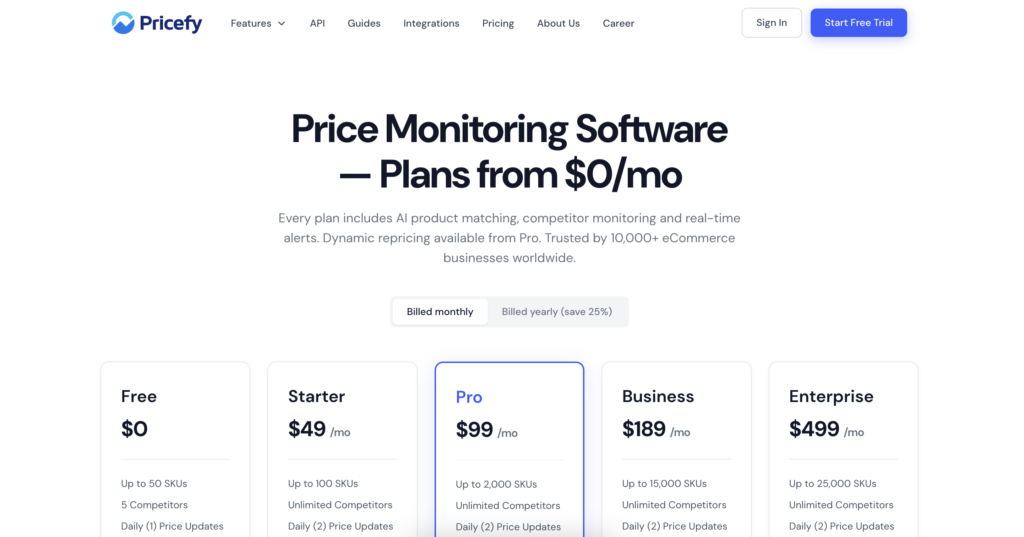
Pricefy фокусируется на автоматическом отслеживании цен конкурентов и мониторинге электронной коммерции. Он может подойти командам, которым нужна видимость ценообразования без перехода к полномасштабной платформе анализа цен для предприятий.
Лучше всего подходит для: интернет-магазины, которым требуется отслеживание конкурентов, оповещения и поддержка переоценки.
Цены: Стоимость платных тарифных планов начинается от $49 в месяц для небольших систем мониторинга, при этом более дорогие тарифы включают больше продуктов, конкурентов и функций автоматизации.
Ограничения: Подтвердите точное покрытие магазинов и рынков, которое вам необходимо, прежде чем принимать обязательства.
7. Visualping
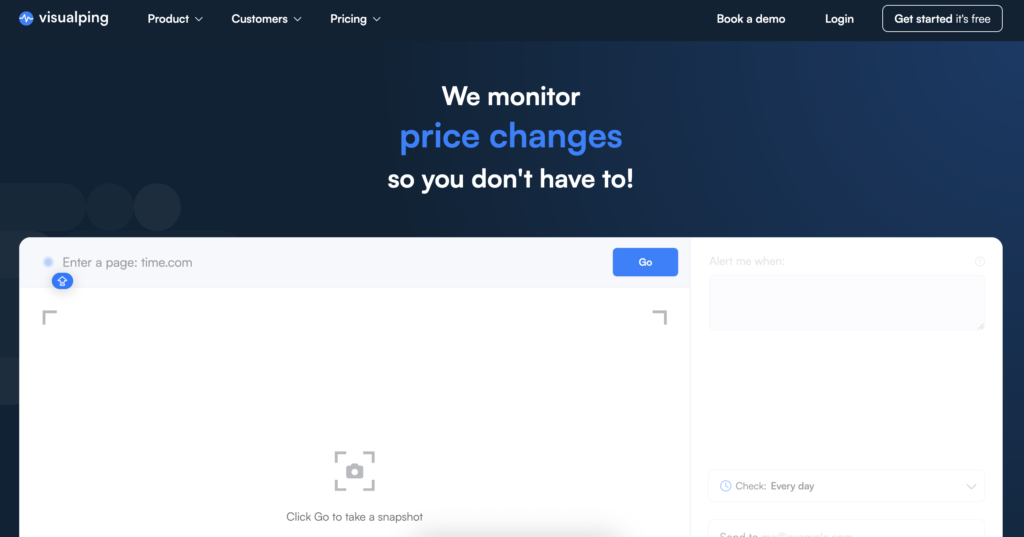
Visualping — это не только трекер цен. Он отслеживает изменения на веб-страницах. Это делает его полезным трекером цен веб-сайтов, когда вам нужен простой сигнал для страницы товара, целевой страницы конкурента или страницы с предложением.
Лучше всего подходит для: небольшие списки страниц, нишевых конкурентов и простые оповещения об изменении страниц.
Цены: Доступен бесплатный тариф; стоимость платных тарифов начинается от 10–20 евро в месяц в зависимости от частоты проверок и объема мониторинга.
Ограничения: это может упустить специфические для электронной коммерции детали, такие как варианты, доставка, купоны или структурированное сопоставление продуктов.
8. Keepa
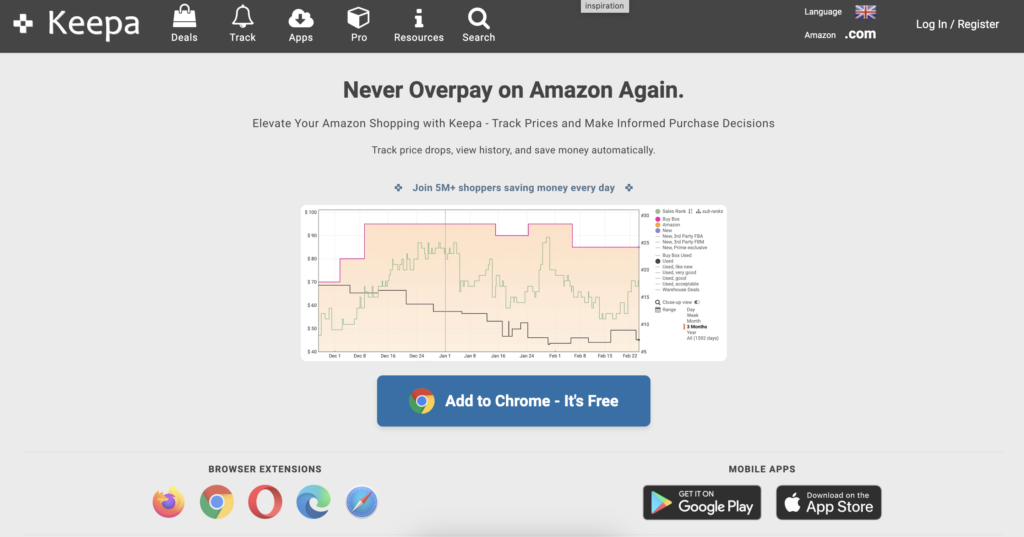
Keepa — одна из самых известных опций для отслеживания цен Amazon. Он особенно полезен для истории цен Amazon, оповещений о товарах, проверок в браузере и рабочих процессов на основе API.
Лучше всего подходит для: Отслеживание цен на Amazon, история цен на Amazon и исследование продуктов, ориентированных на Amazon.
Цены: Доступны бесплатные функции отслеживания цен на Amazon; для расширенного доступа к данным и использования API требуется платная подписка, стоимость которой обычно составляет около $19 в месяц.
Ограничения: Это не полноценная платформа мониторинга цен для многомагазинной электронной коммерции.
9. CamelCamelCamel
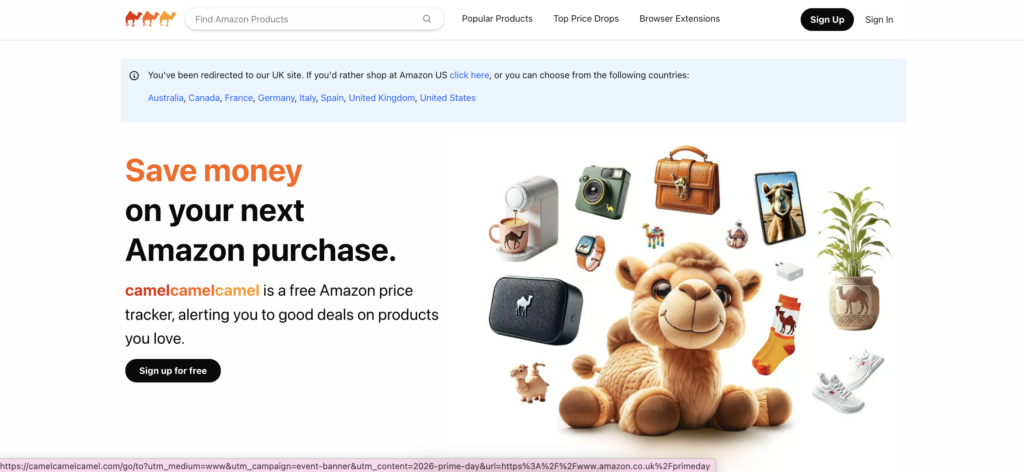
CamelCamelCamel — это бесплатный сервис для отслеживания истории цен на Amazon. Он прост, знаком и полезен для мониторинга снижения цен на Amazon без необходимости бизнес-уровня настройки.
Лучше всего подходит для: покупатели и мелкие проверки только для Amazon.
Цены: бесплатно.
Ограничения: он не предназначен для мониторинга конкурентов на нескольких сайтах электронной коммерции.
10. Honey

Honey более известна купонами, но она также поддерживает удобное для покупателей отслеживание цен и оповещения о снижении цен с помощью своего расширения для браузера.
Лучше всего подходит для: покупатели, которым нужны купоны, оповещения и расширение для отслеживания цен в браузере.
Цены: бесплатное расширение для браузера и приложение. Honey зарабатывает благодаря своей модели покупок и партнерским программам, а не путем взимания платы непосредственно с пользователей.
Ограничения: он не предназначен для мониторинга конкурентов в электронной коммерции, отслеживания каталогов или структурированной аналитики цен.
11. Google Shopping и Shopping Insights
Google Shopping позволяет пользователям сравнивать цены в разных магазинах, а для некоторых товаров — просматривать аналитику цен или отслеживать их снижение. Это удобно для ручной проверки цен и поиска выгодных предложений.
Это не то же самое, что профессиональный инструмент мониторинга цен. Рассматривайте это как быстрый способ сравнить цены и получить информацию о покупках, а не как полноценную систему для мониторинга цен в электронной коммерции.
Лучше всего подходит для: Ручное сравнение цен и быстрое исследование потребителей.
Цены: бесплатный для ручного сравнения цен и поддерживающий функции отслеживания цен.
12. DIY Price Scraper
A Скребок для цен «Сделай сам» может быть хорошим вариантом, когда ваша категория или извлеченная платформа слишком нишевые для стандартных инструментов, или когда вам нужна пользовательская логика для сопоставления продуктов, региональных проверок или отчетности. Питон является популярным решением для создания индивидуальных рабочих процессов по отслеживанию цен, в том числе скриптов для отслеживания цен на Amazon.
Лучше всего подходит для: команды с разработчиками, индивидуальными потребностями в данных или веб-сайты, которые стандартные инструменты поддерживают плохо.
Цены: нет комиссии за программное обеспечение, если вы создадите его сами, но ожидайте расходов на хостинг, хранение, техническое обслуживание и прокси. Стоимость прокси зависит от поставщика и объема трафика.
Ограничения: обслуживание в вашем ведении. Вам также необходимо управлять блокировками, повторными попытками, парсингом продуктов, прокси и качеством данных.

Посмотрите наш “Как создать отслеживатель цен Amazon с помощью Python”учебник
Лучшие инструменты для отслеживания цен в зависимости от сценария использования
| Пример использования | Лучшие инструменты | Почему подходит | Нужен прокси |
| Мониторинг цен в электронной коммерции | Присайнк, Прайс2Спай, Прайсфай | Создано для конкурентных цен, оповещений, отчетов и каталогов. | Средний или высокий |
| Корпоративная интеллектуальная система ценообразования | Minderest, Competera | Лучше для больших каталогов и рабочих процессов стратегического ценообразования. | Высокий |
| Отслеживание цен на Amazon | Кипа, КэмелКэмелКэмел | История цен на Amazon и оповещения. | Низкий, если не использовать пользовательский скрапинг |
| Отслеживание цен Best Buy | Visualping, инструмент для сбора данных своими руками, расширенные инструменты для электронной коммерции | Amazon-only трекеры плохо отслеживают Best Buy. | Medium |
| Проверка истории цен | Кипа, CamelCamelCamel, Price2Spy | Полезно, когда важно учитывать динамику цен в прошлом. | Низкий или средний |
| Отслеживание расширений браузера | Дорогой, расширение Keepa | Хорошо для покупателей и простые уведомления. | Низкий |
| Отслеживание цен на веб-сайте | Visualping, Pricefy | Хорошо подходит для отслеживания конкретных страниц продуктов или страниц конкурентов. | Medium |
| Мониторинг цен своими руками | Python-скрейпер, пользовательские скрипты | Максимальная гибкость, но больше обслуживания. | Высокий |
| Региональный мониторинг цен | Инструменты для электронной коммерции плюс надежные прокси | Требуется, когда цены меняются в зависимости от местоположения или зоны доставки. | Высокий |
Опции на Трекер цен Best Buy
Отслеживание цен в Best Buy отличается от отслеживания цен в Amazon. Инструменты, ориентированные на Amazon, такие как Keepa и CamelCamelCamel, полезны для отслеживания истории цен на Amazon, но они не решают всех задач, связанных с историей цен Best Buy или отслеживанием цен Best Buy.
Для Best Buy рассмотрите:
- Visualping для простых уведомлений об изменении страниц и цен.
- Более широкий инструмент мониторинга цен в электронной коммерции, если вы отслеживаете Best Buy наряду с другими розничными продавцами.
- A пользовательский скребок если вам нужны конкретные SKU, варианты или историческая отчетность.
Главный вопрос заключается в том, нужен ли вам разовое оповещение или система, способная работать в автоматическом режиме. За одним товаром можно следить вручную. А для сотен товаров потребуется более оптимизированный рабочий процесс.
Настройки отслеживания цен на Amazon
Если ваш единственный вопрос — как отслеживать цены на Amazon, начните с Keepa или CamelCamelCamel. Оба сервиса построены на истории цен Amazon и оповещениях о снижении цен, что делает их проще, чем полнофункциональная платформа для мониторинга цен в электронной коммерции.
Для пользовательских рабочих процессов Amazon команды иногда создают в Python трекер цен Amazon. Это дает больше контроля, но также налагает больше ответственности: разбор страниц продуктов, хранение истории, управление повторными попытками и обработка блокировок.
Как выбрать инструмент мониторинга цен
- Охват магазинов и торговых площадок
Проверьте, поддерживает ли инструмент нужные вам места: Amazon, Best Buy, Walmart, магазины Shopify, региональные ритейлеры, торговые площадки или сайты нишевых конкурентов.
- Подбор товара
Именно при сопоставлении товаров многие инструменты для отслеживания цен сталкиваются с серьезными трудностями. Один и тот же товар может иметь разные названия, комплектации, размеры, изображения или форматы SKU в разных магазинах. Эффективное сопоставление позволяет сэкономить часы ручной доработки.
- История цен и уведомления
Проверка истории цен полезна, когда вам нужен контекст, а не только текущая цена. Оповещения помогают командам реагировать, когда конкурент снижает цены, проводит акцию или меняет доступность.
- Частота обновления
Некоторые категории обновляются медленно. Другие меняются каждый час. Выбирайте частоту обновления, исходя из вашего рынка, а не потому, что поставщик предлагает наиболее быстрый сбор данных со страницы с ценами.
- Экспорт, API и отчетность
Если решения о ценообразовании принимаются в электронных таблицах, инструментах бизнес-аналитики или системах переоценки, то важен экспорт и доступ через API. Если данные заперты внутри панели мониторинга, они могут не соответствовать тому, как работает ваша команда.
- Региональные проверки цен
Для некоторых товаров цена зависит от страны, города, валюты, региона доставки или сеанса. Если точность определения региона имеет значение, в настройках мониторинга цен необходимо предусмотреть контроль по местоположению.
- Поддержка прокси и антиблокировки
Мониторинг цен отправляет повторяющиеся запросы на одни и те же сайты. Это может вызвать срабатывание антиботов, капчу, перенаправления или неполные страницы. Качество прокси становится значительной частью качества данных.
Используйте прокси-серверы из частных сетей, мобильные прокси и прокси-серверы интернет-провайдеров со стабильными сессиями, поддержкой SOCKS5 и предварительно отфильтрованными IP-адресами для более надежного мониторинга цен. Начните с 750 МБ всего за $3.50
Распространенные проблемы с инструментами отслеживания цен
Неправильные цены по местоположению
Продукт может отображать одну цену в одной стране и другую цену в другом городе или зоне доставки. Если ваш инструмент проверяет местоположение неправильно, отчет может быть технически полным, но коммерчески вводить в заблуждение. NodeMaven предлагает прокси-серверы с охватом более 190 стран и точным таргетингом на уровне почтовых индексов, что поможет вам определить наиболее точные цены.
Блоки и капчи
Повторные запросы с одного IP-адреса могут вызвать блокировку, поэтому качество прокси напрямую влияет на качество данных. Заблокированная страница не всегда очевидна в окончательном отчете. Иногда она выглядит как отсутствующая цена, ошибка продукта или внезапное изменение наличия на складе.
NodeMaven помогает снизить количество CAPTCHA и блокировок благодаря высоконадежным жилым и реальных устройств которые предварительно отфильтрованы по низкому показателю мошенничества для повторяющихся проверок цен.
Отсутствуют скидки, варианты или доставка
Простые трекеры могут упустить купоны, варианты товаров, стоимость доставки, налоги, комплекты или цены только для членов клуба. Это имеет значение, когда окончательная цена для клиента отличается от заявленной.
Нестабильная история цен
История цен имеет смысл только в том случае, если метод сбора данных остается неизменным. Изменение местоположения, сеанса или качества IP-соединения может привести к появлению ложных колебаний цен, которые на самом деле являются ошибками сбора данных.
Низкокачественные IP
Заблокированные, чрезмерно используемые или ненадежные IP-адреса могут возвращать перенаправления, поддельные страницы, неполные страницы или вообще не возвращать данные. Большее количество запросов этого не исправит. Улучшение качества IP-адресов — вот что поможет. Высококачественные резидентные прокси которые предварительно фильтруются по качеству, помогают повысить эффективность инструментов мониторинга цен.
Как прокси улучшают точность мониторинга цен
Инструменты мониторинга цен зависят от доступа. Если запросы блокируются, перенаправляются или обслуживаются неправильной региональной страницей, данные становятся ненадежными, какой бы красивой ни была панель мониторинга.
Чистые IP-адреса помогают уменьшить блокировки
Интернет-магазины с большей вероятностью оспаривают трафик из шумных, злоупотребленных или даже дешевых источников. IP-адреса дата-центров. Чистые жилые IP-адреса значительно снижают вероятность того, что задача мониторинга вернет заблокированные страницы вместо реальных данных о продукте.
Стабильные сессии повышают точность
Sticky sessions помогают сохранять согласованность проверок на страницах продуктов, вариантов, категорий и при оформлении заказа. Это важно, когда изменения сеанса могут повлиять на цены, наличие или условия доставки.
Географическая таргетированность помогает при установлении цен в разных регионах
Если ваша команда сравнивает цены в разных странах или городах, местоположение прокси-сервера должно соответствовать тому рынку, который вы анализируете. В противном случае отчеты о региональных ценах могут не отражать то, что на самом деле видят клиенты.
Стабильная производительность важна в масштабе
Мониторинг цен часто означает длинные списки URL-адресов и повторные проверки. Прокси-настройка, которая работает для десяти страниц, может не сработать, когда нужно отслеживать десять тысяч. Надежность в масштабе — это разница между полезным отчетом и проектом по устранению неполадок.
Используйте прокси-серверы из частных сетей, мобильные прокси и прокси-серверы интернет-провайдеров со стабильными сессиями, поддержкой SOCKS5 и предварительно отфильтрованными IP-адресами для более надежного мониторинга цен. Начните с 750 МБ всего за $3.50
Оптимальный тип прокси для мониторинга цен
Резидентские прокси
Резидентские прокси обычно являются самыми безопасными по умолчанию для отслеживания цен в электронной коммерции. Они используют реальные домашние IP-адреса, что помогает с веб-сайтами, чувствительными к трафику дата-центров, проверкам местоположения или повторным запросам.
ISP прокси
ISP прокси полезны, когда вам нужны быстрые, стабильные сеансы со статических IP-адресов. Они сочетают скорость с легитимностью, подобной домашней, что может быть полезно для последовательных рабочих процессов мониторинга.
Мобильные прокси
Мобильные прокси полезны при ценообразовании, контенте приложений или результатах поиска, ориентированных на мобильные устройства. Они более специализированы, но могут помочь, когда рыночный обзор зависит от поведения мобильных сетей.
Как NodeMaven поддерживает рабочие процессы мониторинга цен
Командам мониторинга цен не нужны прокси просто для большего количества IP-адресов. Им нужен более чистый доступ, стабильные сессии и контроль местоположения. NodeMaven ориентирован на качество IP-адресов, а не на их количество, что важно, когда сайты электронной коммерции используют антиботовые системы или ценообразование на основе местоположения.
- Очистить IP-адреса для более надежного доступа к страницам продуктов.
- Стабильные сессии для постоянной проверки цен.
- Прокси-серверы для частных пользователей, интернет-провайдеров и мобильных устройств, предназначенные для различных сценариев мониторинга.
- Геотаргетинг для проверки региональных цен и наличия на складе.
- Стабильная производительность, обеспечивающая надежность при масштабировании.
- Гарантия качества и кэшбэк для поддерживаемых прокси-планов.
Результат очевиден: более качественные данные для инструментов мониторинга цен, которые вы уже используете, или более прочная основа для создания собственного инструмента мониторинга цен.
Используйте прокси-серверы из частных сетей, мобильные прокси и прокси-серверы интернет-провайдеров со стабильными сессиями, поддержкой SOCKS5 и предварительно отфильтрованными IP-адресами для более надежного мониторинга цен. Начните с 750 МБ всего за $3.50