How to use Claude for free and avoid usage limits with proxies




Claude AI has a free plan—and it’s usable.
But once you rely on it regularly, limits show up quickly:
- Usage caps
- Cooldowns
- Interrupted sessions
The issue isn’t just how much you use Claude. It’s how all that usage is tied to a single account and session.
The most effective way to extend Claude AI free access is to split usage across multiple profiles, where each account runs in its own environment with its own IP. Instead of hitting limits on one session, you distribute usage across separate ones.
In this guide, you’ll see how to set up that system using proxies and keep your sessions consistent over time.

Does Claude have a free plan?
Yes, Claude AI offers a free plan, but it comes with clear usage limits.
You get:
- Access to core models (Sonnet and Haiku)
- Chat, file uploads, and basic coding
- No upfront cost
There’s no traditional Claude free trial. Instead, you get ongoing access through the Claude AI free plan, with usage caps.
Free Claude AI works well for light use. But once you start running longer chats, uploading files, or doing repeated tasks, limits appear quickly.
Claude free limits (why it stops you)
This is where most people get confused about Claude free.
Limits aren’t based on how many messages you send, but on how much data each session processes.
Claude uses a token-based system.
Every input, response, and piece of context increases the total load of your session.
For example:
- Uploading a large file uses more tokens
- Long chats become heavier over time
- Continuing the same thread increases processing cost
So even a short message can hit limits if the conversation behind it is already large.
Why limits feel inconsistent
This is why free Claude AI doesn’t behave the same every time.
Two sessions with the same number of messages can hit limits at completely different points.
That’s because:
- Longer chats carry more context
- Repeated use builds up faster
- Complex tasks use more processing per request
How resets actually work
Claude doesn’t reset at a fixed time like midnight.
Instead:
- Limits refresh every few hours
- Cooldown length depends on usage
- Heavier sessions take longer to recover
So instead of a clean reset, you’ll see messages like “try again later” / “available in a few hours”.
Claude free vs paid (Is it worth upgrading?)
The main difference between free and paid Claude is how quickly you hit limits.
- Free → limited sessions, frequent cooldowns
- Paid → higher usage, shorter interruptions, more consistent access
You either use the free tier or upgrade for more capacity.
Claude plan comparison
| Plan | Price | Usage limits |
| Claude Free | $0 / month | ~50–100 messages per day Context window: ~100K tokens |
| Claude Pro | $20 / month | ~100+ messages every 5 hours (short chats) ~5× more usage than free Context window: ~200K tokens |
| Claude Max | $100 / month (5×) $200 / month (20×) | 5× plan: ~225 messages / 5 hours 20× plan: ~900 messages / 5 hours |
| Claude API | Pay-as-you-go | Charged per token (input/output) No fixed message limits |
Can you bypass Claude limits?
Most “bypass” methods focus on quick fixes: API switching, random proxies, or creating extra accounts. These can work briefly, but they fail once usage becomes consistent.
The issue isn’t access. It’s how all activity gets tied to a single session.
Claude tracks more than just your account. It looks at:
- IP address
- Session behavior
- Usage patterns over time
If everything comes from one environment, limits stack quickly, no matter how careful you are.
What actually works: multi-profile setup
The only approach that scales is separating usage across independent profiles.
Instead of pushing one account further, you distribute activity:
- Each profile runs in its own browser environment
- Each profile uses a separate Claude account
- Each profile is connected to its own IP
Example:
- Profile 1 → Account A → IP A
- Profile 2 → Account B → IP B
- Profile 3 → Account C → IP C
This prevents all usage from accumulating in one place. Instead of hitting limits on a single session, you spread usage across multiple isolated ones.
Why residential proxies are critical in this setup
Cheap proxies often:
- Get blocked quickly
- Trigger captchas
- Interrupt sessions
They’re usually shared, overused, or already flagged, which makes them unreliable for tools like Claude.
Residential proxies work differently.
They route traffic through real user IPs, so:
- Activity appears more natural
- Sessions are less likely to be interrupted
- Detection risk is lower
The quality of your IP directly affects whether your setup holds or fails over time.
This is why clean residential networks provided by NodeMaven are used when stability matters.
Step-by-step setup
Here’s how to structure a multi-profile setup so usage doesn’t stack on a single session
Step 1 — prepare your profiles
Start by creating separate browser profiles (or environments), in Google Chrome or antidetect browser.
Each profile should act as a different user.
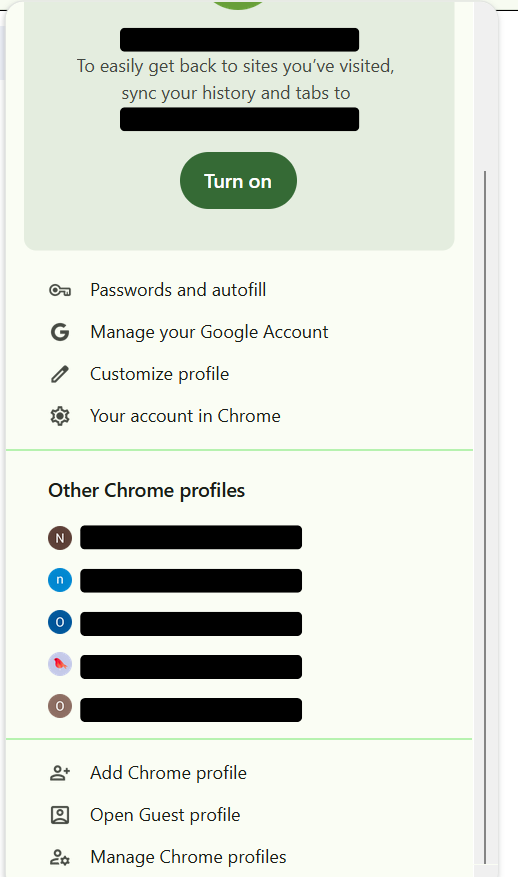
Think of it as:
1 profile = 1 account = 1 identity
Step 2 — assign a dedicated IP to each profile
Each profile needs its own IP.
Use residential proxies, not datacenter ones, so traffic looks natural and consistent.
Cheap or shared proxies often get flagged or reused, which breaks the separation between sessions. That’s why setups like this rely on NodeMaven with high-quality IPs.
Add the proxy to your browser
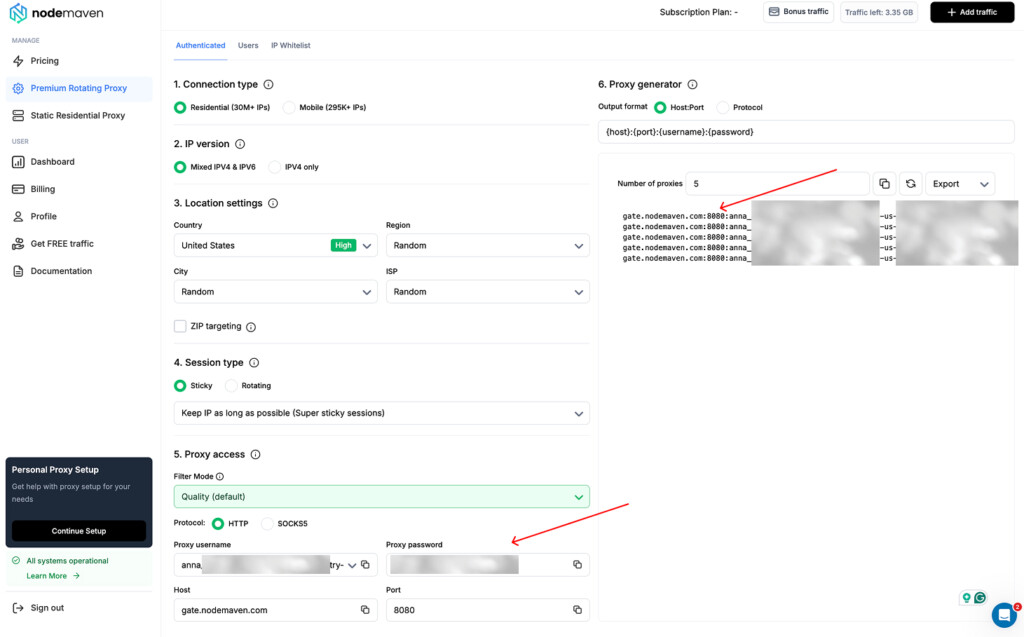
Use a browser extension if you want only your Claude sessions to run through the proxy.
- Install a proxy extension (e.g., Simple Proxy Switcher or similar)
- Enter your NodeMaven details: host, port, username, password, and proxy type
- Save the profile
- Enable it before opening Claude
Step 3 — create your Claude accounts
Sign up inside each profile separately.
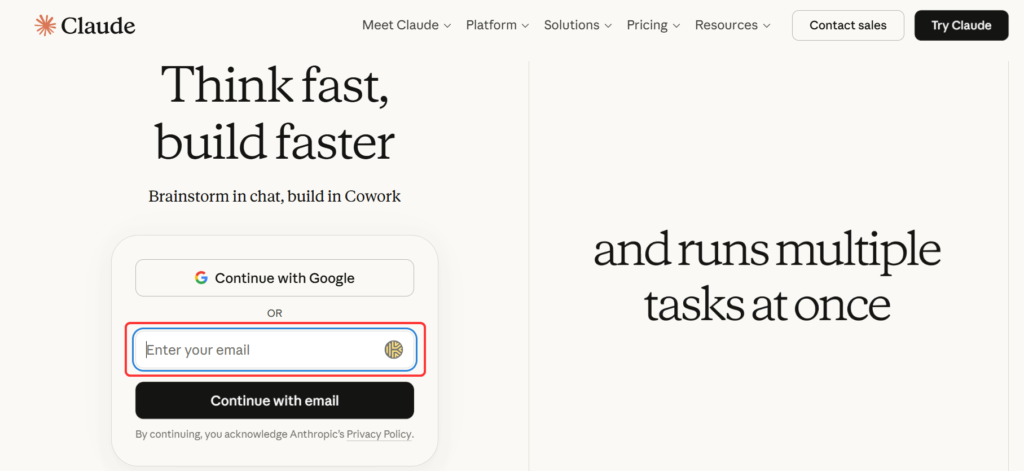
Keep everything consistent:
- Don’t switch IPs during signup
- Don’t reuse old sessions
- Avoid unusual behavior
Each account should be created and used within its own environment from the start.
Step 4 — start sessions correctly
For every profile:
- Turn on the assigned proxy
- Open Claude
- Log in
The session must begin on the correct IP to avoid linking profiles together.
Step 5 — use and rotate carefully
Avoid aggressive switching.
Instead:
- Keep one IP per profile
- Use sessions normally
- Rotate only when limits are reached
- Restart sessions after changing IPs
The goal isn’t constant rotation—it’s maintaining separation between profiles.
Conclusion
Free Claude AI is useful, but not built for heavy, continuous use.
Limits depend on how your sessions are structured, not just how often you use it. With the Claude AI free plan, the goal isn’t to remove limits, but to manage them.
Separate sessions, consistent IPs, and controlled usage make the biggest difference. For multi-session setups, clean residential IPs from NodeMaven help keep profiles separated.