
Скрапер Temu: 5 инструментов и способов собрать данные о товарах



На Temu представлены миллионы товаров, и у каждого есть цена, скидки, рейтинг, отзывы и данные о категории. Собирать эту информацию вручную долго, особенно по нескольким категориям или в динамике. Скрапер Temu автоматизирует процесс и превращает страницы товаров в структурированные данные, которые действительно можно использовать.
Сделать это можно несколькими способами. Вы можете использовать готовый скрапер, no-code инструмент, API для скрапинга или написать собственный скрипт. В этом руководстве мы сравним основные варианты, объясним, какие данные можно собрать, и разберём, когда для скрапинга Temu пригодятся прокси.

Скрапьте Temu в любых объёмах с надёжными прокси
Получите резидентные и мобильные прокси от $3.50 с 750MB трафика в комплекте
Что такое скрапер Temu?
Скрапер Temu — это инструмент или скрипт, который собирает общедоступную информацию о товарах с Temu и превращает её в структурированные данные, например в таблицу или файл JSON.
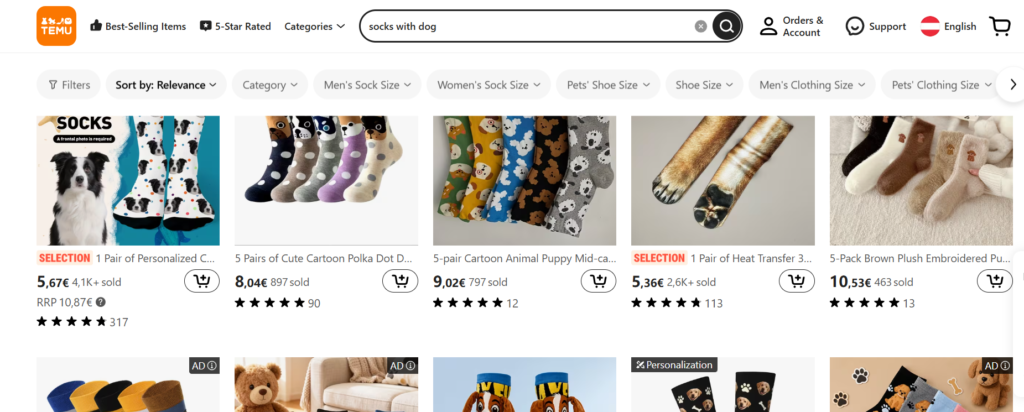
В зависимости от скрапера он может собирать:
- Названия товаров
- Цены и первоначальные цены
- Discounts
- Ratings
- Количество отзывов и их тексты
- URL товаров
- Изображения товаров
- Категории
- Данные о продавце или магазине
- Другие общедоступные характеристики товаров
Не каждый скрапер извлекает все поля. Доступные данные зависят от выбранного инструмента и от того, как Temu структурирует свои страницы в конкретный момент. Одни инструменты охватывают только выдачу поиска, другие также собирают данные с отдельных страниц товаров для большей детализации, например отзывы и варианты.
Для чего можно использовать скрапинг Temu?
- Исследование товаров
Находите трендовые товары в категории, прежде чем решить, что продавать или продвигать
- Мониторинг цен
Отслеживайте изменения цен и скидки на конкретные товары с течением времени
- Исследование конкурентов
Смотрите, что продают похожие продавцы и как они устанавливают цены
Изучайте структуру категорий, бестселлеры и позиционирование товаров
- Поиск товаров по категориям
Получайте структурированные списки вместо ручного пролистывания страниц
- Отслеживание рейтингов и отзывов
Скрапер отзывов Temu показывает, как со временем меняются рейтинг и количество отзывов о товаре или магазине
Объединяйте данные о товарах и ценах, чтобы находить закономерности в нише
Нужны прокси для вашего скрапера Temu?
Начните с резидентных или мобильных прокси NodeMaven от $3.50 и получите 750MB трафика
Сравнение 5 скраперов и инструментов для Temu
| Инструмент | Тип | Лучшее для | API | Простота использования |
| Apify Temu Scraper | Готовый Actor | Разработчики, которым нужны структурированные данные через API | Да | Умеренный |
| Bright Data | Управляемое решение для скрапинга | Команды, которым нужны данные без разработки скраперов | Да | От простого до среднего |
| Octoparse | Визуальный скрапер без кода | Пользователи без технических навыков, которым нужен шаблон | Ограниченный | Легко |
| Thunderbit | Расширение браузера с AI | Быстрый разовый скрапинг без настройки | Нет | Очень легко |
| Собственный скрапер | Самописный скрипт | Разработчики, которым нужен полный контроль | Зависит от вашей реализации | Нужны навыки программирования |
1. Apify Temu Scraper
Apify — это платформа для скрапинга, на которой размещено множество независимо созданных Actors, небольших программ для скрапинга, которые может запустить любой. Единого официального скрапера Temu на Apify нет. Вместо этого несколько разработчиков сообщества публикуют собственные Apify Temu scraper actors с названиями вроде Temu Scraper и Temu Products Scraper.
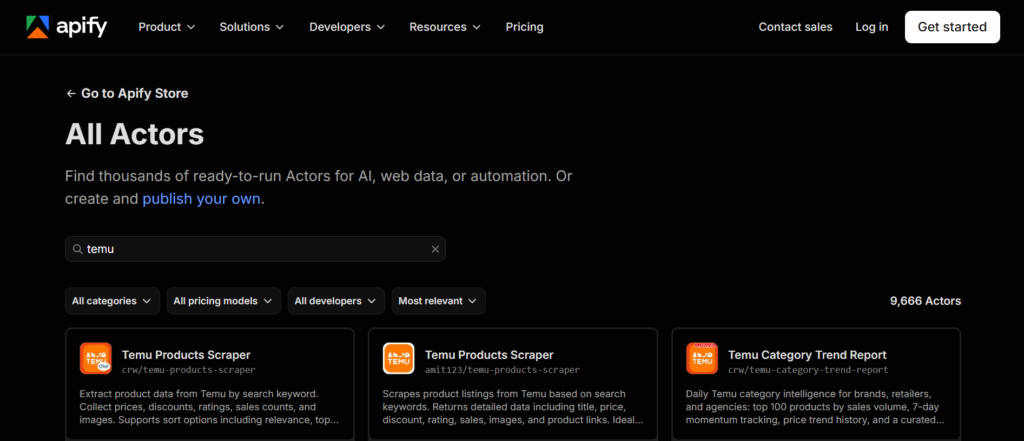
Охват данных различается. Одни собирают названия товаров, цены, скидки, рейтинги, количество отзывов, изображения и сведения о магазине из результатов поиска. Другие также скрапят отдельные страницы товаров ради дополнительных полей, таких как варианты товара и URL видео.
Каждый Actor работает через платформу Apify, поэтому его можно запускать из веб-консоли или через API Apify для автоматизации запусков. Навыки программирования не требуются , хотя настройка полей ввода — ключевых слов, категорий или URL — потребует от новичков некоторого привыкания.
Оплата зависит от объёма использования: большинство таких Actors тарифицируются за результат. Расценки текущих Actors для Temu варьируются примерно от $1.20 към $10.00 за 1 000 результатов, в зависимости от разработчика и объёма данных в каждом результате. Apify также даёт новым аккаунтам бесплатные кредиты, чтобы сначала протестировать Actor.
Этот путь лучше всего подходит тем, кто готов сравнить несколько Actors перед выбором, а не рассчитывает на единственный официальный продукт.
2. Bright Data Temu Scraper
Bright Data предлагает специализированное решение для скрапинга Temu, которое собирает данные о товарах, ценах, компаниях и категориях. Оно сочетает no-code конструктор скраперов на базе AI с управляемыми вариантами сбора данных.
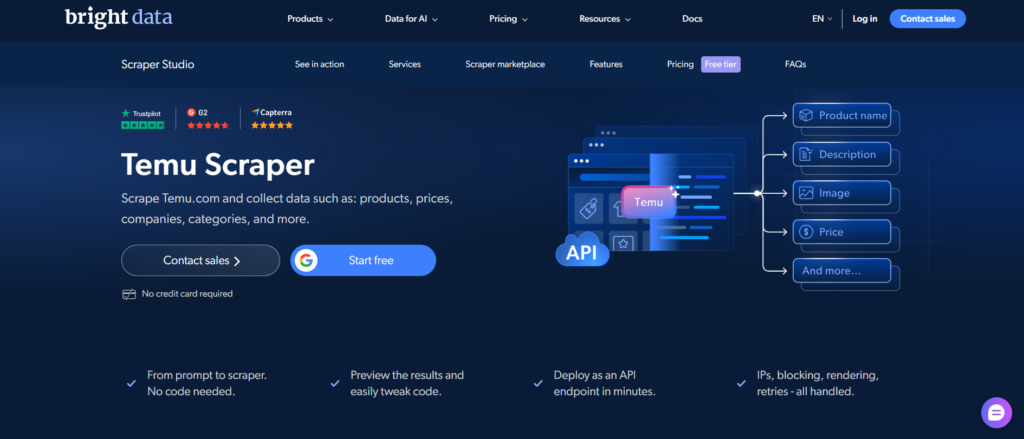
В AI-конструкторе скраперов вы описываете нужные данные обычным языком. Затем Bright Data создаёт скрапер, который можно протестировать, настроить и развернуть как API-эндпоинт. При необходимости сгенерированный код можно отредактировать во встроенной IDE.
Также есть управляемый вариант для команд, которые не хотят заниматься технической стороной. Bright Data может создать, поддерживать и отслеживать скрапер, а пользователь получает собранные данные.
Текущий тариф Scraper Studio включает 5 000 бесплатных загрузок страниц в месяц. Оплата по факту использования начинается от $1,50 за 1 000 загрузок страниц.
Bright Data хорошо подходит командам, которым нужны данные Temu в больших объёмах без самостоятельного управления инфраструктурой.
3. Octoparse
Octoparse — это no-code инструмент для скрапинга, построенный на визуальных сценариях. Вместо написания селекторов или кода вы выбираете элементы на странице и собираете процесс извлечения данных в визуальном интерфейсе.
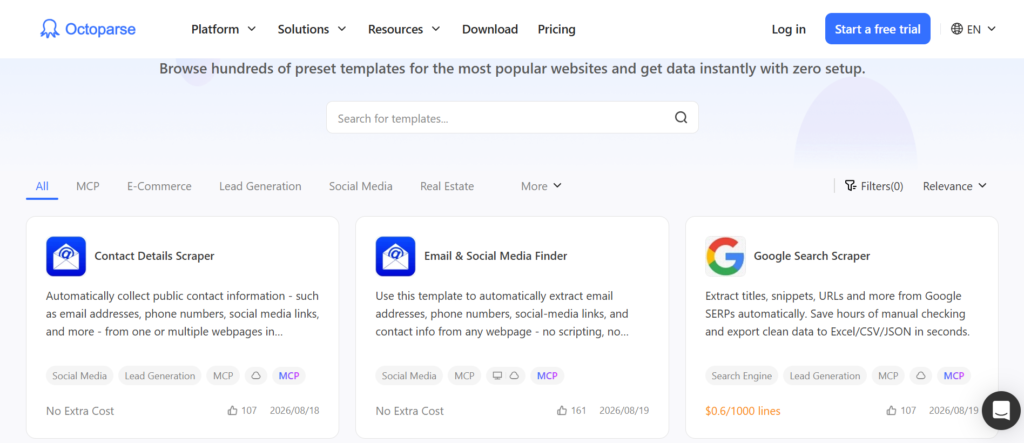
Можно начать с готового шаблона или создать собственную задачу. Octoparse также поддерживает автоматическое определение элементов, что помогает распознать элементы страницы и выстроить процесс скрапинга. Если подходящего шаблона нет, вы можете создать свою задачу и указать, какие данные нужно собрать.
Извлечённые данные можно экспортировать в Excel, CSV, HTML, JSON, XML, базы данных и облачные хранилища. Octoparse также предоставляет API для экспорта облачных данных и управления задачами скрапинга.
Octoparse хорошо подходит нетехническим пользователям, которым нужен визуальный процесс скрапинга без написания кода. Он также удобен, когда нужно настроить набор собираемых полей вместо использования готового скрапера с фиксированными настройками.
4. Thunderbit
Thunderbit — это расширение для Chrome, которое использует AI для сбора данных с любой веб-страницы, включая страницы товаров и категорий Temu. Вместо ручного выбора полей вы просто открываете страницу Temu, и AI-агент Thunderbit сам предлагает поля для извлечения: название, цену, рейтинг и отзывы. Также можно скрапить вложенные страницы, поэтому поля с деталями товара добавляются автоматически после первичного сбора данных из списка.
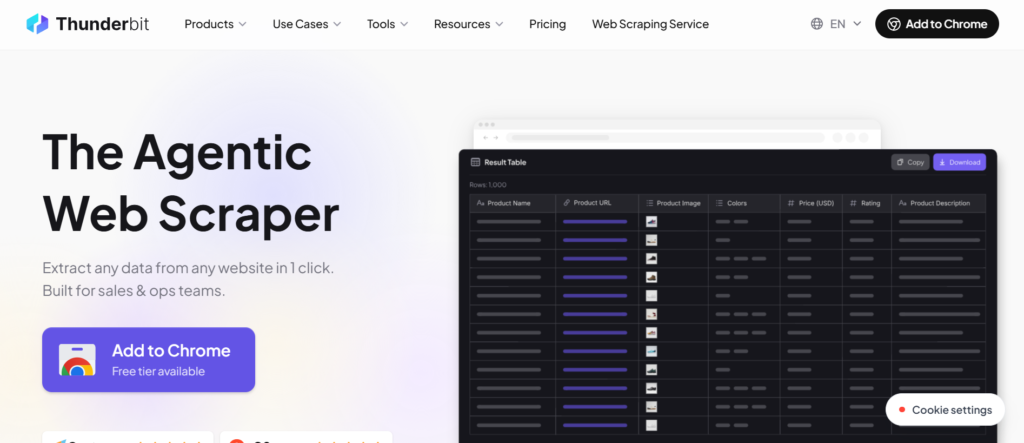
Результаты экспортируются в Excel, Google Sheets, Airtable или Notion. Ни программирование, ни настройка селекторов не требуются ни на одном этапе.
У Thunderbit есть бесплатный тариф с ограниченным количеством страниц в месяц: сейчас это около 6 страниц с лимитом кредитов на страницу. Платные тарифы начинаются примерно с $9–$15 в месяц и дают более высокие лимиты по страницам и кредитам при оплате помесячно или за год.
Этот инструмент лучше всего подходит тем, кому нужно быстро собрать данные с Temu без установки софта и регистрации на полноценной платформе для скрапинга.
5. Создайте собственный скрапер Temu
Если вы уверенно работаете с кодом, можно написать собственный скрапер для Temu. Обычно используют Python с Requests и BeautifulSoup либо инструменты автоматизации браузера, такие как Playwright и Selenium. В нашем руководстве по веб-скрапинг на Python эти инструменты и базовый рабочий процесс разобраны подробнее.
Собственный скрапер даёт вам контроль над полями данных, логикой запросов, форматом вывода, расписанием и настройкой прокси. Для крупных задач ротационные резидентские прокси помогают распределять запросы между разными IP-адресами.
Обратная сторона — поддержка. Со временем интернет-магазины меняют структуру страниц и защиту от ботов. Скрапер, который работает сегодня, может потребовать доработки позже, если изменятся селекторы или поведение страницы.
Этот подход лучше всего подходит разработчикам, готовым поддерживать свой скрапер в рабочем состоянии.
Как выбрать скрапер для Temu
- Выбирайте no-code инструмент , если хотите собирать данные без программирования, а готовый шаблон или расширение с AI уже покрывает ваши задачи.
- Выбирайте API , если хотите передавать собранные данные прямо в своё приложение, дашборд или рабочий процесс, а не выгружать файлы вручную.
- Выбирайте Apify Actor , если вам нужен готовый скрапер с доступом по API и настраиваемыми параметрами, без написания логики извлечения данных.
- Пишите собственный скрапер , если нужен полный контроль над полями данных, расписанием и настройкой прокси и вы готовы поддерживать скрипт в дальнейшем.
Собирайте данные Temu, не полагаясь на один IP
Используйте ротационные резидентные и мобильные прокси от $3.50 с 750MB трафика в комплекте
Нужны ли прокси для скрапинга Temu?
Скрапер, который отправляет много запросов с одного IP-адреса, может столкнуться с лимитами частоты запросов или проблемами доступа, особенно на больших объёмах. Прокси позволяют распределять запросы между разными IP-адресами вместо того, чтобы полагаться на один.
Нужны ли вам прокси и сколько именно, зависит от объёма скрапинга и вашего рабочего процесса.
Резидентские прокси
Резидентские прокси используют IP-адреса, привязанные к реальным домашним интернет-подключениям. Они дают скраперам большой пул IP и широкий географический охват. Для скрапера Temu, отправляющего много запросов, ротационные резидентские прокси помогают распределять трафик более естественно, чем один IP.
Мобильные прокси
Мобильные прокси используют IP-адреса, привязанные к сетям мобильных операторов. Они могут быть полезны, когда рабочему процессу нужен более доверенный тип IP или когда резидентные IP плохо справляются с конкретной задачей.
Использование NodeMaven для скрапинга Temu
NodeMaven — это провайдер прокси предлагающий и резидентные, и мобильные прокси в одной панели управления и с единой тарификацией. Для рабочего процесса скрапинга Temu это важно, потому что разные задачи могут требовать разных типов IP.
Вы можете начать с ротационные резидентские прокси для обычного скрапинга товаров или цен, поскольку резидентные прокси дают большой пул IP и широкий охват стран. Если отдельные запросы работают лучше через мобильные IP, вы можете переключить тип прокси в той же панели управления.
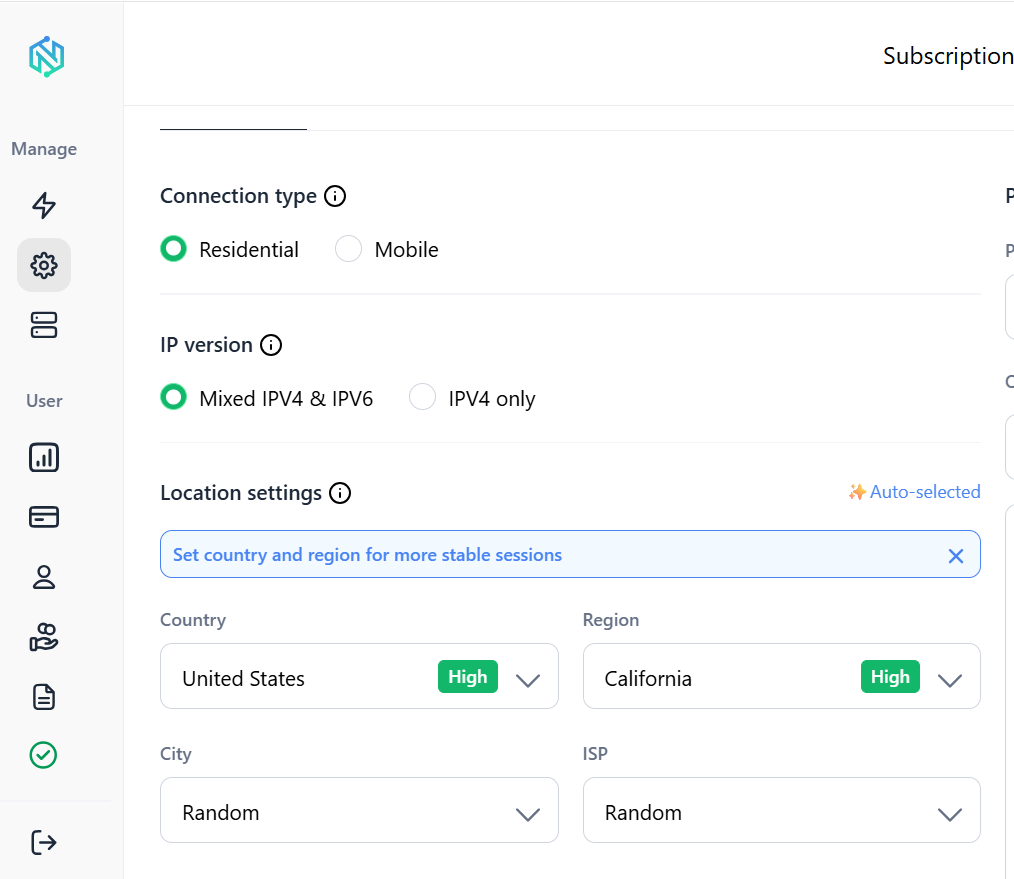
NodeMaven поддерживает выбор страны, города и Таргетинг на уровне ZIP. Его фильтр качества IP проверяет IP до того, как они назначаются сессии, на основе fraud score и репутационных сигналов.
И резидентный, и мобильный трафик списывается с одного баланса, поэтому вам не нужно вести отдельные тарифы для каждого типа прокси.
API скрапера Temu: стоит ли использовать?
API скрапера Temu позволяет отправить URL, ключевое слово или поисковый запрос и получить обратно структурированные данные, без необходимости управлять браузерами, разбирать HTML или самостоятельно работать с прокси. API берёт логику скрапинга на себя.
Такой подход подходит для:
- Приложений, которым нужны данные Temu автоматически, без участия человека
- Сбора данных по расписанию, например ежедневной проверки цен
- Крупных проектов, охватывающих множество товаров или категорий
- Команд, которые не хотят создавать и поддерживать инфраструктуру для скрапинга
По сравнению с созданием собственного скрапера API дает меньше контроля, но и меньше обслуживания. Вы не решаете, как именно выполняются запросы и как обрабатываются селекторы, но при этом вам не нужно чинить скрапер, когда меняется структура страниц Temu.
Варианты скраперов Temu на GitHub
Поиск по запросу Temu scraper на GitHub выдает немало проектов с открытым исходным кодом, в основном написанных на Python с использованием библиотек вроде Requests, BeautifulSoup или Selenium. Это может пригодиться, чтобы посмотреть, как другие разработчики подходят к скрапингу Temu, или как отправная точка для собственного скрипта.
Но многие из этих репозиториев представляют собой небольшие личные проекты, а не активно поддерживаемые инструменты.
Если вы рассматриваете репозиторий на GitHub как скрапер для Temu, проверьте, когда он обновлялся в последний раз и отвечает ли автор на issues, прежде чем полагаться на него не только для обучения или экспериментов.
Заключение
Подходящий скрапер для Temu зависит от ваших технических навыков, объема нужных данных и того, как часто их надо обновлять. No-code инструмент вроде Octoparse или Thunderbit хорошо подходит для простых разовых задач. Скрапинг-API удобен для автоматизированных сценариев и работы по расписанию. Собственный скрапер дает разработчикам максимум контроля ценой постоянного обслуживания.
Если в схеме появляются прокси, для большинства задач по скрапингу Temu стоит начать с резидентных прокси, а мобильные прокси помогут в сценариях, где нужен другой тип IP. NodeMaven это один из вариантов доступа и к резидентным, и к мобильным прокси из одной панели управления. Это удобно, если в рабочем процессе нужно переключаться между типами IP без подключения отдельного провайдера.
Готовы масштабировать свой скрапер для Temu?
Попробуйте резидентные и мобильные прокси NodeMaven от $3.50 и получите 750MB трафика для старта


