
Обзор Crawl4AI: возможности, цены, сравнения & лучшая настройка прокси



Crawl4AI один из самых обсуждаемых инструментов в сфере открытого скрейпинга прямо сейчас. Если вы разрабатываете с использованием LLM или ИИ-агентов, вы наверняка встречали упоминания о нём на GitHub, на серверах Discord или внутри чьего-то RAG-пайплайна. В этом обзоре рассматривается, что Crawl4AI на самом деле делает, насколько хорошо он работает и в чём его слабые стороны.
Мы разбираем установку, ключевые возможности, цены, интеграции и то, как он выглядит на фоне Firecrawl, Scrapy и Playwright. К концу вы поймёте, подходит ли Crawl4AI для вашего проекта и с чем его стоит сочетать, когда вы перейдёте от тестирования к продакшену.
Читатели Crawl4AI обычно делятся на две группы. Разработчики, которые уже занимаются скрейпингом данных и хотят получить более быстрый, дружелюбный к ИИ рабочий процесс. И новички, которые хотят подавать чистые данные в LLM без построения полного стека для скрейпинга с нуля. Это руководство подойдёт и тем, и другим.

Повышайте показатели успешности Crawl4AI с помощью премиальных резидентных и мобильных прокси.
Начните пробный период NodeMaven за $3.50, включая 750 MB трафика.
Что такое Crawl4AI?
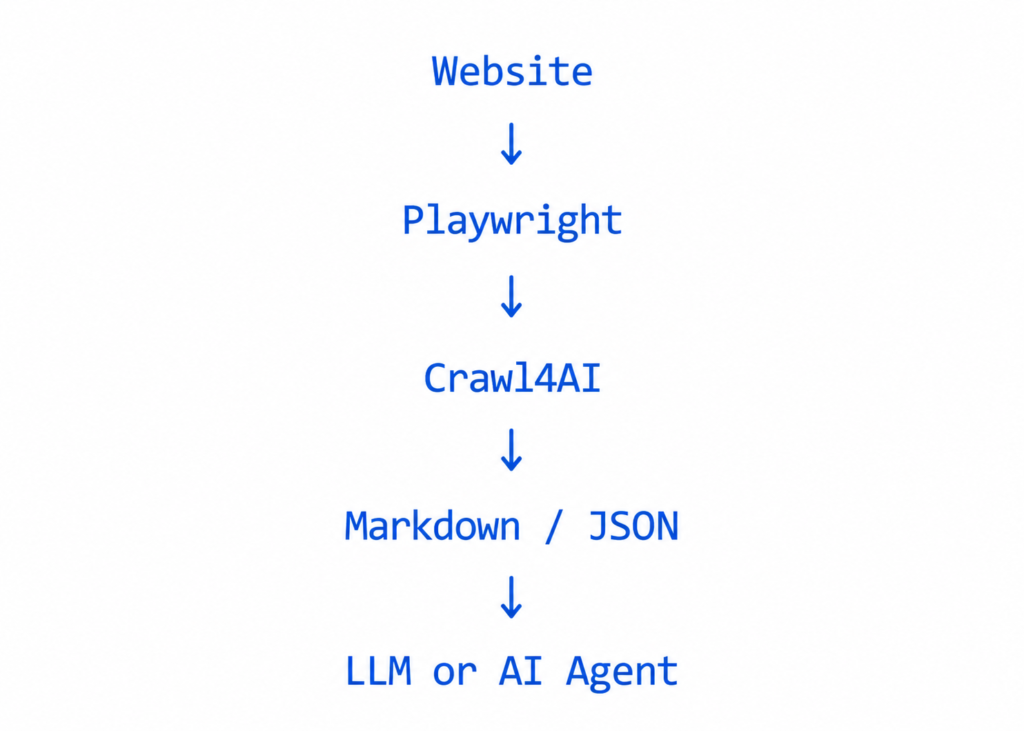
Crawl4AI — это веб-краулер с открытым исходным кодом, созданный специально для рабочих процессов на базе AI. Проект размещён на GitHub под именем unclecode и вырос в один из самых популярных по количеству звёзд инструментов для краулинга на платформе. Так для чего же на самом деле нужен Crawl4AI? По своей сути он берёт веб-страницу и превращает её в чистый Markdown который готов к передаче в LLM, RAG-конвейер или набор данных для дообучения. Именно эта идея, готовый для AI результат вместо сырого HTML, и отличает его от старых библиотек для скрейпинга.
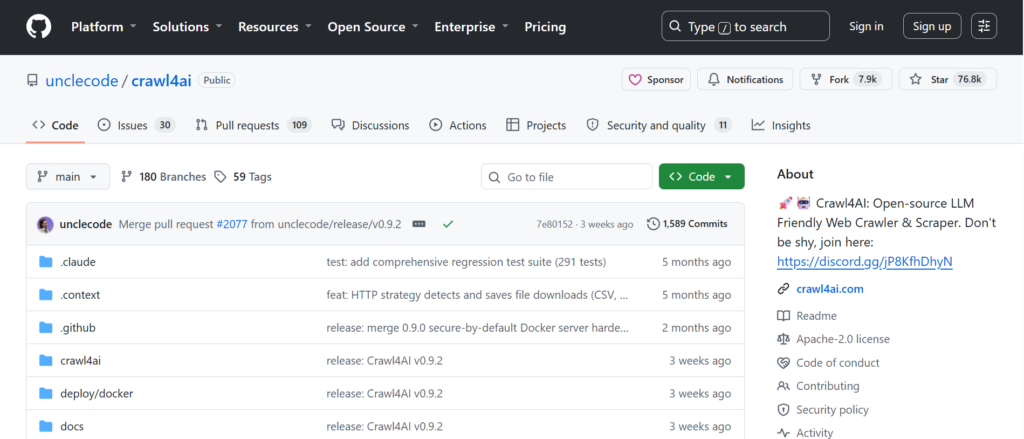
Crawl4AI распространяется под лицензией Apache 2.0, поэтому никаких преград для начала работы нет. Вам не нужны ни аккаунт, ни API-ключ, ни кредитная карта, чтобы запустить свой первый краулинг. Библиотека построена на Playwright под капотом, что позволяет ей рендерить страницы с большим объёмом JavaScript так же, как это делал бы настоящий браузер.
Типичные сценарии использования включают создание наборов данных для обучения LLM, обеспечение поиска для AI-агентов, скрейпинг новостных или товарных страниц в больших масштабах, а также генерацию структурированного JSON из страниц с повторяющейся вёрсткой. Если вашему проекту нужно «на входе веб-страница, на выходе структурированный текст», Crawl4AI стоит протестировать.
Ключевые возможности Crawl4AI
Crawl4AI вмещает в себя многое, и стоит понять, почему важен каждый элемент, а не просто перечислять то, что есть.
Готовый для AI Markdown
Сырая страница полна шума: навигационные панели, реклама, баннеры о cookie. Fit Markdown в Crawl4AI отфильтровывает всё это эвристически, поэтому текст, который вы отправляете в LLM, короче, дешевле в обработке и ближе к содержимому, которое человек действительно читает.
Структурированное извлечение
Вы можете извлекать повторяющиеся поля с помощью CSS- или XPath-селекторов, без необходимости в LLM. Это делает извлечение быстрым и свободным от затрат на API, когда страница следует предсказуемому шаблону, например список товаров или страница результатов поиска.
Извлечение на основе LLM
Для страниц без чёткой повторяющейся структуры Crawl4AI может вызвать LLM, чтобы извлечь поля на основе схемы или вопроса на естественном языке. Это обходится дороже в расчёте на страницу, но справляется с беспорядочной или непредсказуемой вёрсткой.
Рендеринг JavaScript
Поскольку Crawl4AI работает на Playwright, он загружает одностраничные приложения, ленты с бесконечной прокруткой и контент, который появляется только после выполнения JavaScript. Статические HTTP-скраперы всё это пропускают.
Глубокий обход
Вместо того чтобы обрабатывать по одному URL за раз, Crawl4AI может переходить по внутренним ссылкам в пределах домена с ограничениями глубины и фильтрами URL, что важно для построения полного набора данных сайта, а не снимка одной страницы.
Асинхронный и пакетный обход
Зона arun_many() метод и встроенный диспетчер обрабатывают десятки или сотни URL одновременно, с порогами использования памяти и ограничением скорости, чтобы крупная задача не привела к сбою вашей машины.
Адаптивный обход
Более новая функция, которая использует логику информационного поиска, чтобы определить, когда собрано достаточно контента для ответа на запрос, вместо того чтобы вслепую обходить каждую связанную страницу.
Повторное использование сессии и браузера
Crawl4AI может сохранять cookies и состояние авторизации между запросами, что полезно для страниц, защищённых аутентификацией, или требующих единой идентичности между запросами.
Установка Crawl4AI
Это лишь общий обзор. Полные шаги настройки приведены в официальной документации.
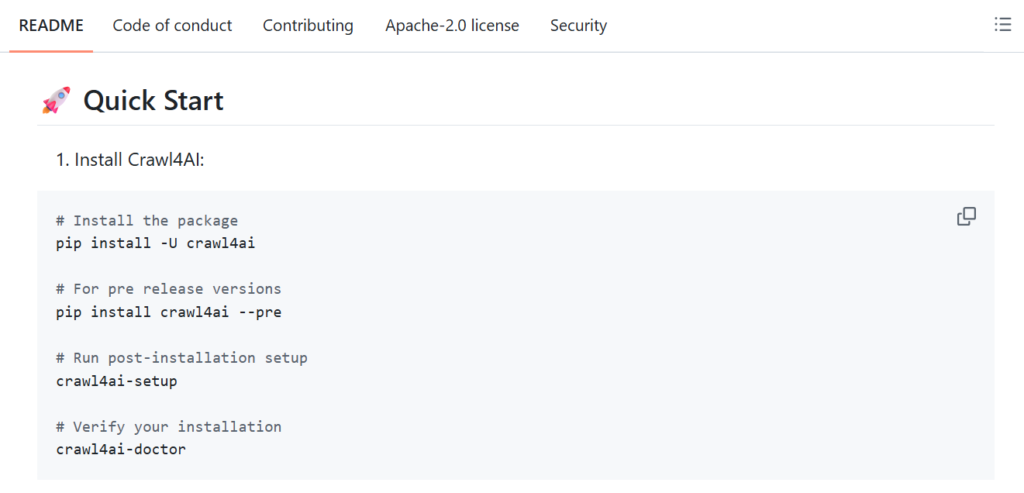
- pip install: pip install crawl4ai, затем запустите crawl4ai-setup чтобы установить необходимые зависимости браузера, и crawl4ai-doctor если у вас возникнут проблемы.
- Docker: загрузите официальный образ с помощью docker pull unclecode/crawl4ai:latest и запустите его с проброшенным портом. Это запускает REST-сервер со встроенной песочницей для тестирования запросов.
- Docker Compose: клонируйте репозиторий и запустите docker compose up. Это самый простой путь, если вы хотите настроить параметры сборки, например добавить поддержку torch или transformer для продвинутых стратегий извлечения.
Примечание о более новых версиях: в недавних выпусках самостоятельно размещаемый Docker-сервер стал безопасным по умолчанию: он требует аутентификации и привязывается к loopback, если вы не задали токен доступа. Ознакомьтесь с руководством по миграции, если обновляетесь со старой версии.
Обеспечьте свой AI-веб-краулинг чистыми резидентными IP.
Попробуйте NodeMaven для надёжного парсинга JavaScript и меньшего числа блокировок.
Документация, GitHub и обучающие ресурсы
Репозиторий Crawl4AI на GitHub активно поддерживается, с частыми выпусками и публичным списком изменений. Сайт документации разбит на разделы по настройке, ключевым концепциям, продвинутым возможностям, стратегиям извлечения данных, а также содержит полный справочник по API и примеры кода которые можно скопировать напрямую.
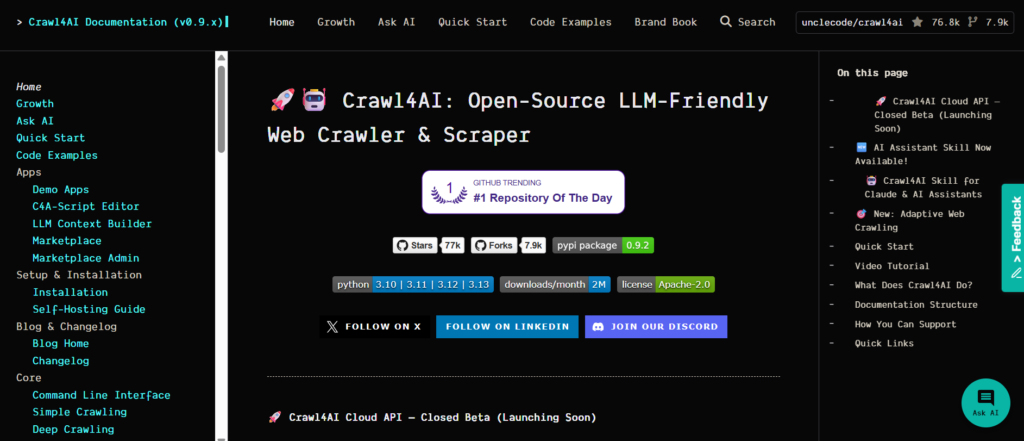
Также есть сообщество в Discord для вопросов и решения проблем, а сопровождающий проекта публикует пакет навыков Crawl4AI, предназначенный для ИИ-ассистентов по написанию кода, который включает справочные материалы по SDK для таких инструментов, как Claude и Cursor.
Подходит ли он для новичков? В основном да. Руководство по быстрому старту позволяет начать сбор данных всего в несколько строк на Python. На некоторых страницах о Docker и самостоятельном размещении смешаны старые и новые инструкции, поскольку проект быстро развивается, поэтому перед тем как следовать примеру кода, стоит перепроверить номера версий.
Цены и лицензирование Crawl4AI
Библиотека Crawl4AI полностью бесплатна. Она распространяется по лицензии Apache 2.0, что означает отсутствие ограничений на использование, отсутствие обязательного API-ключа и отсутствие ограничений на коммерческое использование. Вы можете запускать её локально, на собственном сервере или внутри CI-конвейера без каких-либо лицензионных затрат.
Отдельный Crawl4AI Cloud API на момент написания находится в закрытом бета-тестировании. Команда позиционирует его как более экономичную альтернативу существующим размещённым API для сбора данных, но публичных цен пока нет, а для доступа необходимо подать заявку на раннее подключение.
Самостоятельное размещение свободно от лицензионных сборов, но не бесплатно. Вы всё равно оплачиваете ресурсы собственного сервера, а более ресурсоёмкие функции, такие как стратегии извлечения на основе torch, увеличивают потребление памяти и дискового пространства. Если вы используете извлечение на основе LLM, вы также напрямую оплачиваете эти вызовы своему LLM-провайдеру.
Интеграции
MCP
Самостоятельно размещённый сервер Crawl4AI предоставляет эндпоинты Model Context Protocol как через Server-Sent Events, так и через WebSocket. Это позволяет MCP-совместимым клиентам, включая Claude Code, напрямую вызывать инструменты Crawl4AI, охватывая генерацию markdown, скриншоты, экспорт в PDF, выполнение JavaScript и сбор данных с нескольких URL.
n8n
Официального собственного n8n узла пока нет. Поскольку REST API принимает обычный JSON по HTTP, сообщество уже создало вокруг него рабочие процессы n8n, поэтому его можно использовать в no-code-конвейере при небольшой настройке.
Ollama
Слой извлечения на основе LLM в Crawl4AI поддерживает пользовательских провайдеров и пользовательский base URL, что охватывает локальные модели, обслуживаемые через Ollama. Вы указываете строку провайдера на свою локальную модель и задаёте base URL как ваш эндпоинт Ollama.
OpenWebUI
Проекты сообщества обернули Crawl4AI в качестве источника данных для чат-интерфейсов в стиле OpenWebUI, передавая собранный и очищенный контент в контекст чата. Это не встроенная интеграция от первого лица, поэтому будьте готовы к некоторой настройке.
DeepSeek
Файл окружения Docker явно поддерживает API-ключ DeepSeek наряду с OpenAI и Anthropic, поэтому модели DeepSeek могут напрямую обеспечивать работу стратегии извлечения на основе LLM.
Gemini
Google Gemini поддерживается тем же образом, через переменную окружения провайдера в настройке Docker, что позволяет направлять вызовы извлечения в Gemini вместо платного ключа OpenAI.
Azure OpenAI
LLM-слой Crawl4AI под капотом работает на LiteLLM, который в целом поддерживает развёртывания Azure OpenAI через строку провайдера и пользовательский эндпоинт. Проверьте актуальный список провайдеров LiteLLM, прежде чем выбирать этот путь в продакшене.
Crawl4AI против Firecrawl
Firecrawl решает похожую задачу, превращая веб-страницы в готовый для LLM markdown, но идёт к этому другим путём. Ядро Firecrawl тоже open source, однако продукт построен вокруг размещённого API на основе кредитов с многоуровневыми ежемесячными планами. Crawl4AI в первую очередь open source: без кредитов и без платы за страницу, если вы размещаете его сами.
облачный тариф Firecrawl из коробки включает ротацию прокси и обход ботовой защиты, чего, по имеющимся данным, нет в самостоятельно размещаемой бесплатной версии Firecrawl. Crawl4AI везде использует противоположный подход: вы всегда получаете полный набор функций open source, но вы должны предоставить собственные прокси и самостоятельно справляться с блокировками.
| Категория | Crawl4AI | Firecrawl |
| Открытый исходный код | Полностью open source, Apache 2.0 | Ядро open source, облачный продукт коммерческий |
| Простота использования | Средняя, требуется настройка Python или Docker | Проще, размещённый API с SDK |
| Поддержка JavaScript | Да, через Playwright | Да, обрабатывается на стороне сервера |
| Готовность к AI | Markdown и JSON, созданные для LLM | Markdown и JSON, плюс отдельный endpoint для извлечения |
| Облачный вариант | Закрытая бета, цены не публичные | Да, тарифы на основе кредитов |
| Самостоятельное размещение | Да, с полным паритетом функций | Ограниченное, есть функции только для облака |
| Лучшее для | Командам, которым нужна оплата без платы за страницу и полное владение данными | Команды, которым нужен управляемый API с быстрой настройкой |
Сократите число CAPTCHA и блокировок IP при масштабном сканировании.
Получите премиальные резидентные и мобильные прокси с закреплёнными или ротируемыми сессиями.
Crawl4AI против Scrapy и Playwright
Scrapy — это зрелый фреймворк на Python, созданный для масштабного сканирования на основе правил ползать. Он быстрый и проверенный в бою, но создавался без расчёта на LLM. Результат выдаётся в виде сырого HTML или структурированных элементов, а преобразование в markdown и рендеринг JavaScript вы берёте на себя. Выбирайте Scrapy, когда нужно обойти миллионы страниц с точным контролем и не требуется вывод, готовый для ИИ.
Playwright это библиотека для автоматизации браузера, а не самостоятельный сканер. По сути, Crawl4AI использует Playwright внутри в качестве движка рендеринга. Выбирайте Playwright напрямую, когда вам нужно программировать сложные взаимодействия с браузером, такие как многошаговые формы или интерфейсы с перетаскиванием, без необходимости во встроенной генерации markdown или помощниках извлечения.
Crawl4AI занимает промежуточное положение между этими двумя. Он даёт вам мощь рендеринга Playwright плюс удобства для скрапинга и готовый к работе с LLM вывод из коробки. Выбирайте его, когда ваша конечная цель — передача данных в AI-конвейер, а не чистый масштаб сканирования.
Использование резидентных и мобильных прокси с Crawl4AI
Даже лучший сканер рано или поздно сталкивается с защитой сайтов. Многие сайты отслеживают репутацию IP и блокируют повторные запросы с помощью ограничений частоты, КАПЧАили проверок Cloudflare.
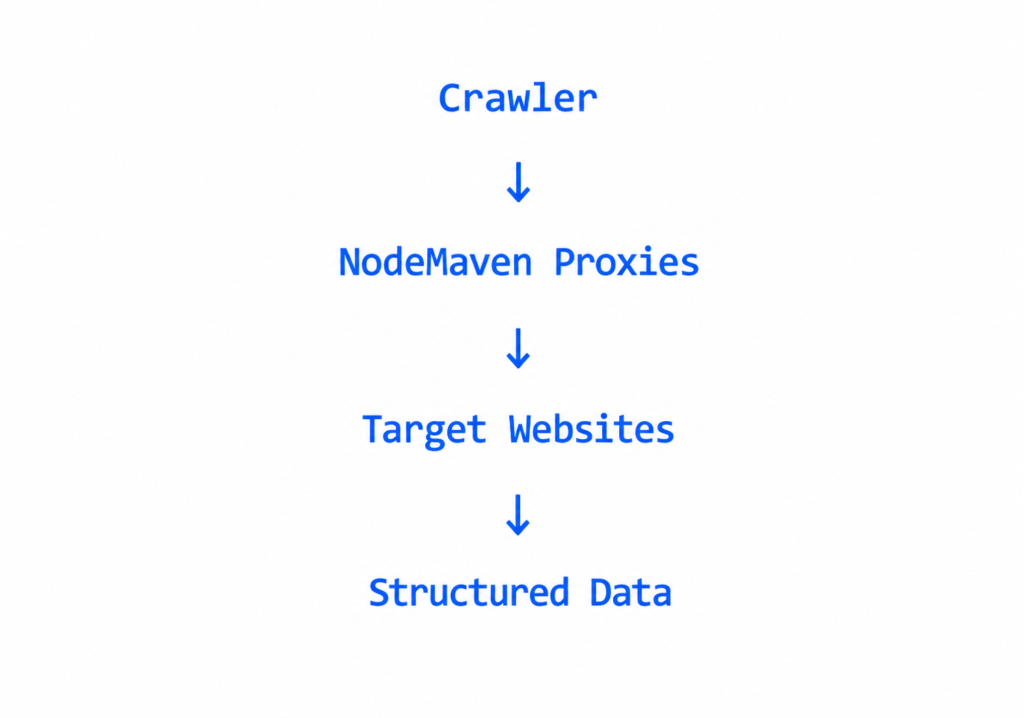
Crawl4AI может передавать прокси через свою ProxyConfig настройку и даже ротировать между несколькими, используя стратегию round robin. Но сам инструмент не предоставляет прокси. Он использует только то, что вы ему даёте. Дешёвые или перегруженные пулы прокси часто уже имеют плохую репутацию ещё до вашего первого запроса, поэтому сканирование завершается неудачей независимо от того, насколько хорошо настроен сканер.
Премиальные прокси помогают запросам выглядеть как обычный пользовательский трафик, что делает их полезными для сайтов со строгими антибот-системами или гео-ограничениями. NodeMaven предлагает оба варианта резидентский и мобильные прокси. с ротируемыми и закреплёнными сессиями, что делает их естественным выбором для продакшн-сканирования веба с Crawl4AI.
Плюсы и минусы
| Плюсы | Минусы |
| Бесплатный и с открытым исходным кодом под лицензией Apache 2.0 | Документация по Docker и самостоятельному размещению смешивает старые и новые инструкции |
| Готовый к работе с AI вывод в формате Markdown из коробки | Прокси не входят в комплект, вы предоставляете и управляете ими самостоятельно |
| Активная разработка с частыми релизами | Облачное предложение всё ещё в закрытой бете |
| Встроенный глубокий и адаптивный краулинг | Более высокое потребление ресурсов, чем у простого HTTP-скрапера |
| Гибкая поддержка LLM-провайдеров через LiteLLM | Расширенные опции установки, такие как torch, значительно увеличивают размер образа |
| Самостоятельно размещаемый сервер включает панель мониторинга в реальном времени | Некоторые интеграции, например n8n, опираются на проекты сообщества |
Итоговый вердикт
Crawl4AI заслуживает своей популярности. Бесплатный, открытый и созданный специально для задачи «превратить веб-страницу в текст, готовый для LLM», он экономит реальное время инженеров по сравнению с написанием собственного конвейера HTML-в-Markdown вручную. Он хорошо подходит разработчикам, которые уверенно работают с Python и Docker и хотят полный контроль над своей краулинговой инфраструктурой без оплаты за каждую страницу.
Он хуже подходит, если вам нужен полностью управляемый API с нулевой настройкой. В этом случае облачный тариф Firecrawl’ или другой размещённый сервис позволит вам начать быстрее, но ценой постоянной оплаты кредитов.
Для промышленного краулинга в реальном масштабе запланируйте ещё один компонент: надёжный слой прокси. Crawl4AI берёт на себя браузер и markdown. Качественный провайдер прокси обеспечивает пребывание в сети достаточно долго, чтобы завершить задачу.
Готовы вывести Crawl4AI в продакшн?
Используйте резидентные и мобильные прокси NodeMaven для более надёжного веб-скрапинга


