Топ-5 инструментов для тестирования утечек WebRTC в 2026 году




Утечка WebRTC — это когда ваш браузер раскрывает ваш реальный IP-адрес через API peer-connection WebRTC, даже когда ваш фактический веб-трафик маршрутизируется через прокси или VPN. Для тех, кто управляет многоаккаунтными рабочими процессами, занимается масштабным скрапингом или проверкой рекламы, это представляет серьезный операционный риск.
Исправление всегда начинается с обнаружения. Регулярное выполнение Тест утечки WebRTC сообщает вам точно, что ваш браузер раскрывает до того, как это сделает платформа или система мошенничества.
Что такое утечка WebRTC?
WebRTC — это браузерная технология, разработанная для установления аудио-, видео- и передачи данных в реальном времени между узлами. Для установления этих соединений браузер собирает ICE-кандидаты (Interactive Connectivity Establishment). Это возможные сетевые пути, которые могут включать ваш публичный IP-адрес, локальный IP-адрес LAN, адрес IPv6 и mDNS-кандидаты.
Основная проблема: WebRTC может получить прямой доступ к сетевым интерфейсам браузера, обходя прокси-сервер или VPN-туннель, которые использует ваш HTTP-трафик. Сайт может запустить JavaScript, который создает RTCPeerConnection, читает ICE-кандидатов из онискандидат события или описание сеанса, и сравнить эти данные с вашим предполагаемым HTTP IP.
Результат: Ваш прокси-IP отображается в адресной строке, но ваш настоящий IP-адрес виден в данных кандидата WebRTC.
Это затрагивает все стандартные прокси-настройки. HTTP, HTTPS и SOCKS5 прокси все защищают обычный трафик браузера, но ни один из них автоматически не блокирует сбор WebRTC-кандидатов. Даже жилые и мобильные прокси с чистыми IP могут утечь, если браузер настроен неправильно.

Нужен чистый браузерный фингерпринт? Проверьте утечки WebRTC и подтвердите настройку вашего прокси перед запуском аккаунтов
Почему следует проверять утечки WebRTC
Большинство пользователей прокси думают только о своем HTTP IP. Именно этот пробел приводит к блокировке аккаунтов.
Мультиаккаунтинг: Системы предотвращения мошенничества сопоставляют профили браузеров. Если два профиля возвращают один и тот же локальный IP-адрес локальной сети или один и тот же реальный публичный IP-адрес через WebRTC-кандидатов, связь устанавливается независимо от того, какие прокси-серверы назначены каждому профилю.
Веб-скрейпинг: Инфраструктура для скрейпинга, запускающая браузерные сессии, может раскрывать реальный IP-адрес хост-машины, если WebRTC не отключен или не ограничен. Этот IP может появиться в серверных логах и привести к блокировкам.
Проверка рекламы: Проверка рекламы с геотаргетингом требует чистого, непротиворечивого удостоверения. Утечка WebRTC загрязняет геосигнал и может привести к тому, что рекламные серверы будут показывать контент на основе утечки IP-адреса, а не местоположения прокси.
Операции электронной коммерции: Управление аккаунтами на разных торговых площадках зависит от изоляции профилей. Утечка локального IP-адреса часто одинакова для нескольких профилей на одном и том же компьютере, что именно и является тем, что запускает связывание аккаунтов.
Партнерский маркетинг: Проверка качества трафика и инструменты обнаружения мошенничества регулярно проверяют IP-адрес на постоянство в различных типах соединений. Расхождение между IP-адресами HTTP и WebRTC является тревожным сигналом во многих системах аудита трафика.
Защита конфиденциальности: Для тех, кто направляет трафик через VPN специально для того, чтобы избежать идентификации на основе IP-адреса, утечка WebRTC сводит на нет всю цель этой настройки.
Как мы выбрали лучшие инструменты для тестирования утечек WebRTC
Каждый инструмент в этом списке оценивался по одинаковым критериям:
- Точность Правильно ли он определяет публичный IP, локальный IP, IPv6 и кандидатов mDNS?
- Скорость: Завершается ли тест быстро, без дополнительных действий?
- Простота использования: Можно ли запустить это менее чем за 30 секунд без какой-либо конфигурации?
- Ясность результатов: Легко ли читать и интерпретировать результаты?
- Дополнительная диагностика: Показывает ли это больше, чем просто вердикт "пройден/не пройден"?
- Свободная доступность: Можно ли использовать без регистрации или оплаты?
1. NodeMaven Бесплатный тест утечки WebRTC
URL: https://nodemaven.com/tools/webrtc-leak-test/
Обзор
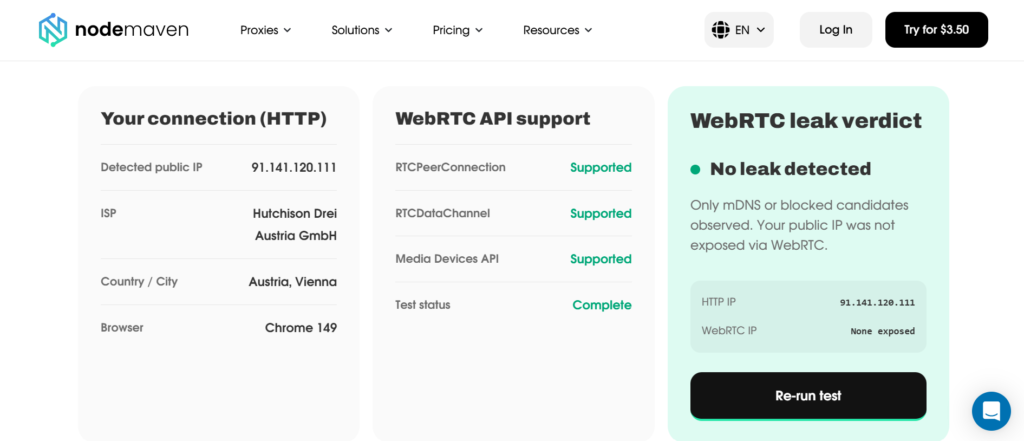
NodeMaven создал это Инструмент тестирования WebRTC специально для прокси-пользователей и браузерных рабочих процессов. Он работает автоматически в вашем браузере и в режиме реального времени сравнивает данные вашего HTTP-соединения с кандидатами WebRTC ICE, показывая вам, где именно существует расхождение.
Тест проверяет наличие публичного IP-адреса, локального IP-адреса LAN, адреса IPv6 и кандидатов mDNS. Он также выводит поддержку RTCPeerConnection, поддержку RTCDataChannel, доступность API медиаустройств и данные SDP (Session Description Protocol). Те же данные, которые прочитала бы система обнаружения.
Ключевые особенности
- Обнаруживает общедоступный IP-адрес, локальный IP-адрес, IPv6 и кандидатов mDNS из WebRTC
- Показать ваш IP-адрес HTTP-соединения вместе с результатами WebRTC для прямого сравнения
- Отображает полный вывод SDP для технического осмотра
- Проверяет поддержку RTCPeerConnection, RTCDataChannel и Media Devices API
- Предоставляет браузеро-специфичные указания по устранению неполадок (Chrome/Edge, Firefox, Brave, Safari, антидетект-браузеры, Puppeteer/Playwright)
- Включает таблицу, показывающую, какие конфигурации прокси уязвимы, а какие — нет, к утечкам WebRTC
- Регистрация не требуется — совершенно бесплатно
Плюсы
- Создано специально для пользователей прокси, а не универсальный инструмент конфиденциальности, переделанный под эту задачу.
- Четкое отображение IP-адресов HTTP и WebRTC рядом друг с другом делает утечки очевидными
- Подробный вывод SDP, полезный для отладки сред автоматизации
- Практические инструкции по устранению неполадок для каждого основного браузера и типа настройки
- Быстро, результаты появляются в течение нескольких секунд после загрузки страницы
Минусы
Сосредоточьтесь на WebRTC. Для тестирования утечек DNS или проверки работоспособности прокси вам потребуется отдельный инструмент.
Лучшее для
Пользователи прокси, операторы мультиаккаунтов, аффилированные маркетологи и все, кто занимается браузерной автоматизацией и нуждается в проверке своей настройки перед запуском.
Суть: Тест утечек WebRTC от NodeMaven — это самый продвинутый инструмент в этом списке, способный распознавать прокси. Сравнительная таблица, охватывающая HTTP-прокси, SOCKS5-прокси, антидетект-браузеры и фреймворки автоматизации, действительно полезна, а инструкции по исправлению написаны для тех, кто знает, что делает.
2. Браузерные утечки
URL: https://browserleaks.com/webrtc
Обзор
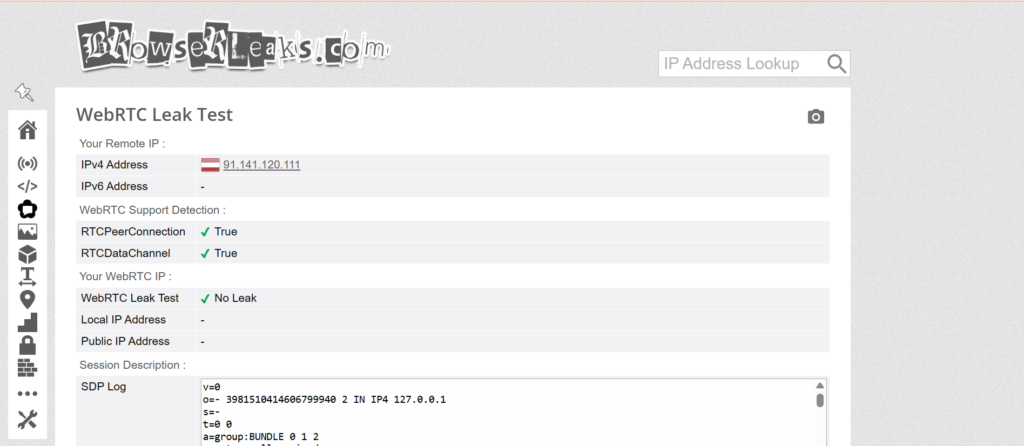
BrowserLeaks — одна из самых авторитетных платформ для тестирования отпечатков браузера и конфиденциальности. Ее тест WebRTC является тщательным и хорошо документированным, что делает ее основным источником информации для людей, которые хотят точно понять, что именно "утекает" из их браузера.
Ключевые особенности
- Показать все кандидаты WebRTC ICE, включая публичные IP-адреса, локальные IP-адреса и IPv6
- Отображает кандидатов mDNS, где это применимо
- Предоставляет полный технический анализ процесса сбора данных WebRTC
- Часть большего набора, охватывающего Canvas, WebGL, шрифты, временную зону и другие векторы отпечатков.
Плюсы
- Очень подробный вывод, полезный для технической отладки
- Часть комплексного набора тестов для снятия отпечатков
- Долгосрочная репутация точности
- Учетная запись не требуется
Минусы
- Интерфейс может показаться перегруженным для пользователей, которым нужен лишь быстрый результат "пройдено/не пройдено".
- Нет специфических указаний для прокси или контекстных рекомендаций
Лучшее для
Технические пользователи, желающие сопоставить данные WebRTC с другими векторами отпечатков, или те, кто создает профили браузеров и нуждается в полной проверке отпечатков в одном месте.
Ваш прокси IP — это еще не все. Проверьте, не раскрывает ли WebRTC ваш реальный IP-адрес за считанные секунды.
3. Тест утечки WebRTC Hide.me
URL: https://hide.me/en/webrtc-leak-test
Обзор
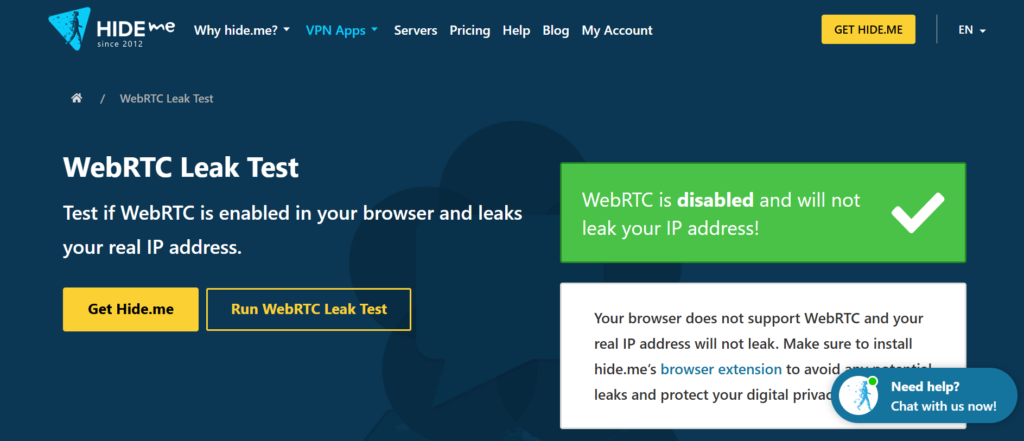
Hide.me — это в первую очередь VPN-провайдер, но их тест утечек WebRTC представляет собой чистый, быстрый, отдельный инструмент. Он ориентирован на быстрое обнаружение, поэтому вы получаете четкий результат без необходимости разбираться в технических данных.
Ключевые особенности
- Обнаруживает утечку общедоступного IP-адреса и локального IP-адреса через WebRTC
- Предоставляет четкое решение "пройдено/не пройдено"
- Чистый, минималистичный интерфейс
- Не требуется вход или учетная запись
Плюсы
- Очень быстро использовать, минимальное трение
- Простой вывод, который легко понять с первого взгляда
- Хорошо работает как быстрая проверка здравомыслия перед началом сеанса
Минусы
- Меньше деталей, чем BrowserLeaks или NodeMaven. Нет вывода SDP, нет разбивки API браузера
- Нет специфического контекста прокси или рекомендаций по исправлению
- Больше ориентировано на пользователей VPN, чем на пользователей прокси
Лучшее для
Пользователям VPN, которым нужна быстрая проверка, или всем, кто хочет получить быстрый ответ "да/нет" без технических деталей.
4. БраузерныйСканер
URL: https://www.browserscan.net/
Обзор
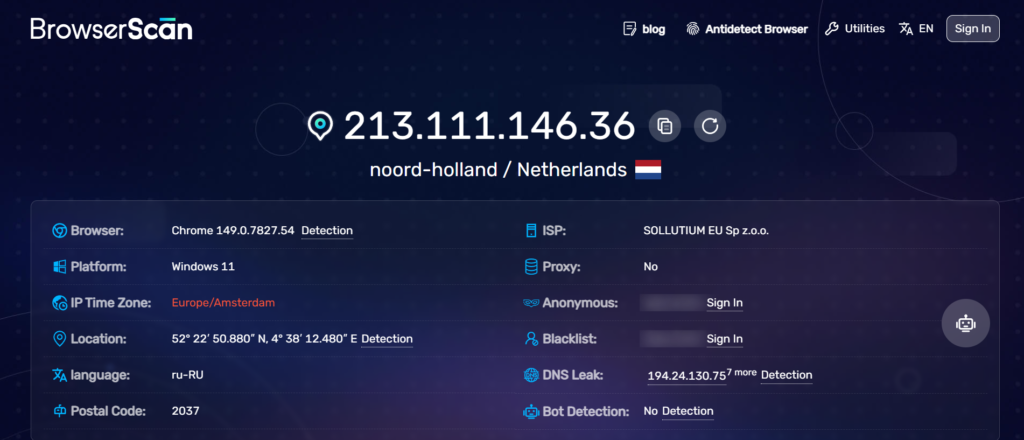
BrowserScan — это новый инструмент для снятия отпечатков браузера, который помимо множества других векторов обнаружения включает WebRTC. Он отображает результаты в удобном формате панели управления, что позволяет легко выявлять проблемы по нескольким параметрам одновременно.
Ключевые особенности
- Обнаружение утечек IP WebRTC как часть полного отчета об отпечатках
- Показывает публичный IP, локальный IP и кандидаты IPv6
- Покрывает дополнительные сигналы: часовой пояс, шрифты, Canvas, WebGL, HTTP-заголовки
- Чистый визуальный макет с цветовой кодировкой результатов
Плюсы
- Полезно, когда нужно проверить весь профиль браузера, а не только WebRTC.
- Современный, читаемый интерфейс
- Хорошо подходит для проверки профилей браузеров антидетект
Минусы
- Раздел WebRTC не так подробно описан, как BrowserLeaks или NodeMaven
- Меньше технических деталей для отладки конкретных проблем WebRTC
- Основное внимание уделяется полной проверке отпечатков пальцев, а не целенаправленному тестированию WebRTC.
Лучшее для
Пользователи антидетект-браузеров и гроуз-хакеры, которые хотят проверить весь профиль за один проход, включая WebRTC, перед запуском кампаний или управлением аккаунтами.
5. Тест утечки OVPN WebRTC
URL: https://www.ovpn.com/en/webrtc-leak-test
Обзор
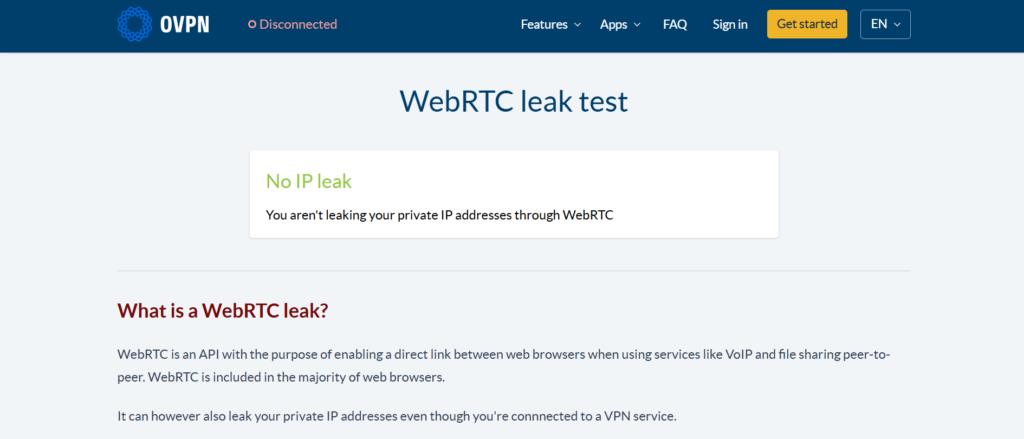
OVPN — это VPN-провайдер, ориентированный на конфиденциальность, который предлагает базовый тест утечек WebRTC в рамках своего набора инструментов. Как и Hide.me, этот инструмент чистый и быстрый, но глубина ограничена.
Ключевые особенности
- Обнаруживает раскрытие общедоступного IP-адреса через WebRTC
- Простой формат "пройдено/не пройдено"
- Учетная запись не требуется
Плюсы
- Быстрый и легкий
- Легко понять для нетехнических пользователей
- Хорошо для быстрой проверки
Минусы
- Минимальные детали — не отображает локальный IP, IPv6 или данные SDP отдельно
- Нет контекста, специфичного для прокси
- Ограниченное руководство по исправлению
Лучшее для
Общие пользователи, заботящиеся о конфиденциальности, или подписчики VPN, которым нужно базовое подтверждение того, что их VPN предотвращает утечку WebRTC.
Сравнительная таблица: лучшие инструменты для тестирования утечек WebRTC
| Инструмент | Бесплатно | Показывать публичный IP | Показать локальный IP | Простота использования | Лучше всего подходит для |
| NodeMaven | Да | Да | Да | Очень легко | Прокси-пользователи, мультиаккаунтинг, автоматизация |
| BrowserLeaks | Да | Да | Да | Умеренный | Технические пользователи, полные аудиты отпечатков пальцев |
| Hide.me | Да | Да | Да | Очень легко | Пользователи VPN, быстрая проверка |
| BROWSERSCAN | Да | Да | Да | Легко | Проверка профиля антидетект-браузера |
| ОВПН | Да | Да | Ограниченный | Очень легко | Базовая проверка VPN |
Проверьте свою настройку раньше, чем это сделают платформы. Обнаруживайте утечки WebRTC и убедитесь, что ваш браузер полностью защищен.
Как проверить утечки WebRTC в вашем браузере
- Убедитесь, что ваш прокси-сервер, VPN или профиль антидетект-браузера активны и настроены как при реальном использовании.
- Откройте новую вкладку и перейдите к выбранному вами инструменту тестирования утечек WebRTC. NodeMaven WebRTC тест утечек является хорошей отправной точкой.
- Пусть тест пройдет. Он выполняется автоматически и собирает ICE-кандидатов из вашего браузера.
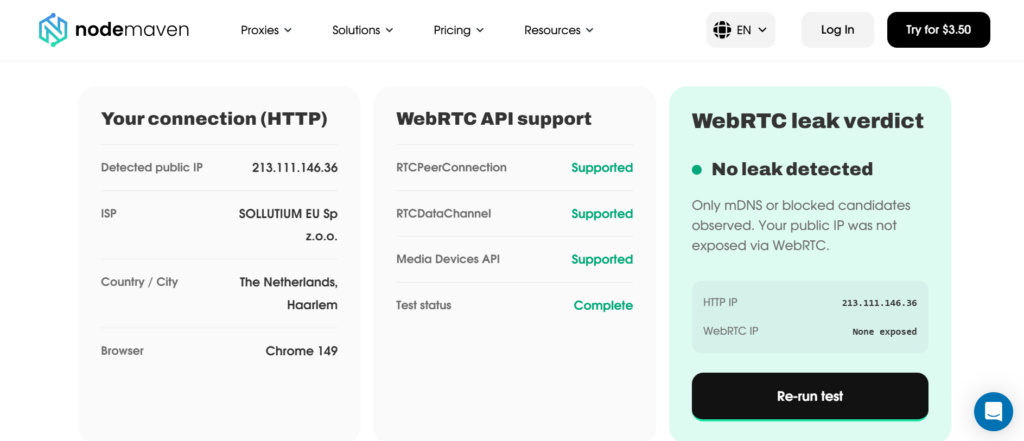
4. Сравните IP-адрес, отображаемый для вашего HTTP-соединения, с IP-адресами, появляющимися в результатах WebRTC.
5. Если они совпадают (и оба показывают ваш IP-адрес прокси), значит, вы в безопасности.
6. Если WebRTC показывает другой IP-адрес, особенно локальный IP-адрес LAN или другой общедоступный IP-адрес, у вас утечка.
7. Примените соответствующее исправление в зависимости от вашего браузера или конфигурации, затем повторно запустите тест для подтверждения.
Запускайте этот процесс каждый раз, когда вы изменяете прокси, конфигурацию VPN, профиль браузера или настройки автоматизации.
Как предотвратить утечки WebRTC
Настройки браузера
Chrome и Edge: Установите расширение WebRTC Network Limiter и установите политику использования только стандартного публичного интерфейса. Для автоматизации на основе Chromium запустите с –force-webrtc-ip-handling-policy=disable_non_proxied_udp
Firefox: Открыть about:config, поиск media.peerconnection.enabled, и установите его на ложь полностью отключить WebRTC.
Бравл Перейдите в Настройки → Щиты → Блокировка отпечатков и установите для настройки обработки IP-адресов WebRTC более строгий режим конфиденциальности.
Сафари: Safari предоставляет ограниченный контроль над WebRTC. Держите его в обновленном состоянии и запускайте тест утечек WebRTC после любых изменений в настройках сети или прокси.
Конфигурация VPN
VPN не предотвращает утечки WebRTC автоматически. VPN туннелирует ваш HTTP-трафик, но WebRTC может использовать UDP вне этого туннеля, если программное обеспечение VPN не включает защиту WebRTC или вы не обрабатываете ее на уровне браузера. Всегда проверяйте результаты тестов на утечки WebRTC, даже когда VPN включен.
Соображения при настройке прокси
HTTP, HTTPS и SOCKS5 прокси сами по себе не контролируют работу WebRTC. Защиту WebRTC необходимо настраивать в браузере или в антидетект-профиле. Если вы используете антидетект-браузер, такой как Multilogin, AdsPower или Dolphin Anty, настройте каждый профиль так, чтобы отключить WebRTC или принудительно возвращать IP-адрес прокси.
Для Puppeteer или Playwright, используйте –force-webrtc-ip-handling-policy=disable_non_proxied_udp в качестве аргумента запуска Chromium для блокировки непроксируемого UDP-трафика.
Регулярное тестирование
Проведите тест утечки WebRTC до:
- Начало новой кампании или рабочего процесса аккаунта
- Смена провайдеров или настроек прокси
- Обновление браузера или программного обеспечения для антидетекта
- Переезд на новый компьютер или сервер
Запускаете автоматизацию или рабочие процессы скрейпинга? Проверьте свою браузерную среду и мгновенно обнаруживайте утечки WebRTC
Какой инструмент WebRTC Leak Test выбрать?
Лучшее в целом: NodeMaven бесплатная проверка утечек WebRTC. Он специально разработан для прокси-сред, показывает полную картину того, что раскрывает WebRTC, и предоставляет рекомендации по устранению неполадок для каждого соответствующего типа настройки.
Для технических пользователей: BrowserLeaks. Глубина выдачи и более широкий контекст отпечатков делают его правильным выбором, когда вам нужно точно понять, что происходит на уровне браузера.
Лучшее для пользователей прокси: NodeMaven бесплатная проверка утечек WebRTC. Сравнительная таблица HTTP и WebRTC, таблица настройки прокси-сервера и руководство по устранению неполадок, специфичных для автоматизации, делают этот инструмент наиболее полезным с операционной точки зрения для наиболее важных сценариев использования.
Лучшее для быстрого тестирования: Hide.me или OVPN. Когда вам просто нужно быстрое подтверждение без настройки, оба варианта справятся с задачей.