
News scraping in 2026: how to extract news articles with Python, AI & residential proxies



News scraping automates the process of collecting headlines, articles, and other data from news websites. Instead of monitoring dozens of sources manually, businesses use a news scraper to gather structured information for analysis, market research, media monitoring, and AI applications.
There are several ways to scrape news articles, from building custom Python news scraping scripts with BeautifulSoup or Playwright to using AI-powered extraction tools. As projects scale, however, news websites often block automated traffic through rate limits and CAPTCHAs, making residential proxies essential for reliable web scraping news.
In this guide, you’ll learn what news scraping is, how to build a Python scraper, the most common challenges, and how residential proxies help keep large-scale scraping projects running smoothly.

Collect news data without IP blocks. Start with NodeMaven from $3.50 and get 750 MB included
What is news scraping?
News scraping is the automated process of collecting information from online news websites. Instead of manually reading articles and copying information into a spreadsheet, software visits webpages, extracts the required content, and stores it in a structured format.
A typical news scraper can collect information such as:
- Headlines
- Publication dates
- Author names
- Article content
- Categories
- Tags
- Images
- Related articles
- URLs
- Structured metadata
The collected information can then be analyzed, visualized, or integrated into other systems.
Unlike manual research, automated scraping makes it possible to monitor hundreds or even thousands of websites around the clock.
How news scraping works
Although every project is different, the workflow usually follows the same pattern.
- Visit a news webpage.
- Download the HTML.
- Identify important page elements.
- Extract the required data.
- Save the results in JSON, CSV, or a database.
This process can run continuously, allowing businesses to receive updates within minutes after an article is published.
News scraping vs RSS feeds
Many beginners wonder whether RSS feeds eliminate the need for news scraping.
RSS is useful, but it has important limitations.
| RSS Feed | News Scraping |
| Only available if the publisher provides one | Works with almost any public website |
| Usually contains headlines and summaries | Can extract complete articles |
| Limited metadata | Access to much richer data |
| Fixed format | Fully customizable extraction |
RSS feeds are excellent for simple news monitoring. However, they rarely include everything needed for research or large-scale analytics. If you need complete articles, metadata, images, or structured information, scrape news articles directly from the website.
Why businesses and developers scrape news websites
The value of news often depends on speed. Companies that receive information earlier can react faster than their competitors. This is one of the biggest reasons organizations choose to scrape news websites instead of collecting information manually.
Let’s look at the most common use cases.
1. Media monitoring
Companies constantly monitor online publications for mentions of their brand, executives, or products.
Instead of searching manually every day, businesses use news scraping to automatically collect relevant articles.
This allows PR teams to:
- Detect new mentions immediately
- Track media coverage over time
- Measure campaign performance
- Identify negative press quickly
Large organizations often monitor hundreds of publishers simultaneously.
2. Market and competitor research
Competitor intelligence has become an important part of business strategy.
Organizations scrape news articles to discover:
- Product launches
- Funding announcements
- Partnerships
- Executive changes
- Pricing updates
This information helps companies react more quickly to industry changes.
Instead of reading dozens of websites every morning, analysts receive structured updates automatically.
3. Financial analysis
Financial markets react to information almost instantly.
Investment firms often combine web scraping news with machine learning models to identify market signals.
Examples include:
- Earnings announcements
- Merger news
- Economic reports
- Central bank decisions
- Company guidance
- Regulatory updates
By collecting information automatically, analysts can process thousands of articles far faster than any human team.
4. AI training and LLM datasets
Modern AI models require enormous amounts of current text.
Many organizations use AI news scraping together with traditional Python workflows to build datasets containing:
- Technology news
- Political news
- Business reports
- Scientific publications
- Regional publications
Fresh news helps language models remain up to date with current events.
Structured datasets also improve downstream tasks like summarization, classification, and question answering.
5. Sentiment analysis
News articles contain valuable information about public opinion and market sentiment.
Researchers collect thousands of articles before measuring:
- Positive sentiment
- Negative sentiment
- Neutral coverage
- Topic popularity
- Changes over time
Instead of relying on a handful of publications, analysts can evaluate information from hundreds of sources simultaneously.
Build reliable news scrapers with clean residential proxies. Start with NodeMaven from $3.50 and get 750 MB included
What data can you extract from news articles?
One of the biggest advantages of news scraping is flexibility. You’re not limited to headlines. Modern scraping tools can collect nearly every piece of information available on a webpage.
The exact fields depend on the publisher, but most projects extract the following data.
| Data | Why It Matters |
| Headline | Primary article title |
| Author | Identify journalists and contributors |
| Publication date | Build timelines and monitor fresh content |
| Article body | Text analysis and AI training |
| Categories | Organize content by topic |
| Tags | Improve search and filtering |
| Images | Build multimedia datasets |
| Related articles | Discover additional content |
| URLs | Store references and revisit pages |
| Metadata | Improve structured analysis |
Many modern publishers embed structured metadata directly inside their pages using JSON-LD or Schema.org markup. This approach is usually faster and more reliable than relying entirely on HTML selectors.
Whenever possible, check structured data before writing custom parsing logic.
Building better datasets
The most valuable datasets combine multiple fields instead of storing only article text.
Combining these fields makes downstream analysis much more powerful.
Whether you’re training an AI model, monitoring competitors, or building a recommendation engine, richer datasets almost always produce better results.
Three ways to perform news scraping
There is no single best way to perform news scraping. The right approach depends on your technical skills, project size, budget, and the websites you want to collect data from.
Today, most teams choose one of three methods.
| Method | Difficulty | Flexibility | Best For |
| AI powered news scraping | Low | Medium | Fast extraction across multiple websites |
| Python news scraping | Medium | High | Full control and large-scale automation |
| News scraping APIs | Low | Medium | Quick deployment with minimal maintenance |
AI powered news scraping
AI web scraping uses large language models to understand webpage content and extract structured information automatically.
Instead of writing custom selectors for every publisher, developers provide HTML or a webpage URL and ask the model to identify important fields.
Advantages
- Fast to implement
- Works across many website layouts
- Handles inconsistent HTML well
- Excellent for prototypes
Limitations
- API costs increase with volume
- Output may require validation
- Large pages consume more tokens
- Some websites still require browser automation before AI can process the content
AI works especially well for websites with inconsistent layouts or rapidly changing designs.
Python news scraping
Python news scraping remains the most popular approach among developers because it offers complete flexibility.
Popular libraries include:
- Requests
- BeautifulSoup
- Playwright
- Scrapy
If you’re new to browser automation, our Playwright proxy guide explains how to configure proxies for reliable scraping. Developers can customize every part of the extraction process.
Advantages
- Complete control
- Low operating costs
- Easy integration with databases
- Suitable for large projects
Limitations
- Requires programming knowledge
- Needs regular maintenance
- Website updates may break selectors
If you’re learning how to scrape news articles, Python provides the strongest long-term foundation.
News scraping APIs
Some companies prefer ready-made scraping services.
Instead of maintaining infrastructure, they simply send requests to an API and receive structured article data.
Advantages
- Quick setup
- Minimal maintenance
- Built in infrastructure
Limitations
- Less flexibility
- Higher recurring costs
- Limited customization
APIs work well for organizations that want fast results without building their own scraping infrastructure.
In the next section, we’ll build a practical Python news scraper step by step using Requests, BeautifulSoup, and Playwright.
Scrape news websites at scale with fast residential proxies. Start with NodeMaven from $3.50 and get 750 MB included
How to build a Python news scraper
Now it’s time to build a simple scraper. While every website is structured differently, the overall workflow remains nearly identical.
In this section, you’ll learn how to build a news scraper using Python. We’ll use several popular libraries that are widely adopted by the scraping community.
Install the required libraries
Before writing any code, install the libraries you’ll need.
Here’s what each package does:
| Library | Purpose |
| Requests | Downloads webpage HTML |
| BeautifulSoup | Parses HTML and extracts data |
| Playwright | Renders JavaScript-heavy websites |
| Pandas | Saves data to CSV files |
These libraries cover most Python news scraping projects.
Step 1. Choose a news website
Start by selecting a website you want to scrape.
Good beginner websites usually:
- Have a consistent article layout
- Don’t require user authentication
- Serve content directly in HTML
- Don’t rely heavily on JavaScript
Before writing any code, open a news article and inspect its HTML using your browser’s Developer Tools.
Look for:
- <h1> for the headline
- <time> for the publication date
- Author elements
- Article container
- Paragraph elements
Understanding the page structure first will save hours of debugging later.
Step 2. Download the webpage
Most static news websites can be downloaded using the Requests library.
Why use custom headers?
Many publishers reject requests that look like automated bots.
A realistic User-Agent makes your request resemble a normal browser instead of a scraping script.
Always check the HTTP status code before continuing.
Common responses include:
| Status Code | Meaning |
| 200 | Success |
| 301/302 | Redirect |
| 403 | Forbidden |
| 404 | Page not found |
| 429 | Too many requests |
If you’re receiving many 403 or 429 responses, the website is likely blocking automated traffic.
Step 3. Parse the HTML
Once you’ve downloaded the page, it’s time to extract information.
This is where BeautifulSoup news scraping becomes useful.
BeautifulSoup converts raw HTML into a searchable document.
Instead of manually searching through hundreds of HTML lines, you can locate elements with simple selectors.
Step 4. Extract the headline
Most news articles store their title inside an <h1> tag.
Output:
If the site uses custom HTML, inspect the page and update the selector accordingly.
Step 5. Extract the author
Many publishers include an author element.
For example:
Keep in mind that every website is different.
One publisher may use:
Another might use:
Never assume selectors work across multiple websites.
Step 6. Extract the publication date
Publication dates are often stored inside the <time> element.
Example output:
This timestamp is much easier to process than extracting formatted text.
Step 7. Extract the article content
The article body usually contains multiple paragraphs.
This combines every paragraph into one string that can later be stored or analyzed.
If the website doesn’t use an <article> element, inspect the HTML and update your selector.
Step 8. Check for structured data
Before creating dozens of HTML selectors, check whether the publisher already provides structured data.
Many news websites include JSON-LD.
This is often the most reliable way to extract:
- headline
- author
- publication date
- publisher
- featured image
Many developers overlook this step, even though it can significantly simplify Python news scraping.
Step 9. Save the results as JSON
Once you’ve extracted the information, save it in a structured format.
JSON is ideal for:
- APIs
- AI pipelines
- databases
- data exchange
Step 10. Save multiple articles to CSV
If you’re scraping dozens or hundreds of pages, CSV becomes more convenient.
CSV files work well with:
- Excel
- Google Sheets
- Power BI
- Tableau
- Python analytics libraries
Handling JavaScript websites with Playwright
Many modern publishers load their content dynamically.
When Requests downloads the page, important elements may simply be missing.
This is where Playwright news scraping becomes essential.
Playwright launches a real browser, waits for JavaScript to finish loading, and then returns the final HTML.
You can now pass the rendered HTML directly into BeautifulSoup.
This approach works for many modern news websites that rely on JavaScript.
Adding proxy support
As you begin to scrape news websites at scale, you’ll eventually encounter rate limits and IP blocks.
Instead of sending every request from the same IP address, route traffic through residential proxies.
Using residential proxies for web scraping distributes requests across a large pool of real residential IPs, making your traffic appear more like normal user activity.
Here’s a simple example using NodeMaven.
For large projects, rotating residential proxies help:
- Reduce IP blocks
- Avoid rate limits
- Access geo-restricted content
- Improve scraping reliability
NodeMaven supports both rotating sessions and sticky sessions, allowing you to choose whether each request uses a new IP or maintains the same identity across multiple requests.
Power your Python news scraping projects with premium residential proxies. Start with NodeMaven from $3.50 and get 750 MB included
Add retry logic
Network failures happen.
Instead of stopping after one failed request, retry automatically.
Retry logic makes your scraper much more reliable.
Common mistakes beginners make
Even experienced developers encounter problems when learning how to scrape news articles.
Avoid these common mistakes:
- Sending requests too quickly
- Ignoring HTTP status codes
- Hardcoding fragile CSS selectors
- Forgetting to handle missing elements
- Not using browser headers
- Ignoring structured data like JSON-LD
- Saving unstructured text instead of JSON
- Skipping retry logic
- Using a single IP address for thousands of requests
Small improvements in your scraper can dramatically increase reliability.
Complete News Scraping workflow
Once everything is connected, the overall process looks like this:
This workflow can scale from scraping a handful of articles each day to processing thousands of pages across multiple publishers. In the next section, we’ll explore the biggest challenges in news scraping, why websites block scrapers, and the best practices for building reliable, large-scale data collection pipelines.
Common challenges in news scraping
Building a working scraper is only the first step. Keeping it reliable over weeks or months is much harder.
Understanding these challenges early will save you countless hours of debugging and maintenance.
Anti-bot protection
Most major publishers actively monitor incoming traffic. Their goal is to distinguish real visitors from automated tools.
Modern anti bot systems analyze factors such as:
- Request frequency
- IP reputation
- Browser fingerprints
- HTTP headers
- Mouse movements
- JavaScript execution
- Cookie behavior
If your scraper behaves differently from a typical user, your requests may be blocked before you even reach the article.
For small projects, this might happen after a few hundred requests. For larger projects, it can happen much sooner if all traffic comes from the same IP address.
CAPTCHAs
Some websites challenge suspicious visitors with CAPTCHAs.
Instead of serving the requested page, they display a verification screen asking users to prove they are human.
Common CAPTCHA providers include:
- Google reCAPTCHA
- hCaptcha
- Cloudflare Turnstile
Reducing the likelihood of triggering them is generally more effective than trying to solve them afterward.
JavaScript rendering
Many news publishers no longer include article content in the initial HTML response.
Instead, JavaScript loads content after the page has finished rendering.
This creates a common problem.
Your Requests script downloads the page successfully.
The article is missing.
Browser automation frameworks like Playwright solve this by rendering the page before extracting the HTML.
If you notice empty containers or missing article text, JavaScript rendering is often the cause.
Rate limits
Most websites limit how many requests one visitor can send within a given period.
If your scraper downloads hundreds of pages in a few minutes, the server may temporarily block your IP.
Typical symptoms include:
- HTTP 429 responses
- Unexpected redirects
- Empty pages
- Temporary bans
Adding delays between requests and rotating IP addresses helps distribute traffic more naturally.
Dynamic content
Modern websites change constantly.
Because page elements move frequently, CSS selectors that worked yesterday may fail tomorrow.
For this reason, production scrapers should always include monitoring and error logging.
Geo restricted content
Many publishers display different content depending on a visitor’s location.
For example:
- Regional editions
- Local news
- Country specific headlines
- Language variations
Some websites even block visitors from specific countries.
If your project requires collecting localized content, IP geolocation becomes extremely important.
Website redesigns
Publishers regularly redesign their websites.
Even a small HTML change can break dozens of CSS selectors.
Instead of assuming selectors will remain stable forever, design your scraper so that it:
- Logs extraction failures
- Alerts you when fields disappear
- Supports multiple fallback selectors
- Checks structured data before parsing HTML
Avoid rate limits and CAPTCHAs while scraping news. Start with NodeMaven from $3.50 and get 750 MB
Why residential proxies are essential for news scraping
No matter how well your scraper is written, repeated requests from the same IP can quickly lead to blocks, CAPTCHAs, or rate limits. That’s why residential proxies for web scraping are essential for large-scale news scraping.
Unlike datacenter proxies, residential proxies route traffic through real residential IP addresses. This makes requests look more like normal user activity and reduces the risk of detection.
Key Benefits of Residential Proxies
Reduce IP Blocks
Rotating residential IPs distribute requests across multiple addresses, making scraping activity appear more natural and lowering the chance of being blocked.
Avoid Rate Limits
Instead of sending every request from a single IP, proxy rotation spreads traffic across a larger IP pool, helping prevent HTTP 429 errors.
Access Geo-Restricted News
Many publishers display different articles based on a visitor’s location. Residential proxies let you target specific countries or cities to collect localized content for:
- Market research
- Political monitoring
- Regional news aggregation
- Sentiment analysis
Maintain Stable Sessions
Some workflows require multiple requests from the same visitor. Sticky sessions keep the same IP for a set period, improving consistency when navigating multi-page websites.
Scale with Confidence
As your project grows, residential proxies allow you to scrape more websites simultaneously while keeping success rates high and minimizing interruptions.
Why NodeMaven fits large scale projects
As scraping projects grow, proxy quality becomes just as important as proxy quantity.
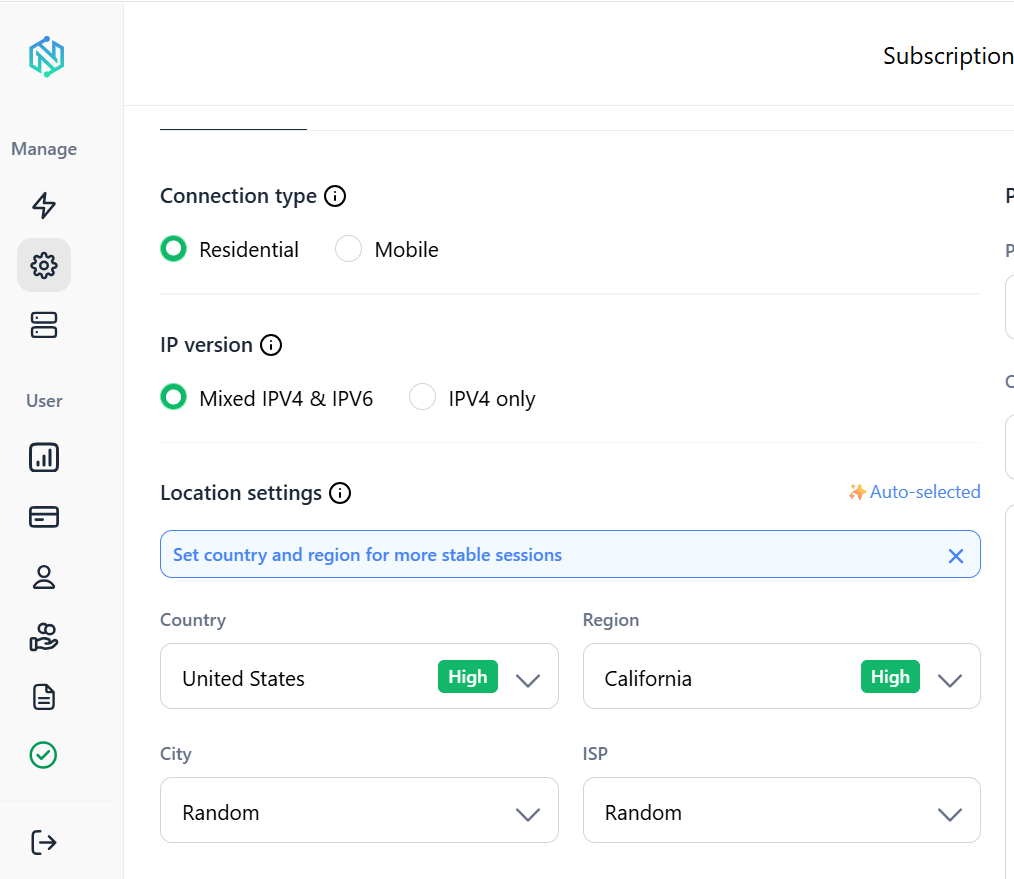
NodeMaven provides infrastructure designed for demanding web scraping workloads, including:
- More than 30 million residential IPs
- Coverage across 150+ countries
- Access to 1,400+ locations
- High quality IP filtering
- More than 95% clean IP quality
- Rotating residential proxies
- Sticky session support
- Reliable connection performance
These features help reduce interruptions while collecting large volumes of article data from publishers around the world.
Rather than replacing your scraping tools, NodeMaven complements them by providing reliable network infrastructure.
Best practices for large scale news scraping
Successful scraping projects are built on consistency rather than speed.
1. Respect website policies
Always review a website’s Terms of Service and robots.txt file before scraping.
Different publishers have different expectations regarding automated access.
2. Rotate IP addresses responsibly
IP rotation should look natural.
Avoid sending hundreds of requests simultaneously through newly assigned IP addresses.
3. Randomize request timing
Real users don’t click exactly every second.
Introduce random delays between requests.
4. Cache previously downloaded pages
Avoid downloading the same article repeatedly.
Caching reduces unnecessary requests while improving scraper performance.
5. Monitor your selectors
Website layouts change frequently.
Regularly verify that your scraper is still extracting:
- Headlines
- Authors
- Publication dates
- Article text
6. Store structured data
Whenever possible, save structured output instead of raw HTML.
Formats like JSON make downstream processing much easier.
Conclusion
News scraping helps businesses collect and analyze information faster than manual research. Whether you use AI, Python, or browser automation, the right tools make it easy to build scalable data collection workflows.
As your project grows, residential proxies become essential for avoiding IP blocks, handling rate limits, and accessing region-specific content. With over 30 million residential IPs across 190+ countries and 1,400+ locations, NodeMaven provides the reliable infrastructure needed to keep news scraping projects running smoothly at scale.
Extract headlines, articles, and metadata with confidence. Start with NodeMaven from $3.50 and get 750 MB


