Using cURL with proxy: complete setup guide 2026


cURL is one of the most popular command-line tools for sending HTTP requests, testing APIs, scraping websites, and automating web tasks.
Using a cURL proxy helps route requests through different IP addresses, making it easier to avoid rate limits and access geo-targeted content.
In 2026, proxy setup matters more than ever as websites rely heavily on anti-bot systems, IP reputation checks, and aggressive request limiting.
This guide explains how to use cURL with HTTP, HTTPS, and SOCKS5 прокси, configure proxy settings, troubleshoot common errors, and choose the best proxy type for your workflow.
What is cURL?
At its core, cURL acts as a lightweight HTTP client. You can use it to:
- Send API requests
- Test endpoints
- Download files
- Automate web tasks
- Scrape page data
- Inspect response headers
A simple request looks like this:
curl https://example.comThe command returns the HTML response directly in the terminal. You can also use it to send POST requests, add custom headers, authenticate sessions, upload files, or connect through a cURL proxy server.
One of the reasons cURL remains popular is its broad protocol support. It works with:
- HTTP and HTTPS
- SOCKS5 прокси
- FTP and FTPS
- SFTP
- SMTP
- LDAP
Because of its flexibility and scripting support, cURL is widely used in scraping pipelines, API testing environments, DevOps automation, and proxy-based workflows.
Why use a proxy with cURL?
By default, every cURL request uses your real IP address. That works for basic testing, but it quickly becomes limiting.
Using cURL with proxy servers helps route traffic through different IPs, making requests more flexible, scalable, and harder to block.
Avoid IP bans and rate limits
Many websites monitor request frequency and block IPs that send too many requests in a short period of time. This is especially common when scraping pages and collecting search results.
A cURL proxy helps distribute requests across multiple IPs instead of sending everything from a single address.
Send geo-targeted requests
Some websites return different content depending on the visitor’s location. This includes:
- Localized search results
- Region-specific pricing
- Country-restricted pages
- Language-based redirects
Using a proxy for cURL makes it possible to send requests from specific countries, cities, or regions.
This is especially useful for SEO monitoring, ad verification, and testing localized user experiences.
Scrape websites more reliably
Modern anti-bot systems analyze IP reputation, request patterns, and traffic behavior. Requests coming from low-quality datacenter IPs are more likely to trigger blocks, CAPTCHAs, or 403 responses.
Residential proxies help reduce detection because requests appear to come from real devices instead of cloud servers. Combined with rotating IPs, they make large-scale scraping workflows more stable.
Test APIs and localized content
Developers often use cURL to test APIs directly from the terminal. Running requests through proxies allows teams to verify:
- Geo-restricted endpoints
- Region-based responses
- Localized API behavior
- Access policies by country
This is also useful for debugging CDN routing and testing applications from multiple regions.
Manage multiple sessions safely
Some workflows require multiple isolated sessions running at the same time.
Using separate proxy sessions helps isolate traffic between requests and reduces the chance of account linking or IP-based restrictions. Sticky residential or ISP прокси are often preferred for these cases.
How to use cURL with a proxy
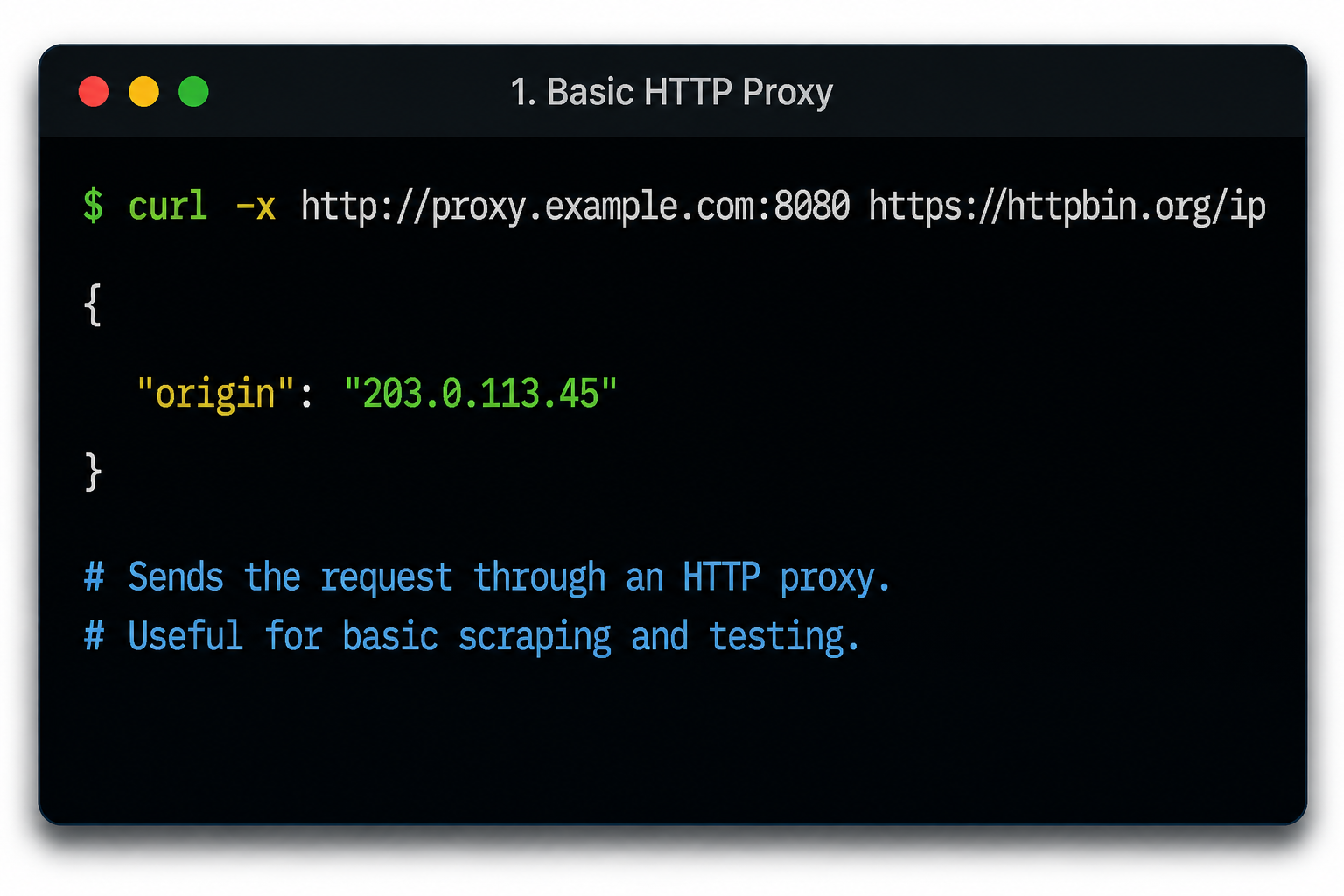
The easiest way to use cURL with proxy servers is by adding the -x parameter to your command.
Basic syntax:
curl -x http://proxy-ip:port https://example.comHere’s what each part means:
- curl — starts the cURL command
- -x — tells cURL to use a proxy server
- http://proxy-ip:port — the proxy address and port
- https://example.com — the target URL you want to access
When the request is sent, cURL connects to the proxy first, and the proxy forwards the request to the destination website. The target server sees the proxy IP.
This is the most common way developers use cURL with proxy configurations.
If your provider requires authentication, include the username and password directly in the proxy string:
curl -x http://username:password@proxy-ip:port https://example.com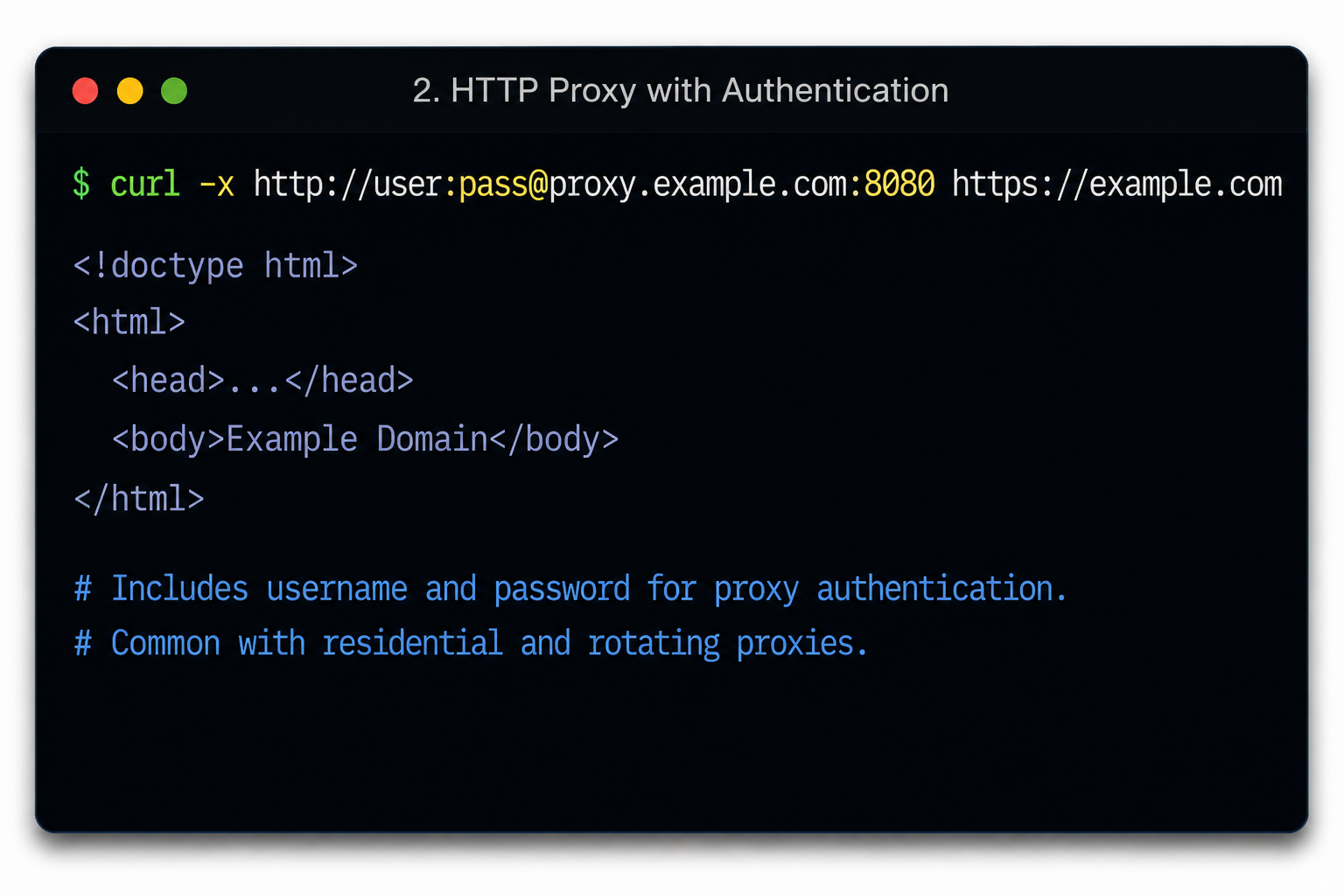
In this example:
- имя пользователя — proxy account username
- пароль — proxy account password
- proxy-ip — proxy server address
- port — connection port assigned by the provider
Most residential and rotating proxy providers use authenticated access, so this format is very common when configuring a cURL proxy server.
You can also write the same command using the longer –proxy parameter:
curl --proxy http://username:password@proxy-ip:port https://example.comBoth commands work the same way. The shorter -x version is simply more common in terminal workflows and automation scripts.
One important detail: if no protocol is specified, cURL assumes the proxy uses HTTP by default. These two commands are equivalent:
curl -x proxy-ip:port https://example.com
curl -x http://proxy-ip:port https://example.com
When testing whether the proxy works correctly, many developers send requests to IP-checking endpoints to verify that the visible IP address changes after enabling the proxy.
Using HTTP, HTTPS, and SOCKS5 proxies with cURL
cURL supports several proxy protocols, including HTTP, HTTPS, and SOCKS5. The right option depends on your workflow, target websites, and the level of anonymity or compatibility you need.
For most users, HTTP proxies are the easiest place to start. More advanced scraping and automation setups often rely on HTTPS or SOCKS5 connections.
HTTP прокси
HTTP proxies are the most common option for basic cURL proxy setups. They’re simple to configure, widely supported, and work well for many automation tasks.
Пример:
curl --proxy http://user:pass@ip:port https://example.comIn this command:
- –proxy tells cURL to route the request through a proxy server
- http:// defines the proxy protocol
- user:pass contains the proxy authentication credentials
- ip:порт is the proxy server address
- https://example.com is the target URL
HTTP proxies are commonly used for:
- Basic web scraping
- Sending API requests
- Automation scripts
- Testing endpoints
- Monitoring websites
They’re also the fastest to set up because cURL uses HTTP as the default protocol. In many cases, you can even omit the http:// prefix entirely:
curl --proxy user:pass@ip:port https://example.comWhile HTTP proxies are easy to use, they may not always be ideal for heavily protected targets.
HTTPS proxy
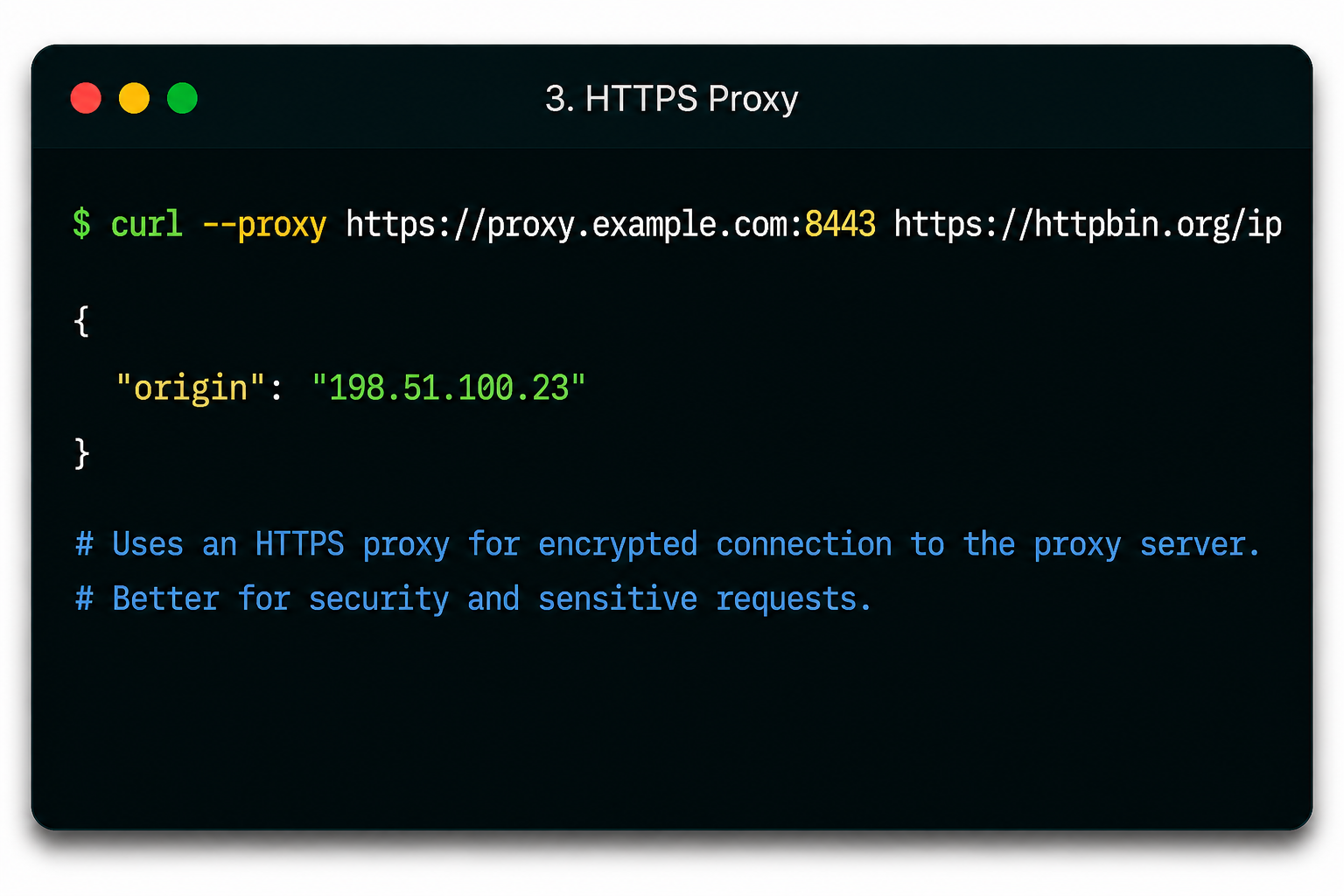
HTTPS proxies work similarly to HTTP but add encryption between your device and the proxy server. This is considered a more secure option for sensitive requests.
Пример:
curl --proxy https://user:pass@ip:port https://example.comThe main difference here is the https:// prefix in the proxy address. It tells cURL to establish an encrypted connection with the proxy server before forwarding requests to the target website.
HTTPS proxies are commonly used for:
- Secure API communication
- Account-based automation
- Transmitting sensitive request data
- Accessing HTTPS websites through encrypted tunnels
In some environments, you may encounter SSL certificate verification errors while using HTTPS proxies. For testing purposes, cURL allows insecure SSL connections with the -k flag:
curl --proxy https://user:pass@ip:port https://example.com -kHowever, disabling certificate verification should only be used temporarily for debugging or development workflows.
SOCKS5 прокси
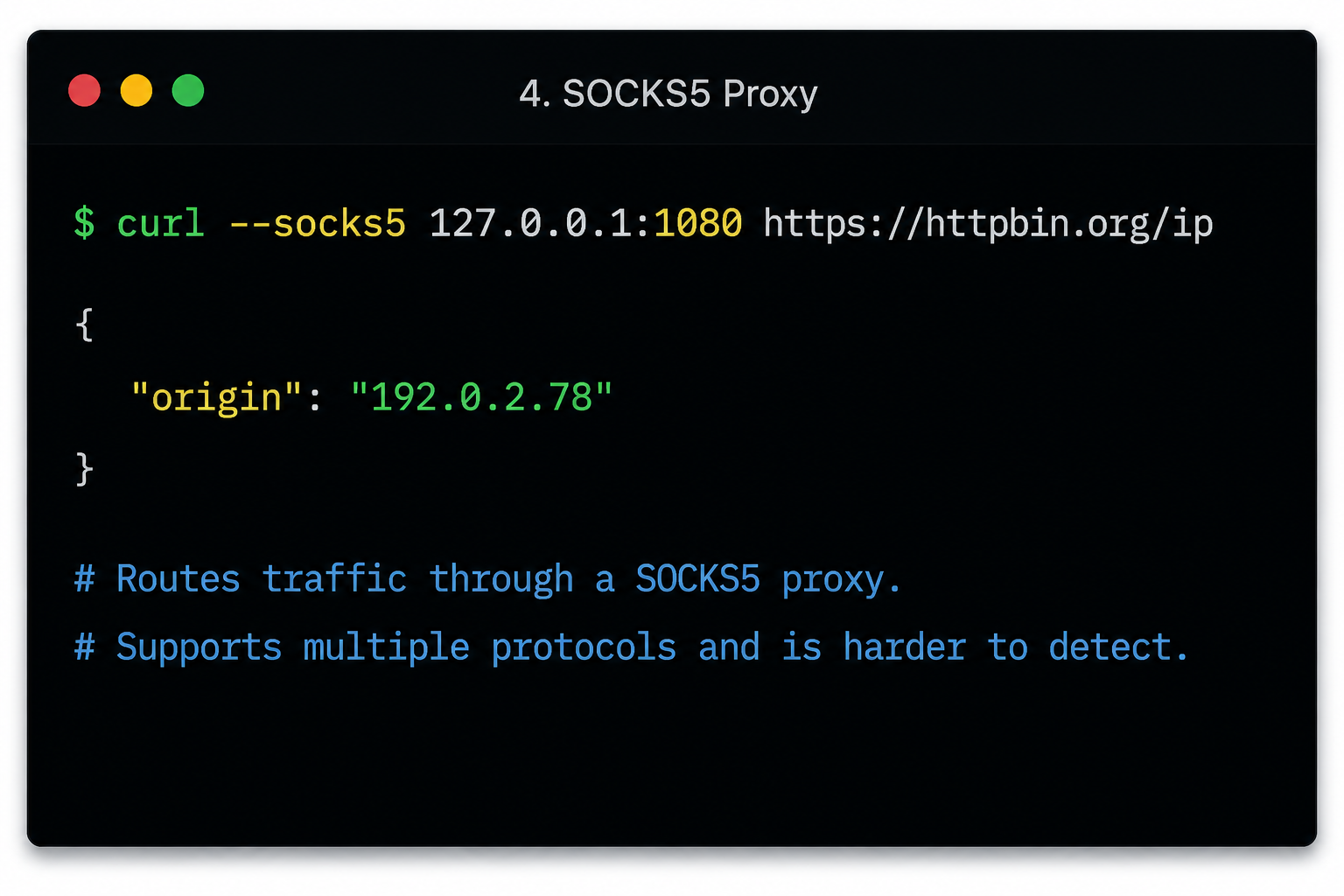
SOCKS5 proxies are commonly used in advanced scraping and automation workflows because they operate at the TCP level instead of handling only HTTP traffic.
Basic example:
curl --socks5 127.0.0.1:1080 https://example.comYou can also authenticate directly inside the proxy string:
curl -x socks5://user:pass@ip:port https://example.comUnlike a standard cURL HTTP proxy, SOCKS5 proxies support multiple traffic types and forward connections with less protocol-specific filtering.
Developers often prefer a cURL SOCKS5 proxy for:
- Account automation
- Bot workflows
- Multi-threaded scripts
- Accessing restrictive networks
SOCKS5 proxies are also popular because they typically have lower detection rates than many HTTP proxies. Since traffic is routed at the TCP layer, websites often see more natural connection behavior.
Another advantage is compatibility. SOCKS5 works with:
- HTTP and HTTPS traffic
- FTP transfers
- SMTP connections
- Other TCP-based protocols
Depending on your provider, you may also see variants like:
- socks4://
- socks4a://
- socks5://
- socks5h://
The socks5h:// format is especially useful because DNS resolution happens through the proxy itself instead of your local machine, helping reduce DNS leaks.
How to set proxy for cURL on Linux, Windows, and macOS
If you regularly work with proxies, manually adding proxy parameters to every command can become repetitive. cURL allows you to configure proxy settings directly through environment variables and configuration files.
The setup process differs slightly depending on the operating system.
Linux cURL proxy setup
On Linux systems, the most common way to configure proxy for cURL Linux environments is through environment variables.
Пример:
export http_proxy=http://user:pass@ip:portFor HTTPS traffic:
export https_proxy=http://user:pass@ip:portOnce these variables are set, every cURL request automatically uses the specified proxy server:
curl https://example.comThis method is widely used for:
- Automation scripts
- Scraping pipelines
- CI/CD workflows
- Server-side monitoring
If you want the settings to persist after reboot, add the variables to your shell profile:
- ~/.bashrc
- ~/.profile
- ~/.zshrc
This is also the standard approach to set proxy for curl Ubuntu systems.
To disable proxy usage later:
- unset http_proxy
- unset https_proxy
Windows proxy configuration for cURL
Windows users can configure cURL proxies through PowerShell environment variables or a _curlrc configuration file.
PowerShell example:
$env:http_proxy="http://user:pass@ip:port"
$env:https_proxy="http://user:pass@ip:port"
After setting the variables, cURL automatically routes requests through the configured proxy.
For permanent configuration, Windows also supports a _curlrc file inside the %APPDATA% directory.
Typical path:
C:\Users\YOUR_USERNAME\AppData\Roaming\_curlrcInside the file:
proxy="http://user:pass@ip:port"Modern cURL versions on Windows can also read .curlrc files from %USERPROFILE% и %APPDATA% locations.
macOS cURL proxy setup
macOS uses almost the same approach as Linux because both systems rely heavily on terminal shell environments.
Temporary setup:
export http_proxy=http://user:pass@ip:port
export https_proxy=http://user:pass@ip:port
To make the proxy persistent, add the settings to your shell configuration file:
- ~/.zshrc (default on modern macOS versions)
- ~/.bash_profile
- ~/.bashrc
Пример:
nano ~/.zshrcThen add:
export http_proxy=http://user:pass@ip:port
export https_proxy=http://user:pass@ip:port
After saving the file, reload the shell:
source ~/.zshrcThis approach is commonly used by developers who need a persistent mac set proxy for cURL configuration.
How to save cURL proxy settings permanently
If you use cURL with proxy servers regularly, adding proxy credentials manually to every command quickly becomes inefficient. cURL supports several ways to save proxy settings permanently, making terminal workflows faster and easier to manage.
Using environment variables
The simplest method is setting proxy environment variables directly in your shell profile.
Пример:
export http_proxy=http://user:pass@ip:port
export https_proxy=http://user:pass@ip:port
After saving these variables, cURL automatically routes matching requests through the configured proxy server.
Например:
- http_proxy handles HTTP requests
- https_proxy handles HTTPS requests
To make the settings persistent across terminal sessions, add them to:
- ~/.bashrc
- ~/.bash_profile
- ~/.zshrc
This approach is widely used for:
- Scraping scripts
- Cron jobs
- Automation pipelines
- Development environments
One important detail: these variables may also affect other terminal applications, not just cURL.
Using the .curlrc file
If you want proxy settings to apply only to cURL, a cleaner option is using a .curlrc configuration file.
Linux and macOS location:
- ~/.curlrc
Windows location:
- %APPDATA%\_curlrc
Inside the file:
- proxy=”http://user:pass@ip:port”
Once saved, cURL automatically loads the proxy configuration every time it runs. This removes the need to pass -x или –proxy manually in each request.
Зона .curlrc method is useful for:
- Persistent proxy configuration
- Dedicated scraping environments
- Testing systems
- Users who only want proxy settings applied to cURL itself
You can still override the saved proxy for individual requests using the –proxy parameter.
Using aliases for quick proxy switching
Aliases provide a fast way to switch between proxied and non-proxied cURL sessions without editing configuration files.
Пример:
alias proxycurl='curl -x http://user:pass@ip:port'After creating the alias, you can run:
proxycurl https://example.comInstead of typing the full proxy command every time.
Aliases are useful for:
- Temporary workflows
- Debugging sessions
- Quick scraping tasks
- Switching between multiple proxy endpoints
To keep aliases permanently, add them to your shell profile file such as ~/.bashrc or ~/.zshrc.
Real-world cURL proxy examples
Most developers do not use cURL proxies only for simple IP masking.
Here are some practical examples of using cURL with proxy servers.
Check your proxy IP
One of the easiest ways to verify that a proxy works correctly is by checking the visible IP address.
Пример:
curl -x http://proxy:port https://httpbin.org/ipIf the proxy is configured properly, the returned IP address should match the proxy server instead of your local connection.
This is commonly used for:
- Debugging proxy setups
- Testing IP rotation
- Verifying geo-targeting
- Checking session changes
Send API requests through a proxy
cURL is widely used for API testing and automation. Proxies help distribute requests and isolate traffic between environments.
Пример:
curl -x http://proxy:port https://api.example.com/dataThis setup is useful for:
- Testing rate-limited APIs
- Accessing region-specific endpoints
- Monitoring APIs from different locations
- Isolating traffic during development
You can also combine proxies with headers, authentication tokens, POST requests, and JSON payloads.
Use rotating proxies for scraping
Large-scale scraping often triggers anti-bot protections when too many requests come from the same IP address.
Rotating proxies help avoid this problem by automatically assigning new IPs between requests. This reduces the risk of:
- IP-баны
- КАПЧА
- 403 errors
- Rate limiting
NodeMaven вращающиеся жилые прокси are often used in cURL scraping environments because they support stable sessions, city-level targeting, and automated IP rotation without additional proxy management tools.
Test geo-restricted content
Many websites return different content depending on the visitor’s location.
Using cURL with geo-targeted proxies makes it possible to test:
- Localized pricing pages
- Regional search engine results
- Country-specific APIs
- Language redirects
- Контент с геоограничениями
Use cURL in automation scripts
Because cURL works directly from the terminal, it’s commonly integrated into automation environments.
Типичные сценарии использования включают:
- Cron jobs
- Uptime monitoring
- Scraping pipelines
- Server automation
- Scheduled API requests
When combined with rotating proxies, automated cURL workflows become more stable and less likely to trigger IP-based restrictions.
Common cURL proxy errors and fixes
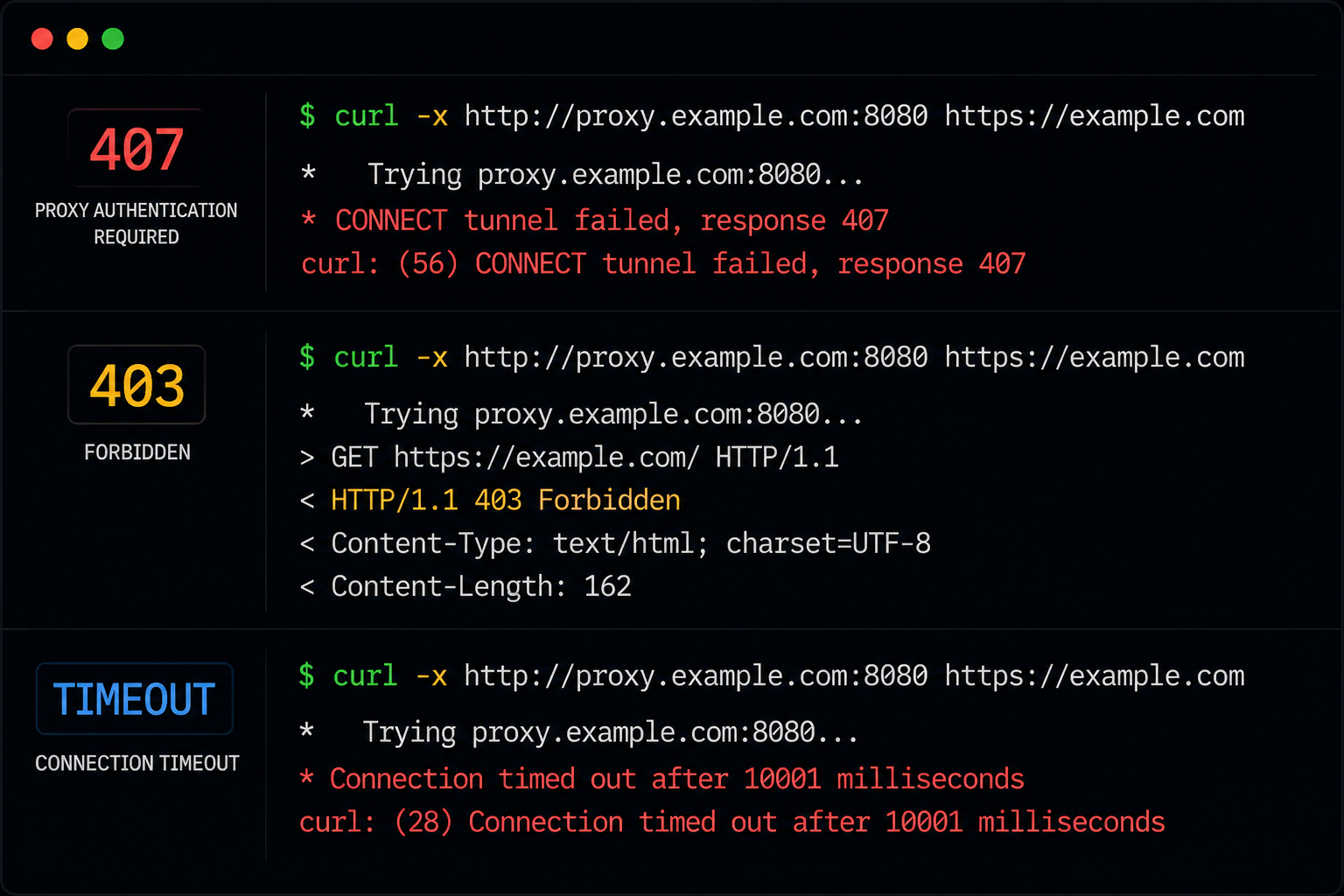
Even a correctly formatted cURL proxy command can fail if the proxy server, authentication, or network configuration has issues. Below are some of the most common errors developers encounter when using cURL with proxy servers.
407 Proxy Authentication Required
This error usually means the proxy server rejected the authentication credentials.
Распространенные причины:
- Incorrect username or password
- Missing authentication
- Invalid proxy format
- Expired proxy credentials
Example of correct syntax:
curl -x http://username:password@proxy-ip:port https://example.comIf the error persists:
- Verify the proxy credentials with your provider
- Check for typos in the username or password
- Confirm the correct proxy protocol and port
- Make sure the account has active access permissions
SSL certificate errors
SSL-related errors can appear when cURL cannot verify the target server certificate or the proxy connection.
For temporary debugging, cURL allows insecure SSL connections using:
curl -k https://example.comThe -k flag disables certificate verification.
However, this should only be used for testing or troubleshooting. Disabling SSL validation in production environments exposes requests to security risks and man-in-the-middle attacks.
Connection timeout errors
Timeouts usually indicate that the proxy server failed to respond in time.
Common reasons include:
- Dead or offline proxies
- Overloaded proxy IPs
- Firewall restrictions
- Blocked outbound ports
To troubleshoot:
- Test the proxy with another target website
- Verify the proxy server is online
- Try a different proxy endpoint
- Increase cURL timeout limits if needed
Large-scale scraping systems often experience fewer timeout issues when using stable residential or ISP proxy pools.
403 Forbidden or CAPTCHA pages
A 403 Forbidden response or repeated CAPTCHA challenges usually means the target website detected suspicious traffic behavior.
This often happens because of:
- Poor IP reputation
- Reused datacenter proxy IPs
- Excessive request rates
- Aggressive scraping patterns
Residential proxies generally perform better in these environments because traffic appears to originate from real-user devices instead of cloud infrastructure.
Используя вращающиеся жилые прокси can also help distribute requests more naturally and reduce detection.
SOCKS5 connection failures
SOCKS5 proxy errors are often caused by configuration mismatches.
Typical causes:
- Incorrect SOCKS5 port
- Unsupported SOCKS version
- Invalid authentication
- DNS resolution problems
Correct example:
curl --socks5 127.0.0.1:1080 https://example.comIf DNS-related issues occur, try using socks5h:// instead of socks5://. The h variant routes DNS lookups through the proxy itself, helping avoid local DNS leaks and hostname resolution failures.
Best proxy type for cURL in 2026
Different proxy types behave very differently. Choosing the right option for cURL depends on your priorities: speed, stability, anonymity, or scale.
| Тип прокси | Лучшее для | Плюсы | Cons |
| Центр обработки данных | Скорость | Cheap, fast | Easy to detect |
| Жилой | Скрапинг | Real-user IPs | Higher cost |
| Интернет-провайдер | Stable automation | Fast + trusted | Smaller pools |
| мобильные | Maximum trust | Lowest detection | Дорого |
Why developers use NodeMaven with cURL
NodeMaven прокси work well with cURL workflows that require stable connections, clean IPs, and reliable automation.
For scraping tasks, вращающиеся жилые прокси help distribute requests across real-user IPs, reducing blocks, CAPTCHAs, and rate limits during large-scale data collection.
When workflows require session consistency, sticky sessions keep the same IP active up to 7 days, which is useful for:
- Account automation
- Login sessions
- Multi-step requests
- API workflows
NodeMaven also supports geo-targeting, allowing developers to send cURL requests through specific countries or cities for localized testing and region-based scraping.
Final thoughts
cURL remains one of the most flexible tools for API requests, scraping, testing, and automation workflows. When combined with the right proxy setup, it becomes much more reliable for handling large volumes of requests and accessing geo-restricted content.
In 2026, residential and ISP прокси matter more than ever as websites continue improving anti-bot detection and rate limiting systems. Using premium NodeMaven proxies helps reduce blocks, improve session stability, and keep automation workflows running smoothly.