
SSL proxy server: what it is, how it works, and when you need one



If you’ve been digging into proxies for scraping, automation, or just safer browsing, you’ve probably run into the term “SSL proxy server” more than once. It sounds technical, but the idea behind it is simple once you break it down.
In this guide, you’ll learn exactly what an SSL proxy server is, how it actually works behind the scenes, and how it’s different from a regular HTTP proxy. We’ll also cover which proxy types support SSL today, when a free option might leave you exposed, and how to pick a provider that won’t let you down mid-project.
By the end, you’ll know enough to make a confident decision.

Need an SSL proxy server you can actually rely on? Get residential and mobile proxies with HTTPS support, clean IPs, and sticky sessions starting at $3.50
What is an SSL proxy server?
An SSL proxy server is a proxy that can handle encrypted traffic. Specifically, traffic secured with SSL/TLS, which is the protocol behind the little padlock icon in your browser’s address bar.
Every time you visit a site that starts with https://, your connection is encrypted. A regular proxy that doesn’t understand encrypted traffic will choke on that connection. An SSL proxy server, on the other hand, knows how to route and forward that encrypted data without breaking it.
So technically, “SSL proxy” isn’t a separate category of proxy the way datacenter or residential proxies are. It describes a proxy server’s ability to support HTTPS connections rather than a unique architecture.
Modern “SSL proxies” don’t actually use SSL anymore. They use TLS (Transport Layer Security), which replaced SSL years ago for security reasons. But “SSL proxy” stuck as the common term. We’ll explain the SSL vs. TLS distinction in more detail shortly.
How an SSL proxy server works
Let’s walk through what actually happens when you connect to a website through an SSL proxy server.
Your Browser
↓
SSL Proxy Server
↓
HTTPS Website
Here’s the step-by-step version:
- You request a secure page
Your browser or scraping tool tries to connect to a site like https://example.com through the proxy.
- The SSL/TLS handshake happens
Your device and the destination server exchange digital certificates and agree on encryption keys. This handshake is what creates the “secure tunnel” you’ve probably heard about.
- The proxy forwards the encrypted tunnel
Rather than reading your data in plain text, a well-configured SSL proxy simply passes the encrypted traffic through to the destination, swapping your IP address for its own along the way.
- The website responds
The response travels back through the same encrypted tunnel, through the proxy, and lands back in your browser, being fully encrypted the entire trip.
A common myth is that proxies “see” everything you do, including your passwords. With a properly configured SSL proxy, the traffic stays encrypted end-to-end. The proxy changes your IP address, not the contents of your encrypted data
This is different from how some corporate or security proxies work, where traffic is deliberately decrypted and re-encrypted for inspection. For most commercial proxy use you need a proxy that simply forwards encrypted traffic, not one that intercepts it.
SSL vs TLS: what is the difference?
Quick lesson, kept short on purpose:
- SSL (Secure Sockets Layer) was the original encryption protocol, introduced in the 1990s.
It had serious security flaws, so it was officially retired.
- TLS (Transport Layer Security) replaced it and has gone through several versions since, with TLS 1.3 being the current standard.
In other words, SSL is obsolete, and TLS is what actually protects your connection today.
So why does everyone still say “SSL proxy server” instead of “TLS proxy server”? Mostly habit. The term “SSL” became so widely used early on that it never really went away, even after the underlying technology changed. You’ll see “SSL certificate”, “SSL proxy”, and “SSL encryption” used constantly — all of them technically referring to TLS.
For the rest of this article, we’ll use “SSL proxy” since that’s what people actually search for, but just know that TLS is the real engine running things.
SSL proxy vs HTTP proxy
This is where a lot of confusion starts.
Here’s a side-by-side comparison:
| Feature | SSL Proxy | HTTP Proxy |
| Encryption | Supports encrypted HTTPS traffic | Designed for unencrypted HTTP traffic |
| Security | Higher — data remains encrypted while transmitted | Lower — data may be transmitted in plain text |
| HTTPS Support | Yes | Often no, or only limited support |
| Best Use Cases | Web scraping, secure browsing, automation, account management | Basic browsing on legacy or non-sensitive HTTP websites |
| Speed | Slightly slower because of SSL/TLS encryption | Slightly faster, but without encrypted protection |
| Compatibility | Works with nearly all modern websites using HTTPS | Increasingly limited as most websites now require HTTPS |
Since the overwhelming majority of the web now runs on HTTPS, a proxy that can’t handle SSL/TLS traffic is becoming less and less useful. If you’re doing any kind of serious scraping, automation, or browsing in 2026, you need a proxy with HTTPS support.
Scraping HTTPS websites or running browser automation? Use residential proxies with full SSL support to reduce blocks and maintain stable connections
SSL proxy vs HTTPS proxy
You’ll often see “SSL proxy” and “HTTPS proxy” used as if they’re two different things. In practice, they’re describing the same capability from two angles.
- SSL proxy emphasizes the encryption protocol (SSL/TLS) the proxy supports.
- HTTPS proxy emphasizes the protocol used to access websites (HTTP over SSL/TLS).
Since HTTPS is literally just HTTP secured by SSL/TLS, a proxy that supports one supports the other. In practice, most providers use these terms interchangeably, and you shouldn’t expect to find a meaningful technical difference when comparing them on a provider’s website.
Types of proxies that support SSL
Rather than getting lost in forward-proxy-versus-reverse-proxy theory, let’s focus on what actually matters if you’re buying a proxy: which commercial proxy types handle encrypted HTTPS traffic well, and which one fits your use case.
| Proxy Type | SSL/HTTPS Support | Speed | Detection Risk | Best For |
| Residential | Yes | Medium to Fast | Low | Web scraping, account management, ad verification |
| ISP | Yes | Fast | Low to Medium | Speed-sensitive tasks that require residential-like trust |
| Datacenter | Yes | Very Fast | Higher | High-volume automation, bulk requests, and tasks where IP reputation is less important |
| Mobile | Yes | Medium | Very Low | Social media automation, mobile app testing, and mobile account management |
Quick recommendations:
- Web scraping → residential proxies, ideally with IP rotation
- Automation (browser bots, testing) → residential or ISP, depending on speed needs
- Multi-account management → mobile or residential, since these blend in best
- General secure browsing → any SSL-capable proxy type works, residential is the safest default
Benefits of SSL proxy servers
- Encrypted traffic
Your data stays unreadable to anyone snooping on the connection
- IP masking
Your real IP address is hidden behind the proxy’s
- Secure automation
Bots and scripts can run without exposing your origin
- Bypass restrictions
Access content blocked by region or network rules
- Protect sensitive data
Logins, payment info, and form submissions stay encrypted
- Access geo-restricted content
Appear to browse from a different country or city
Common use cases
- Web scraping
Scraping HTTPS websites at scale almost always requires an SSL proxy server, since nearly every site worth scraping today runs on HTTPS. Pairing this with rotating residential proxies helps you avoid IP bans while pulling large volumes of data without interruptions.
- Anonymous browsing
If you’re researching competitors or just don’t want your browsing tied to your home IP, an SSL proxy keeps your connection encrypted while masking your location and identity.
- Business security
Companies use SSL proxies to add a layer of protection between employees and the open internet, particularly when accessing sensitive internal tools or third-party platforms remotely.
- Automation
Browser automation tools like Selenium, Playwright, and Puppeteer routinely run through proxies to distribute requests across IPs, avoid rate limits, and simulate real user traffic from different locations.
- SEO monitoring
Checking how your site ranks in different countries or cities requires browsing as if you’re physically located there. SSL proxies let SEO tools fetch localized HTTPS search results accurately.
- Multi-account management
Running multiple accounts on the same platform (social media, e-commerce, ad platforms) without triggering bans usually means assigning each account a unique, stable IP.
Can you use a free SSL proxy server?
It’s normal to search for a free SSL proxy server when you’re just testing something out or trying to save money. And sure, plenty of sites offer a free SSL proxy server list you can copy and paste into your settings.
The problem is that “free” rarely means what really expect. Free proxies are usually shared by thousands of users at once, frequently go offline without warning, and offer no real support if something breaks mid-task.
If you’re only doing something low-stakes, a free proxy might be tolerable. For anything involving real data, accounts, or business operations, the risks quickly outweigh the savings.
Ready to replace unreliable free SSL proxies? Access 30M+ residential IPs with a 95% clean IP quality guarantee and stable HTTPS connections.
Why free SSL proxy servers are risky
| Risk | What It Means for You |
| Logging | Some free proxy providers may log and sell your browsing activity or personal data. |
| Malware | Free proxy software or websites can inject ads, trackers, or malicious code into your traffic. |
| Unreliable Uptime | Servers may go offline unexpectedly, interrupting your browsing, scraping, or automation tasks. |
| Slow Speeds | Performance is often poor because thousands of users share the same servers and bandwidth. |
| Shared IPs | You inherit the reputation of every other user on the same IP address, increasing the risk of blocks. |
| Blocked IPs | Many free proxy IPs are already blacklisted by popular websites and online services. |
| Lack of Support | If the proxy stops working or encounters issues, there’s usually no customer support to help. |
If a proxy is genuinely free, someone, somewhere, is paying for the infrastructure. Usually through your data, your bandwidth, or both.
How to choose a SSL proxy server
Use this checklist before committing to any provider:
- HTTPS support confirmed for all target sites
- Proxy authentication (username/password or IP whitelisting)
- Sticky sessions for tasks that need a consistent IP
- IP rotation for tasks that need fresh IPs frequently
- Location targeting down to country or city level
- Speed that fits your task’s volume and time constraints
- IP reputation/clean pool to avoid getting blocked instantly
- Responsive support when something inevitably goes wrong
If a provider can’t clearly answer questions about authentication, rotation, or IP quality, that’s usually a sign to keep looking.
Do residential proxies support SSL?
Yes. Residential proxies commonly support HTTPS/SSL traffic, and they’re generally the safest choice for tasks.
Here’s how the main proxy types stack up specifically for SSL-secured tasks:
- Residential — real home IPs, excellent for scraping and account management, harder to detect
- ISP — datacenter speed with residential-style IP ownership, good middle ground
- Mobile — carrier-issued IPs, ideal for app testing and social platforms
- Datacenter — fastest and cheapest, but easiest for sites to flag and block
If you’re unsure which to pick, residential is the safest general-purpose option, while ISP proxies are worth considering when speed matters as much as trust.
Why NodeMaven is a better alternative to free SSL proxy servers
Free proxies fail you exactly when you need them most. NodeMaven was built to solve the specific problems that come with relying on unreliable, free, or low-quality proxy pools.
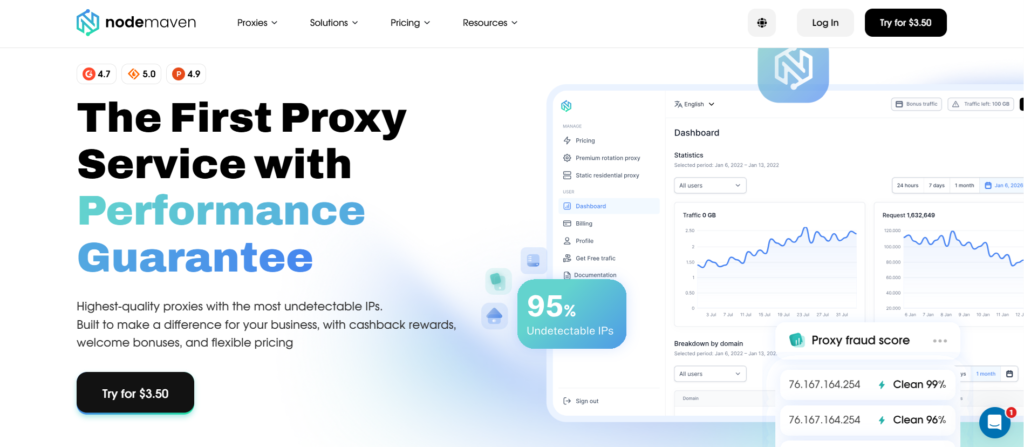
NodeMaven provides:
- 30M+ residential IPs across a genuinely large, diverse pool
- 190+ countries and 1,400+ cities for precise location targeting
- A 95% clean IP quality guarantee, so you’re not inheriting someone else’s bad reputation
- Full HTTPS/SSL support across the network
- Sticky sessions for tasks that need a stable identity over time
- Rotating sessions for tasks that benefit from constantly fresh IPs
- Standard proxy authentication for easy integration into existing scraping or automation setups
- Stable connections designed to hold up during long-running tasks
Once real data, accounts, or business outcomes are on the line, the cost of an unreliable connection usually outweighs whatever you saved by going free.


