How to bypass CAPTCHA: 10 proven methods for reliable web scraping



CAPTCHA systems have become one of the biggest obstacles for web scraping and browser automation.
Modern CAPTCHA providers don’t rely only on image puzzles. Instead, they analyze dozens of signals before deciding whether to challenge a visitor. Your IP address is only one factor. Browser fingerprints, cookies, request timing, JavaScript execution, session history, and user behavior all contribute to a trust score.
Because of this, the best way to bypass CAPTCHA isn’t trying to solve every challenge automatically. The better strategy is reducing the number of challenges your scraper receives in the first place.
This guide explains how CAPTCHA works, why web scrapers trigger it, and 10 proven methods to bypass CAPTCHA while maintaining reliable scraping performance. You’ll also learn when residential proxies, mobile proxies, browser automation, and CAPTCHA solving services make the biggest difference.

Reduce CAPTCHA challenges with clean residential and mobile proxies. Start with NodeMaven from $3.50 and get 750 MB included
What is CAPTCHA?
CAPTCHA (Completely Automated Public Turing test to tell Computers and Humans Apart) is a security mechanism designed to distinguish human visitors from automated bots.
Today’s CAPTCHA systems rarely rely on simple image recognition alone. Many websites evaluate your browser before displaying any challenge. If your traffic appears suspicious, you may receive:
- CAPTCHA verification
- Temporary IP blocks
- Rate limiting
- Additional security checks
- Popular CAPTCHA providers include:
- Google reCAPTCHA v2
- Google reCAPTCHA v3
- hCaptcha
- Cloudflare Turnstile
- GeeTest
- AWS WAF CAPTCHA
- DataDome
Although each provider uses different detection techniques, they all share one objective: stopping automated traffic while allowing legitimate visitors to continue browsing.
How modern CAPTCHA detection works
Many developers assume CAPTCHA appears only after too many requests from the same IP. That was true years ago, but modern anti-bot systems evaluate many signals simultaneously.
IP reputation
IP reputation remains one of the strongest trust signals.
Residential and mobile IPs usually receive higher trust scores because they originate from real internet service providers. Datacenter IPs are heavily used for automation and therefore trigger more CAPTCHA challenges.
This is why residential proxies typically perform much better than datacenter proxies during web scraping.
Browser fingerprinting
Every browser exposes hundreds of characteristics that websites combine into a unique fingerprint.
Common fingerprinting signals include:
- Browser version
- Operating system
- Screen resolution
- Installed fonts
- WebGL
- Canvas rendering
- Language
- Timezone
- CPU
- Device memory
Changing only your User-Agent isn’t enough anymore. If other browser characteristics don’t match, websites can quickly identify automation.
TLS fingerprinting
Before a page even loads, websites can inspect how your browser establishes encrypted HTTPS connections.
A basic Python script pretending to be Chrome often produces a TLS fingerprint that doesn’t match a real Chrome browser. Anti-bot systems detect these inconsistencies long before HTML is downloaded.
HTTP headers
Modern browsers send much more than a User-Agent.
Websites also analyze:
- Accept
- Accept-Encoding
- Accept-Language
- Client Hints
- Referer
- Sec-Fetch headers
Missing or inconsistent headers make requests easier to identify as automated.
Cookies and sessions
Real users rarely visit every page as brand-new visitors.
Most websites expect returning users to have:
- Cookies
- Browsing history
- Local storage
- Active sessions
Starting every request with an empty session increases the chance of receiving CAPTCHA verification.
Sticky sessions combined with persistent cookies create much more realistic browsing behavior.
JavaScript execution
Many websites depend on JavaScript before serving content.
Scripts collect browser information, generate tokens, and validate session integrity. If JavaScript doesn’t execute correctly, websites often respond with a CAPTCHA page instead of the requested content.
That’s why Playwright, Puppeteer, and Selenium outperform simple HTTP libraries on JavaScript-heavy websites.
User behavior
Behavioral analysis has become another important signal.
Websites monitor:
- Scrolling
- Mouse movement
- Click timing
- Navigation order
- Time spent on pages
- Request frequency
Visiting hundreds of pages within seconds or performing identical actions repeatedly quickly raises your risk score.
Modern CAPTCHA systems combine all of these signals rather than relying on a single detection method.
Why web scrapers trigger CAPTCHA
Most scraping projects don’t receive CAPTCHA because they scrape data. They receive CAPTCHA because their traffic differs from normal user behavior.
The most common reasons include:
- High request volume
- Low-quality IP addresses
- Missing JavaScript execution
- Unrealistic browser fingerprints
- No cookie persistence
- Excessive concurrency
- Predictable navigation patterns
Fortunately, most of these problems are preventable.
Bypass CAPTCHA more reliably with premium residential and mobile proxies.
Try NodeMaven from $3.50 with 750 MB of proxy traffic included
10 proven ways to bypass CAPTCHA
There is no universal CAPTCHA bypass technique. The most reliable approach combines multiple methods that reduce detection throughout your scraping workflow.
1. Use residential proxies
For most scraping projects, residential proxies provide the biggest improvement.
Because they blend naturally into regular traffic, they receive fewer CAPTCHA challenges.
Residential proxies work especially well for:
- Ecommerce scraping
- Search engine scraping
- Price monitoring
- Travel aggregation
- Public data collection
Providers that filter low-quality IPs can further reduce CAPTCHA frequency.
2. Use mobile proxies for difficult targets
Some websites apply much stricter anti-bot protection.
Social media platforms, sneaker stores, ticketing websites, and classified marketplaces often trust carrier-assigned IPs more than other address types.
Mobile proxies use IPs assigned by cellular networks, making them valuable for:
- Mobile app testing
- Social media automation
- Account management
- Highly protected websites
3. Rotate IPs intelligently
Many beginners rotate their IP after every request.
This often produces the opposite effect.
Real users browse multiple pages from the same IP before leaving a website. Constantly changing IPs while starting fresh sessions creates inconsistent behavior that anti-bot systems easily detect.
Instead:
- Maintain sticky sessions
- Reuse cookies
- Rotate IPs only after completing a browsing session
- Switch proxies only after blocks or rate limits
Long-lasting sessions build trust and reduce unnecessary CAPTCHA verification.
4. Improve your browser fingerprint
Changing only your User-Agent is no longer enough to bypass CAPTCHA consistently.
Modern anti-bot systems compare hundreds of browser attributes to determine whether traffic comes from a real browser or an automated script. Even if your User-Agent says “Chrome,” mismatched fingerprint data can immediately increase your risk score.
A realistic browser fingerprint should include consistent:
- Browser version
- Operating system
- Screen resolution
- Language
- Timezone
- Canvas fingerprint
- WebGL information
- Installed fonts
Frameworks like Playwright and Puppeteer generate much more realistic browser fingerprints than basic HTTP clients, making them the preferred choice for modern web scraping.
5. Execute JavaScript like a real browser
Many websites load essential content only after JavaScript finishes running.
JavaScript also generates cookies, browser tokens, and other values used by anti-bot systems. If your scraper skips this step, the website may immediately respond with a CAPTCHA or block the request.
Browser automation frameworks solve this problem by rendering pages exactly as a normal visitor would.
The most popular options include:
- Playwright
- Puppeteer
- Selenium
For websites built with React, Vue, Angular, or other JavaScript frameworks, browser automation almost always produces better results than raw HTTP requests.
6. Slow down your requests
One of the easiest ways to trigger CAPTCHA is sending requests as quickly as possible.
Real users don’t open hundreds of pages within a few seconds. Instead of maximizing requests per second, make your traffic resemble normal browsing behavior.
Good practices include:
- Random delays
- Limited concurrency
- Variable scrolling
- Realistic navigation paths
- Exponential backoff after errors
Small timing adjustments often reduce CAPTCHA frequency without significantly affecting scraping speed.
7. Maintain cookies and sessions
Cookies help websites recognize returning visitors.
If every request starts with a completely fresh browser profile, the website must evaluate your scraper from scratch each time. This often leads to more verification requests.
Whenever possible:
- Save cookies
- Reuse browser profiles
- Preserve local storage
- Maintain authenticated sessions
Persistent sessions create more natural browsing patterns and improve long-running scraping jobs.
8. Rotate User-Agents carefully
User-Agent rotation still has value, but only when it matches the rest of your browser fingerprint.
For example, claiming to use Safari on macOS while exposing a Chrome fingerprint on Windows creates obvious inconsistencies.
Instead:
- Rotate periodically instead of every request
- Match the browser version
- Keep operating system information consistent
- Synchronize User-Agent with the actual browser
Consistency is more important than randomness.
9. Use CAPTCHA solving services as a fallback
Even well-designed scraping pipelines occasionally encounter CAPTCHA challenges.
Rather than solving every CAPTCHA automatically, reserve solving services for situations where your scraper cannot continue.
Popular options include:
- 2Captcha
- Capsolver
- Anti-Captcha
These services expose APIs that solve reCAPTCHA, hCaptcha, Turnstile, and other challenge types.
Because they charge per solved CAPTCHA, reducing challenge frequency first is usually much more cost-effective than relying on a CAPTCHA bypass service for every request.
10.Detect challenges and retry gracefully
Reliable scrapers assume that failures will happen.
Instead of crashing or storing incorrect data, detect challenge pages and retry intelligently.
A good retry strategy includes:
- Challenge detection
- HTML validation
- Screenshot capture
- Retry limits
- Exponential backoff
- Proxy rotation only when necessary
Smart retries improve stability and reduce unnecessary proxy usage.
Keep your scrapers running with trusted residential and mobile IPs.
Start your NodeMaven trial from $3.50 and get 750 MB included
Playwright example
The following Playwright example launches Chromium through a residential proxy, waits for the page to load, and checks whether a CAPTCHA challenge appears before continuing.
Instead of solving every CAPTCHA automatically, detect challenge pages first. Your scraper can then retry the request, continue with the current session, rotate the proxy, or invoke a CAPTCHA solving service only when needed.
Python requests example
For websites that don’t require JavaScript rendering, Python’s requests library combined with a residential proxy remains a fast and lightweight option.
For JavaScript-heavy websites, Playwright or Selenium generally produces more reliable results than raw HTTP requests.
Residential vs mobile vs datacenter proxies
Choosing the right proxy has a direct impact on CAPTCHA frequency.
| Feature | Residential | Mobile | Datacenter |
| IP reputation | High | Very High | Low |
| CAPTCHA frequency | Low | Very Low | High |
| Speed | High | Medium | Very High |
| Cost | Moderate | Highest | Lowest |
| Sticky sessions | Yes | Yes | Depends |
| Best use | Web scraping, ecommerce, search engines | Social media, mobile apps | Low-risk scraping |
CAPTCHA solving services comparison
A CAPTCHA bypass service should complement your scraper—not become its foundation.
| Service | Supports | API | Best for |
| 2Captcha | reCAPTCHA, hCaptcha, Turnstile | ✓ | General scraping |
| Capsolver | reCAPTCHA, FunCaptcha, Turnstile | ✓ | Large-scale automation |
| Anti-Captcha | Most CAPTCHA types | ✓ | Enterprise scraping |
| OCR libraries | Basic image CAPTCHA | Limited | Simple CAPTCHA recognition |
For most scraping projects:
- 2Captcha offers excellent compatibility.
- Capsolver performs well on newer CAPTCHA providers.
- Anti-Captcha is widely used in enterprise automation.
- OCR libraries only work reliably for simple image CAPTCHAs.
No service guarantees a 100% success rate. Preventing CAPTCHA challenges remains more efficient than solving every challenge.
Ready to reduce CAPTCHA challenges?
Whether you’re scraping ecommerce websites, collecting public data, or building browser automation, clean IP addresses make a measurable difference.
NodeMaven residential proxies provide access to 30M+ residential IPs across 190+ countries and 1,400+ locations, backed by a 95% clean IP guarantee and sticky sessions for stable automation.
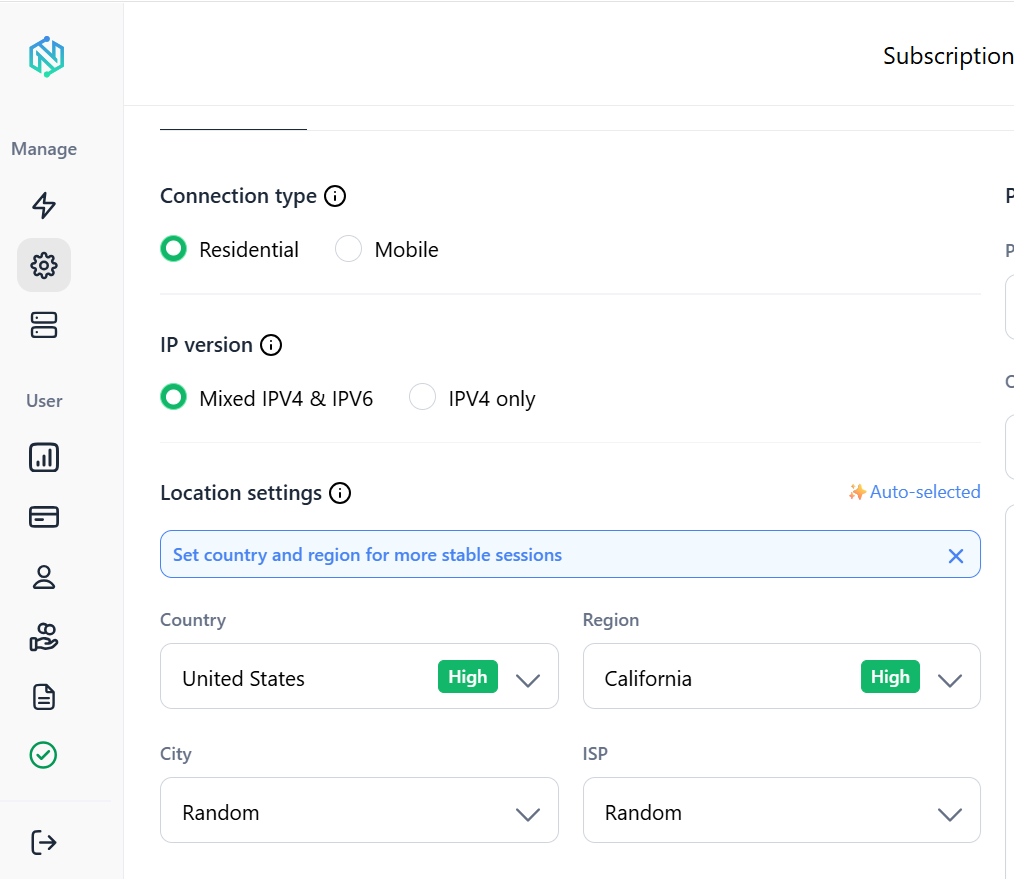
For websites with stricter anti-bot protection, NodeMaven mobile proxies use carrier-assigned IPs that improve trust while maintaining consistent browsing sessions.
Start with the $3.50 trial and see how clean residential and mobile proxies can reduce CAPTCHA frequency, improve scraping success rates, and make browser automation more reliable.
Conclusion
Successfully learning how to bypass CAPTCHA isn’t about finding the perfect solver. It’s about building a scraping workflow that resembles legitimate user traffic.
Modern anti-bot systems evaluate browser fingerprints, cookies, JavaScript execution, request timing, TLS fingerprints, session history, and IP reputation long before displaying a challenge.
By combining high-quality residential proxies, sticky sessions, realistic browser automation, cookie persistence, and intelligent request pacing, you can dramatically reduce CAPTCHA frequency while improving scraping reliability.
If challenges still occur, treat CAPTCHA solving services as a fallback, not your primary strategy.
For most web scraping projects, this approach produces faster data collection, fewer interruptions, and lower infrastructure costs than relying on a CAPTCHA bypass service alone.
Improve web scraping success with high-quality residential and mobile proxies.
Start with NodeMaven from $3.50 and get 750 MB included