Unblocked YouTube: 10 ways to access YouTube in 2026



YouTube is one of the most commonly blocked sites on managed networks (school Wi-Fi, corporate firewalls, public hotspots). In most cases, the restriction isn’t coming from YouTube itself. It’s coming from whoever controls the network you’re on.
Getting access to unblocked YouTube isn’t complicated, but the method matters. A free web proxy, a VPN, and ISP proxies with unlimited bandwidth all work differently. The right choice depends on what you actually need: one-time access to a video, or consistent access that holds up over time.
This guide explains how each approach works, where it falls short, and which use cases it’s actually suited for.

Access unblocked YouTube with premium ISP proxies. Start with NodeMaven from just $2.99/IP
Why YouTube gets blocked
The reasons vary depending on where you are, but the mechanics are similar: network administrators apply content filtering rules that prevent certain domains or categories of traffic from loading.
In schools, this is largely driven by compliance. Educational networks, especially in the US, operate under policies like CIPA (Children’s Internet Protection Act), which require filtering of certain content.
In workplaces, the reasoning is usually bandwidth and productivity. Streaming video consumes significant bandwidth, and IT departments prefer to restrict it on corporate networks.
On public Wi-Fi (in hotels, airports, libraries, cafes) restrictions are less predictable. Some public networks block video streaming to manage congestion. Others pass traffic through filtering proxies that flag content categories.
At the country level, some governments block or throttle YouTube access for political or regulatory reasons. This is a different kind of restriction, enforced at the ISP level rather than a local administrator’s router.
In every case, the block works by intercepting or rejecting your request before it reaches YouTube’s servers.
10 ways to access unblocked YouTube
There isn’t a single solution that works for every situation. The best way to get unblocked YouTube depends on whether you’re dealing with a school network, workplace restrictions, government censorship, or device-level controls. Here’s a breakdown of the most effective methods.
1. ISP proxies
If you need fast, reliable access to unblocked YouTube, ISP proxies are the best long-term solution. They combine the trust of residential IP addresses with data center-level speeds, making them ideal for streaming, managing multiple YouTube accounts, and maintaining stable sessions.
NodeMaven ISP proxies offer unlimited bandwidth, so you can stream videos and live broadcasts without worrying about traffic limits. With a 95%+ clean IP rate, they also help reduce CAPTCHA challenges, verification prompts, and blocked sessions compared to free proxies or shared VPNs.
Best for
- Unlimited YouTube streaming
- Multiple YouTube accounts
- Watching live streams
- Regional content testing
- Browser automation
- Content creators, marketers, and researchers
Pros
- Unlimited bandwidth for uninterrupted streaming
- Static ISP IP addresses for stable long-term sessions
- Excellent speeds with minimal buffering
- High-quality IP reputation with fewer verification prompts
- Better performance than free proxies and shared VPNs
- Reliable access to region-specific YouTube content
Limitations
- Paid service
- Initial setup is required
- More features than occasional viewers typically need
2. Browser proxy extensions
A browser proxy extension routes your browser traffic through another IP address without affecting the rest of your device. It’s one of the quickest ways to access unblocked YouTube on Chrome, Firefox, or Edge.
Best for
- School or office Wi-Fi
- Watching YouTube in your browser
- Quick setup
Pros
- Easy to install
- No system-wide configuration
- Works with most browsers
Limitations
- Only protects browser traffic
- Some networks block known proxy extensions
- Free extensions often use crowded IP addresses
3. Web proxy sites
A web proxy loads YouTube through a third-party website. You simply open the proxy page, enter the YouTube URL, and stream videos without installing software.
Best for
- Watching a single video
- Public computers
- Occasional use
Pros
- No installation required
- Works in any browser
- Fast to start
Limitations
- Many free services display ads
- Shared IPs are frequently blocked
- Login sessions may not remain stable
4. VPN services
A VPN encrypts your internet connection and routes all traffic through a remote server. It’s one of the most popular tools for accessing unblocked YouTube while improving online privacy.
Best for
- Public Wi-Fi
- Country-wide restrictions
- General browsing
Pros
- Encrypts all traffic
- Works across most applications
- Hides your IP address
Limitations
- Can reduce connection speed
- Shared VPN IPs may trigger CAPTCHA challenges
- Some schools and workplaces block VPN traffic
Watch YouTube without interruptions using premium ISP proxies. Get static ISP IPs from NodeMaven starting at $2.99/IP
5. Mobile hotspot
Sometimes the easiest solution is to bypass the restricted network completely. Switching to your phone’s mobile data avoids school or workplace filtering because you’re no longer using their internet connection.
Best for
- School Wi-Fi
- Office networks
- Temporary access
Pros
- No software required
- Often works immediately
- Uses your own network
Limitations
- Consumes mobile data
- Depends on signal quality
- May not be practical for long viewing sessions
6. Change your DNS settings
Some networks block YouTube using DNS filtering rather than blocking the website itself. Switching to a public DNS provider, such as Google Public DNS or Cloudflare DNS, may restore access.
Best for
- Home networks
- Simple DNS-based blocks
Pros
- Quick to configure
- Can improve DNS response time
- Free to use
Limitations
- Doesn’t bypass all restrictions
- Doesn’t encrypt traffic
- Won’t help if the network uses deep packet inspection
7. Smart DNS
Smart DNS changes only the information needed to access restricted services instead of routing all of your traffic through another server.
Best for
- Smart TVs
- Streaming devices
- Gaming consoles
Pros
- Faster than many VPNs
- Easy to configure on supported devices
- Doesn’t significantly affect streaming speed
Limitations
- No encryption
- Doesn’t hide your browsing activity
- Less effective against strict network filtering
8. Tor Browser
Tor routes your traffic through multiple volunteer-operated servers, making it difficult to identify your original IP address.
Best for
- Privacy-focused users
- Accessing blocked websites
Pros
- Strong anonymity
- Free to use
- Helps bypass some restrictions
Limitations
- Slower browsing speeds
- Streaming quality may suffer
- Some websites restrict Tor traffic
9. VPN router
Instead of installing a VPN on every device, you can configure it directly on your router. Every device connected to your Wi-Fi will automatically use the VPN connection.
Best for
- Households with multiple devices
- Smart TVs
- Consoles
Pros
- One-time setup
- Covers every connected device
- Consistent protection
Limitations
- More technical to configure
- Requires a compatible router
- Can reduce overall network speed
10.Check browser and device restrictions
Not every YouTube block comes from the network. Sometimes browser extensions, parental controls, Restricted Mode, or device management software prevent YouTube from loading.
Before trying other methods, check whether:
- Restricted Mode is enabled
- A browser extension is blocking YouTube
- Parental controls are active
- Your device is managed by a school or employer
- Your firewall or antivirus is blocking access
Fixing these settings may restore unblocked YouTube without needing a proxy or VPN at all.
Which method is best for unblocked YouTube?
| Situation | Recommended method |
| Watch one video quickly | Web proxy |
| School or office Wi-Fi | Browser proxy extension |
| Public Wi-Fi | VPN |
| Government censorship | ISP proxy |
| Multiple YouTube accounts | ISP proxy |
| Regional content testing | ISP proxy |
| Long YouTube sessions | ISP proxy |
| Smart TV or console | Smart DNS |
| Home network restrictions | DNS change |
| Managed Chromebook | Mobile hotspot |
| Maximum privacy | Tor Browser |
Stream YouTube faster with NodeMaven ISP proxies. Plans start at just $2.99/IP and include unlimited bandwidth for smooth, uninterrupted viewing
How to unblock YouTube at school or work
Managed networks are more complex than a simple domain block. Understanding what kind of restriction you’re dealing with changes which approach will actually work.
School-issued Chromebooks enforce policies at the device level through Google’s admin console. Those restrictions follow the device regardless of which network you’re on. A browser proxy for accessing unblocked YouTube won’t help, you’d need to use a personal device on a separate connection.
Standard laptops on school or office Wi-Fi are a different situation. A browser proxy for YouTube is usually the simplest starting point: the network sees traffic going to an external proxy address rather than YouTube directly.
When the network is too restrictive for a proxy to get through, the cleanest option is a mobile hotspot. Tethering to your phone’s cellular data bypasses the school or workplace network entirely, your traffic moves over a carrier network that’s not subject to the same administrator controls.
Free YouTube proxy sites: risks and limitations
Free proxy services are easy to find. No account, no payment. Just a URL that routes traffic through a third-party server. But the economics of running proxy infrastructure matter here.
If a service is free, something else is covering the costs. Usually that’s advertising: injected ads, pop-ups, and in some cases redirect scripts that expose you to malware.
Even setting aside the security concerns, the practical experience is unreliable:
- Burned IPs. Free proxy pools are overcrowded and constantly getting blocked. An IP that worked yesterday may be flagged today. This is why free YouTube proxies have such high churn, the addresses burn fast when thousands of users share them.
- Slow speeds. Bandwidth is shared across all users on the same server. Video loads slowly, drops resolution, or stalls entirely.
- Traffic logging. Many free services log the requests passing through their infrastructure. Your browsing activity may be recorded by a company with unknown privacy practices.
- Inconsistent HTTPS handling. Some free proxies struggle with secure connections, creating potential exposure in how they process your traffic.
The convenience of a free proxy for unblocked YouTube rarely holds up past a few uses. For occasional access, the risks may be acceptable. For anything involving logged-in accounts or repeated sessions, they’re not.
Need reliable YouTube access? Use NodeMaven ISP proxies from just $2.99/IP for unlimited bandwidth
Proxy vs VPN for accessing unblocked YouTube
Each tool has a different profile. Here’s how they compare on the factors that matter most for YouTube access.
Browser proxies win on ease of entry but lose on everything else. VPNs offer the broadest privacy protection, but shared IPs and detectable traffic patterns limit their reliability on managed networks.
| Factor | Browser Proxy | ISP Proxy | VPN |
| Speed | Slow–Moderate | Excellent | Moderate |
| Streaming | Fair | Excellent | Good |
| Unlimited bandwidth | Usually No | Yes | Depends |
| Session stability | Low | Excellent | Good |
| IP reputation | Low | High | Medium |
| Best for | Quick viewing | Long sessions | Privacy |
ISP proxies proxies require slightly more setup but deliver the best combination of speed, unlimited bandwidth, stable sessions, and high-quality IPs, making them ideal for regular YouTube streaming.
Using NodeMaven for YouTube-related workflows
If you regularly stream YouTube, manage multiple channels, or need reliable access from specific locations, NodeMaven ISP proxies are one of the best long-term solutions.
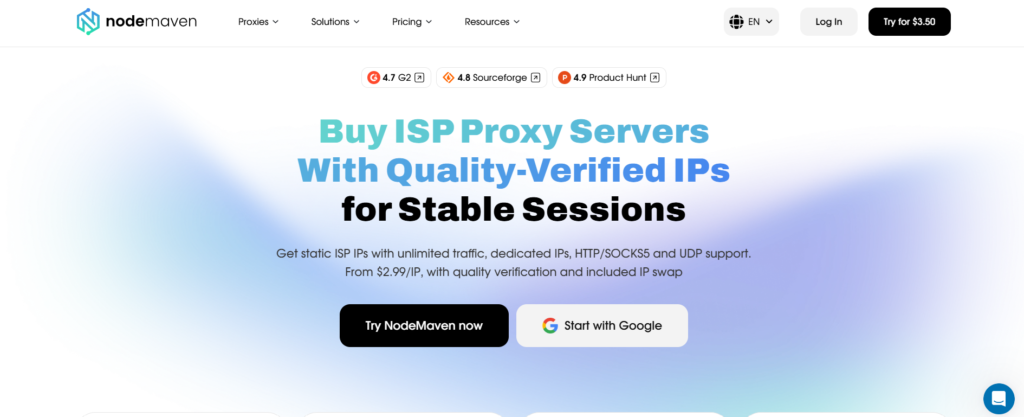
Unlike free proxies and shared VPNs, ISP proxies combine static ISP-issued IP addresses, data center-level performance, and unlimited bandwidth. This allows you to stream videos, watch live broadcasts, and work with YouTube without worrying about slow speeds or traffic limits.
They are particularly useful for:
- Streaming YouTube without bandwidth restrictions
- Managing multiple accounts
- Watching region-specific content
- Browser automation
- Monitoring search results and recommendations across locations
Combined with a 95%+ clean IP rate, NodeMaven proxies help reduce CAPTCHA requests, verification prompts, and blocked sessions.
Instead of relying on overcrowded shared proxy pools, NodeMaven focuses on maintaining cleaner IP reputation, providing you cleanest YouTube proxies.