Top 5 WebRTC leak testing tools in 2026




A WebRTC leak is when your browser exposes your real IP address through WebRTC’s peer-connection APIs, even when your actual web traffic is routed through a proxy or VPN. For anyone running multi-account workflows, scraping at scale, or doing ad verification, this is a serious operational risk.
The fix always starts with detection. Running a regular WebRTC leak test tells you exactly what your browser is exposing before a platform or fraud system does.
What is a WebRTC leak?
WebRTC is a browser technology built for real-time audio, video, and data connections between peers. To establish those connections, the browser collects ICE (Interactive Connectivity Establishment) candidates. They are possible network paths that can include your public IP, local LAN IP, IPv6 address, and mDNS candidates.
The core problem: WebRTC can access browser network interfaces directly, bypassing the proxy or VPN tunnel your HTTP traffic is using. A site can run JavaScript that creates an RTCPeerConnection, reads the ICE candidates from onicecandidate events or the session description, and compare that data against your apparent HTTP IP.
The result: your proxy IP shows in the address bar, but your real IP is visible in WebRTC candidate data.
This affects all standard proxy setups. HTTP, HTTPS, and SOCKS5 proxies all protect regular browser traffic, but none of them automatically block WebRTC candidate collection. Even residential and mobile proxies with clean IPs can leak if the browser is not configured correctly.

Need a clean browser fingerprint? Test for WebRTC leaks and verify your proxy setup before launching accounts
Why you should check for WebRTC leaks
Most proxy users only think about their HTTP IP. That gap is where accounts get flagged.
Multi-accounting: Anti-fraud systems correlate browser profiles. If two profiles return the same local LAN IP or the same real public IP through WebRTC candidates, the link is made regardless of which proxies are assigned to each profile.
Web scraping: Scraping infrastructure that runs browser-based sessions can leak the host machine’s real IP if WebRTC is not disabled or restricted. That IP can appear in server logs and trigger bans.
Ad verification: Verifying geo-targeted ads requires a clean, consistent identity. A WebRTC leak contaminates the geo signal and can cause ad servers to serve content based on the leaked IP rather than the proxy location.
Ecommerce operations: Account management across marketplaces depends on profile isolation. A leaked local IP is often the same across multiple profiles on the same machine — which is exactly the kind of signal that triggers account linking.
Affiliate marketing: Traffic quality checks and fraud detection tools regularly test for IP consistency across connection types. A mismatch between HTTP and WebRTC IPs is a red flag in many traffic auditing systems.
Privacy protection: For anyone routing traffic through a VPN specifically to avoid IP-based identification, a WebRTC leak defeats the entire purpose of the setup.
How we chose the best WebRTC Leak testing tools
Every tool in this list was evaluated on the same criteria:
- Accuracy: Does it correctly detect public IP, local IP, IPv6, and mDNS candidates?
- Speed: Does the test complete quickly without requiring extra steps?
- Ease of use: Can you run it in under 30 seconds without any configuration?
- Clarity of results: Are the results easy to read and interpret?
- Additional diagnostics: Does it show more than just a pass/fail verdict?
- Free availability: Is it usable without creating an account or paying?
1. NodeMaven Free WebRTC leak test
URL: https://nodemaven.com/tools/webrtc-leak-test/
Overview
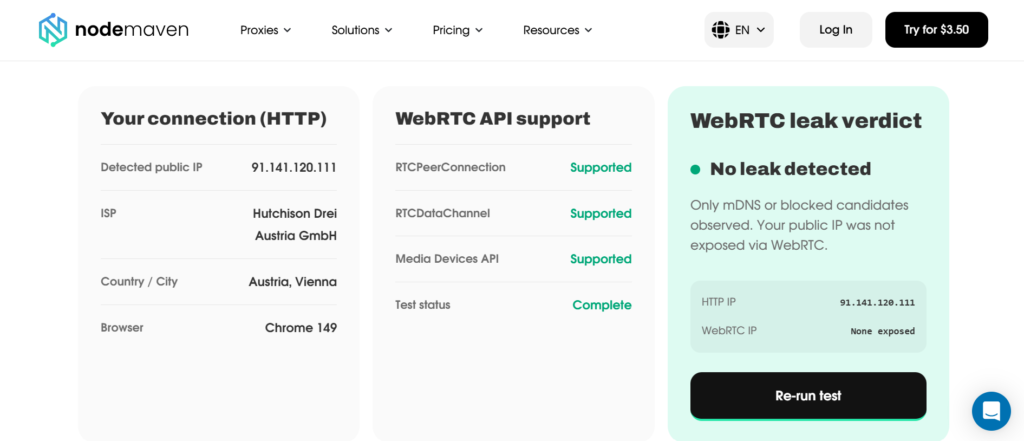
NodeMaven built this WebRTC test tool specifically for proxy users and browser-based workflows. It runs automatically in your browser and compares your HTTP connection data against WebRTC ICE candidates in real time, showing you exactly where a discrepancy exists.
The test checks for public IP exposure, local LAN IP, IPv6 address, and mDNS candidates. It also surfaces RTCPeerConnection support, RTCDataChannel support, Media Devices API availability, and SDP (Session Description Protocol) data. The same data a detection system would read.
Key features
- Detects public IP, local IP, IPv6, and mDNS candidates from WebRTC
- Shows your HTTP connection IP alongside WebRTC results for direct comparison
- Displays full SDP output for technical inspection
- Checks RTCPeerConnection, RTCDataChannel, and Media Devices API support
- Provides browser-specific remediation guidance (Chrome/Edge, Firefox, Brave, Safari, anti-detect browsers, Puppeteer/Playwright)
- Includes a table showing which proxy setups are and are not vulnerable to WebRTC leaks
- No registration required — fully free
Pros
- Purpose-built for proxy users, not a generic privacy tool retrofitted for the use case
- Clear side-by-side display of HTTP vs. WebRTC IPs makes leaks immediately obvious
- Detailed SDP output useful for debugging automation environments
- Actionable fix instructions for every major browser and setup type
- Fast, results appear within seconds of loading the page
Cons
Focused on WebRTC specifically. For DNS leak testing or proxy health checks, you need a separate tool
Best for
Proxy users, multi-account operators, affiliate marketers, and anyone running browser-based automation who needs to verify their setup before going live.
Bottom line: NodeMaven’s WebRTC leak test is the most proxy-aware tool on this list. The comparison table covering HTTP proxies, SOCKS5 proxies, anti-detect browsers, and automation frameworks is genuinely useful, and the fix instructions are actually written for people who know what they are doing.
2. BrowserLeaks
URL: https://browserleaks.com/webrtc
Overview
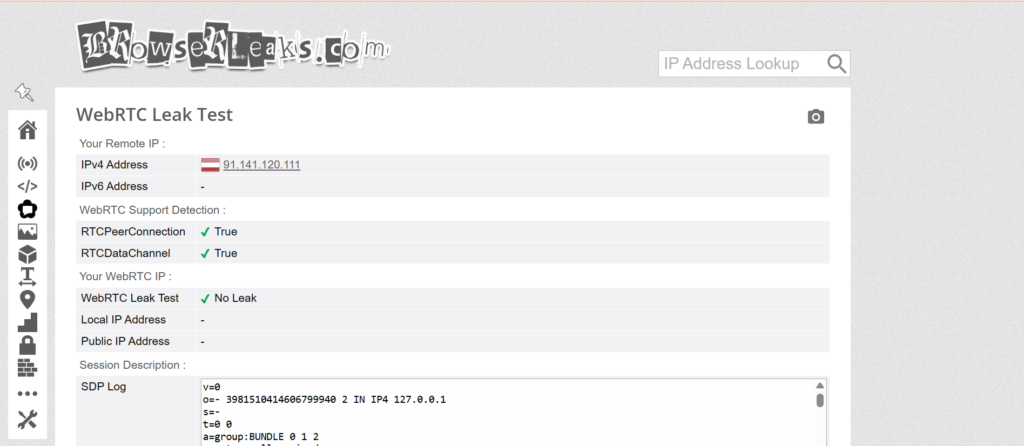
BrowserLeaks is one of the most established browser fingerprinting and privacy testing platforms available. Its WebRTC test is thorough and well-documented, making it a go-to reference for people who want to understand exactly what their browser is leaking.
Key features
- Shows all WebRTC ICE candidates, including public IPs, local IPs, and IPv6
- Displays mDNS candidates where applicable
- Provides full technical breakdown of the WebRTC data collection process
- Part of a larger suite covering Canvas, WebGL, fonts, timezone, and other fingerprint vectors
Pros
- Very detailed output, useful for technical debugging
- Part of a comprehensive fingerprint testing suite
- Long-standing reputation for accuracy
- No account required
Cons
- Interface can feel cluttered for users who just want a quick pass/fail result
- No proxy-specific guidance or contextual recommendations
Best for
Technical users who want to cross-reference WebRTC data against other fingerprint vectors, or anyone building browser profiles who wants a full fingerprint audit in one place.
Your proxy IP is not the whole story. Check whether WebRTC is exposing your real IP address in seconds.
3. Hide.me WebRTC leak test
URL: https://hide.me/en/webrtc-leak-test
Overview
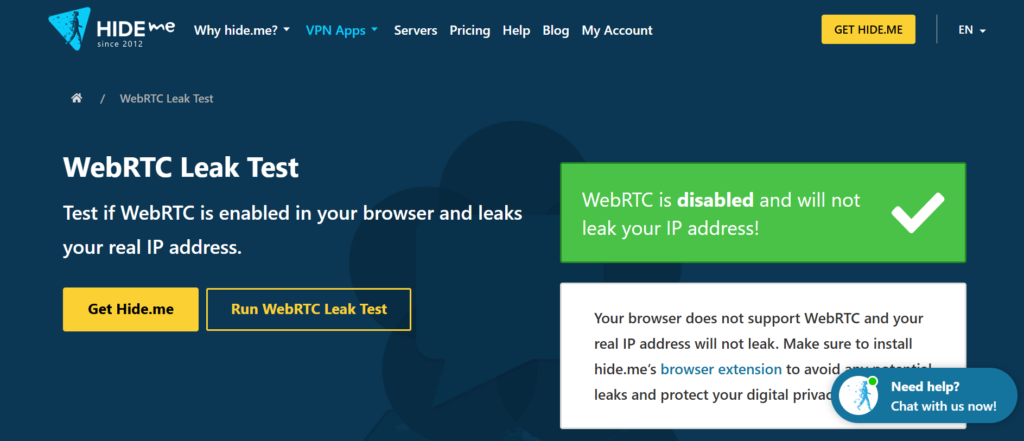
Hide.me is primarily a VPN provider, but their WebRTC leak test is a clean, fast standalone tool. It focuses on quick detection, so you get a clear result without having to dig through technical output.
Key features
- Detects public IP and local IP exposure via WebRTC
- Provides a clear pass/fail verdict
- Clean, minimal interface
- No login or account required
Pros
- Very quick to use, minimal friction
- Simple output that is easy to understand at a glance
- Works well as a fast sanity check before starting a session
Cons
- Less detail than BrowserLeaks or NodeMaven. No SDP output, no browser API breakdown
- No proxy-specific context or fix guidance
- Geared more toward VPN users than proxy users
Best for
VPN users who need a quick sanity check, or anyone who wants a fast yes/no answer without technical detail.
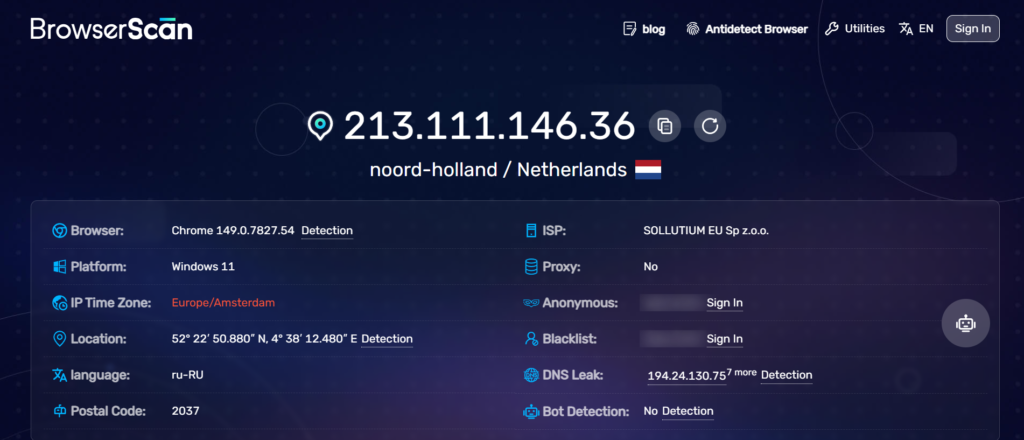
4. BrowserScan
URL: https://www.browserscan.net/
Overview
BrowserScan is a newer browser fingerprinting tool that covers WebRTC alongside a wide range of other detection vectors. It presents results in a clean dashboard format, making it easy to spot issues across multiple dimensions at once.
Key features
- WebRTC IP leak detection as part of a full fingerprint report
- Shows public IP, local IP, and IPv6 candidates
- Covers additional signals: timezone, fonts, Canvas, WebGL, HTTP headers
- Clean visual layout with color-coded results
Pros
- Useful when you need to verify an entire browser profile, not just WebRTC
- Modern, readable interface
- Good for anti-detect browser profile verification
Cons
- WebRTC section is not as detailed as BrowserLeaks or NodeMaven
- Less technical depth for debugging specific WebRTC issues
- Primary focus is full fingerprint audits, not targeted WebRTC testing
Best for
Anti-detect browser users and growth hackers who want to audit an entire profile in one pass, including WebRTC, before running campaigns or managing accounts.
5. OVPN WebRTC leak test
URL: https://www.ovpn.com/en/webrtc-leak-test
Overview
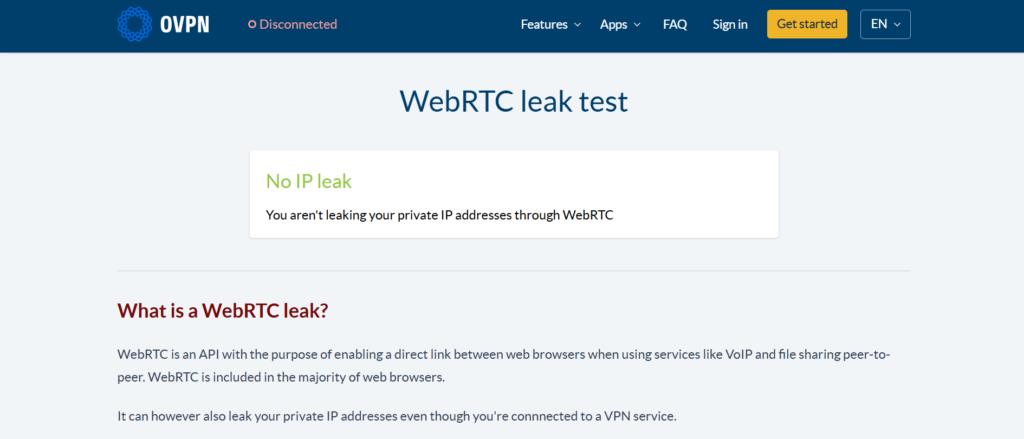
OVPN is a privacy-focused VPN provider that offers a basic WebRTC leak test as part of their tool set. Like Hide.me, the tool is clean and fast, but depth is limited.
Key features
- Detects public IP exposure through WebRTC
- Simple pass/fail format
- No account needed
Pros
- Fast and lightweight
- Easy to understand for non-technical users
- Good for a quick verification
Cons
- Minimal detail — does not show local IP, IPv6, or SDP data separately
- No proxy-specific context
- Limited fix guidance
Best for
General privacy users or VPN subscribers who want a basic confirmation that their VPN is preventing WebRTC exposure.
Comparison Table: best WebRTC leak testing tools
| Tool | Free | Shows Public IP | Shows Local IP | Ease of Use | Best For |
| NodeMaven | Yes | Yes | Yes | Very Easy | Proxy users, multi-accounting, automation |
| BrowserLeaks | Yes | Yes | Yes | Moderate | Technical users, full fingerprint audits |
| Hide.me | Yes | Yes | Yes | Very Easy | VPN users, quick checks |
| BrowserScan | Yes | Yes | Yes | Easy | Anti-detect browser profile verification |
| OVPN | Yes | Yes | Limited | Very Easy | Basic VPN verification |
Verify your setup before platforms do. Detect WebRTC leaks and confirm your browser is fully protected.
How to test WebRTC leaks in your browser
- Make sure your proxy, VPN, or anti-detect browser profile is active and configured as it would be in real use.
- Open a new tab and go to your chosen WebRTC test leak tool. NodeMaven WebRTC leak test is a solid starting point.
- Let the test run. It executes automatically and collects ICE candidates from your browser.
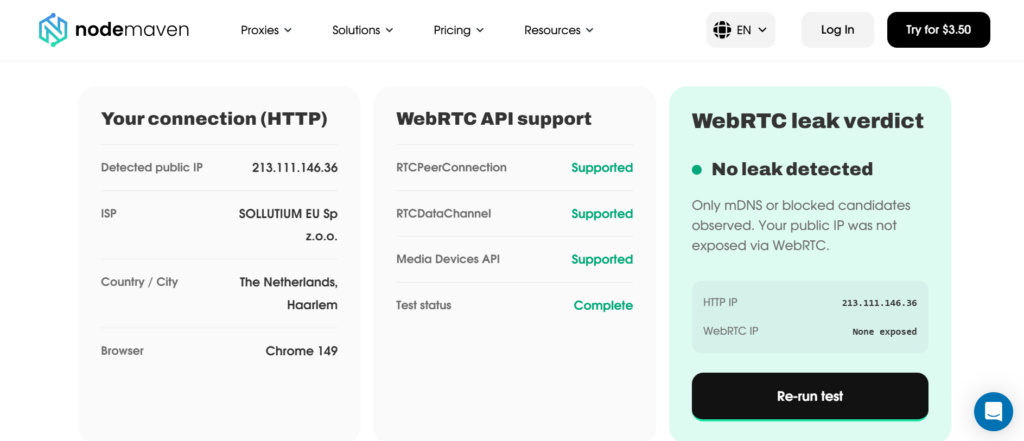
4. Compare the IP shown for your HTTP connection with the IPs appearing in the WebRTC results.
5. If they match (and both show your proxy IP), you are clean.
6. If WebRTC shows a different IP, especially a local LAN IP or a different public IP, you have a leak.
7. Apply the appropriate fix based on your browser or setup, then re-run the test to confirm.
Run this process every time you change your proxy, VPN configuration, browser profile, or automation setup.
How to prevent WebRTC leaks
Browser Settings
Chrome and Edge: Install the WebRTC Network Limiter extension and set the policy to use the default public interface only. For Chromium-based automation, launch with –force-webrtc-ip-handling-policy=disable_non_proxied_udp
Firefox: Open about:config, search for media.peerconnection.enabled, and set it to false to fully disable WebRTC.
Brave: Go to Settings → Shields → Fingerprinting blocking and switch WebRTC IP handling to a stricter privacy mode.
Safari: Safari exposes limited WebRTC controls. Keep it updated and run a webrtc leak test after any network or proxy configuration change.
VPN Configuration
A VPN does not automatically prevent WebRTC leaks. The VPN tunnels your HTTP traffic, but WebRTC can use UDP outside that tunnel unless the VPN software includes WebRTC protection or you handle it at the browser level. Always check for WebRTC test leak results even when a VPN is running.
Proxy Setup Considerations
HTTP, HTTPS, and SOCKS5 proxies do not control WebRTC behavior on their own. WebRTC protection needs to be handled in the browser or the anti-detect profile. If you are using an anti-detect browser like Multilogin, AdsPower, or Dolphin Anty, configure each profile to either disable WebRTC or force it to return the proxy IP.
For Puppeteer or Playwright, use –force-webrtc-ip-handling-policy=disable_non_proxied_udp as a Chromium launch argument to block non-proxied UDP traffic.
Regular Testing
Run a WebRTC leak test before:
- Starting a new campaign or account workflow
- Switching proxy providers or configurations
- Updating your browser or anti-detect profile software
- Moving to a new machine or server
Running automation or scraping workflows? Validate your browser environment and uncover WebRTC leaks instantly
Which WebRTC Leak Test Tool Should You Choose?
Best overall: NodeMaven free WebRTC leak test. It is purpose-built for proxy environments, shows the complete picture of what WebRTC exposes, and provides actionable fix guidance for every relevant setup type.
Best for technical users: BrowserLeaks. The depth of output and the broader fingerprint context make it the right choice when you need to understand exactly what is happening at the browser level.
Best for proxy users: NodeMaven free WebRTC leak test. The side-by-side HTTP vs. WebRTC comparison, the proxy setup table, and the automation-specific fix guidance make this the most operationally useful tool for the use cases that matter most.
Best for quick testing: Hide.me or OVPN. When you just need a fast confirmation with no setup, either one gets the job done.