
Incogniton Review 2026: How to Use NodeMaven Proxies with Incogniton


By 2026, working with multiple online accounts has become part of everyday operations for many digital teams. Platforms evaluate not only IP addresses, but also browser fingerprints, cookies, device data, and session behavior. Running parallel workflows in a regular browser often leads to overlap between sessions, unstable environments, and inconsistent results.
This shift has made environment isolation just as important as network stability. Antidetect browsers address this problem by separating browser profiles at the system level, while proxy infrastructure defines how those profiles appear on the network side.
Incogniton is one of the tools built around this approach.
What Is Incogniton
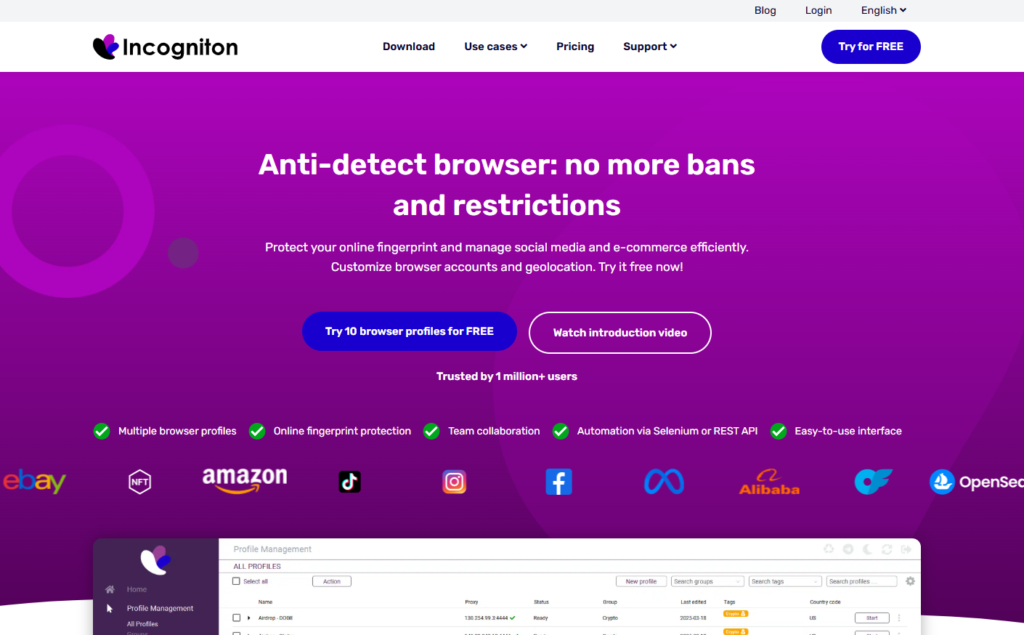
Incogniton is an antidetect browser designed for managing multiple independent browser profiles on a single device. Each profile operates as a separate environment with its own fingerprint, cookies, storage, and proxy settings.
Instead of switching accounts inside one shared browser, users can launch isolated profiles that behave like distinct users. This setup is commonly used in affiliate marketing, ecommerce account management, ad verification, data collection, and agency workflows where consistency across sessions matters.
Incogniton focuses on giving users control over how browser identities are created, stored, and reused over time.
Typical use cases include:
- Managing multiple social or platform accounts
- Running affiliate and advertising workflows
- Collecting public web data across regions
- Performing ad verification and regional testing
- Coordinating team-based browser operations
Key Features of Incogniton
Flexible Proxy Management
Incogniton allows users to assign a dedicated proxy to each browser profile. It supports third-party proxy providers such as NodeMaven, Incogniton Proxy Shop options, and free built in unblocked proxies. This makes it possible to adjust network settings per profile without changing the overall browser setup.
Isolated Browser Profiles and Stable Fingerprints
Each profile runs independently with consistent device-level fingerprint parameters. Operating system details, browser signals, and rendering data remain stable inside the profile, which helps reduce accidental overlap between sessions.
Built-In Cookie Management
Incogniton includes tools for importing and exporting cookies, along with an automated Cookie Collector. These features allow users to build up cookies naturally over time and reuse profiles without starting from a blank state.
Automation SDKs and Developer Support
For more technical workflows, Incogniton provides Python and TypeScript SDKs, API documentation, and support for automation frameworks such as Playwright, Puppeteer, and Selenium. This makes it suitable for teams that combine manual and automated browser activity.
Team Collaboration and Cloud Sync
Incogniton supports role-based access, encrypted cloud synchronization, bulk profile creation, and profile-level visibility controls. These features are useful for teams that need to share browser environments while keeping access structured.
Why You Should Pair Incogniton with NodeMaven
Incogniton is responsible for browser level isolation and fingerprint stability, but proxy infrastructure plays an equally important role in how profiles behave across sessions. Each profile relies on its assigned IP to maintain consistency, location accuracy, and session continuity.
While Incogniton includes built-in proxy options that can be useful for initial testing, many workflows require more control as they scale.
Limitations of Built-In Proxies
From practical use and testing scenarios, built-in free proxies often introduce constraints such as:
- Shared IP usage that leads to inconsistent profile behavior
- Limited geographic selection and no city or ISP targeting
- Short-lived sessions that break long-term profile reuse
- Higher chances of location mismatches during fingerprint checks
For tasks like multi-account management, data collection, or region-specific testing, these limitations can reduce reliability over time.
How NodeMaven Complements Incogniton
NodeMaven fits naturally into Incogniton’s proxy per profile model and helps address these gaps by providing:
- Residential and mobile IPs suitable for long-running browser profiles
- Sticky sessions or rotating behavior depending on task requirements
- City and ISP level targeting across more than 150 countries
- Stable identity signals that remain consistent across sessions
This setup allows users to keep Incogniton profiles unchanged while adjusting only the network layer when needed.
Practical Benefits of Using Them Together
When Incogniton and NodeMaven are used together, users gain:
- Better session consistency for profiles reused over time
- More accurate geographic representation for regional workflows
- Cleaner separation between browser identity and network identity
- Flexibility to scale without rebuilding browser environments
Incogniton manages how each browser profile looks and behaves locally, while NodeMaven defines how that profile connects to the web. This separation makes the overall setup easier to control, adapt, and maintain as workflows grow.
How to Use NodeMaven Proxies with Incogniton
Getting started with NodeMaven proxies inside Incogniton takes just a few minutes. No advanced technical knowledge required.
Step-by-Step Setup:
- Log in to your NodeMaven account and in Proxy Setup section select the desired settings and generate the list of proxies.
- Copy the proxy string (format:username:password@ip:port).
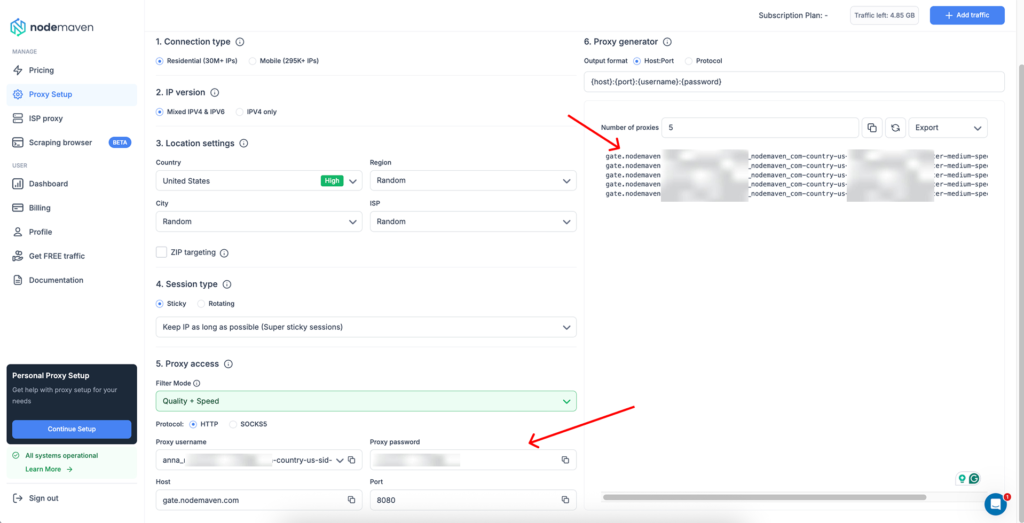
- In Incogniton, open your browser profile > go to Proxy management > Proxy creation > Paste your proxy string.
- Save the profile and launch, that’s it!
NodeMaven also provides a guided configuration tool, including screenshots and tips tailored for Incogniton, to make onboarding fast and hassle-free in under 5 minutes.
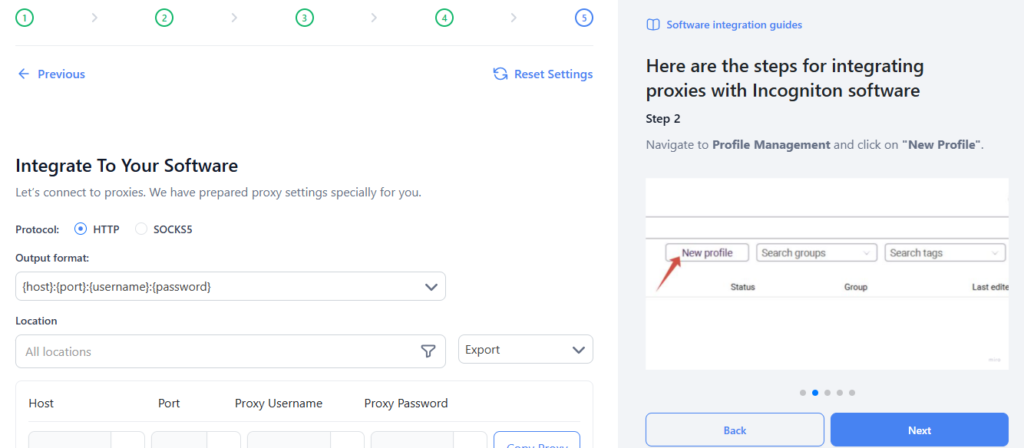
Tip: Check out our Incogniton integration documentation for step-by-step guide.
Final Thoughts
Incogniton remains a practical antidetect browser choice in 2026 for users who need structured profile management, fingerprint stability, and team friendly features. Its strength lies in separating browser environments while staying flexible about external infrastructure.
When combined with a reliable proxy provider like NodeMaven, Incogniton becomes easier to adapt to workflows that depend on stable sessions, consistent locations, and repeatable browser behavior. Together, they form a setup where the browser controls identity and the proxy controls connectivity, without forcing users into a closed ecosystem.

Try Incogniton today and use promo code UPITNOW at Incogniton checkout to get 15% off your purchase.


