











DICloak is a secure antidetect browser that helps protect your online identity, manage multiple accounts safely, and prevent tracking or fingerprinting while browsing.
DICloak Anti-Detect Browser is a robust tool designed to help users manage multiple online accounts securely and privately. Each browser profile operates in isolation with a unique digital fingerprint—including IP address, screen resolution, and device configuration—making it difficult for websites to detect or link accounts. With support for automation, proxy integration, and team collaboration, DICloak is ideal for both individual users and large teams.
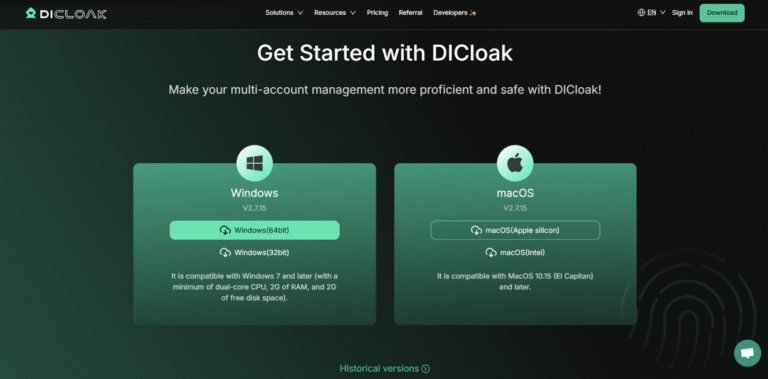
1. Download DICloak Anti-Detect Browser. Head over to the DICloak Anti-Detect Browser website to download and install the app.
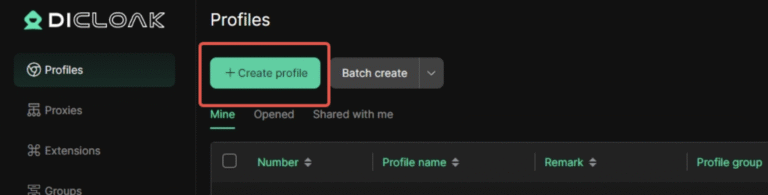
2. Create a New Profile. Once the app is installed, open it and click “Create Profile” to create your first browser profile. For new users, a default browser profile will be available. You can also click “Edit” to modify the profile information.
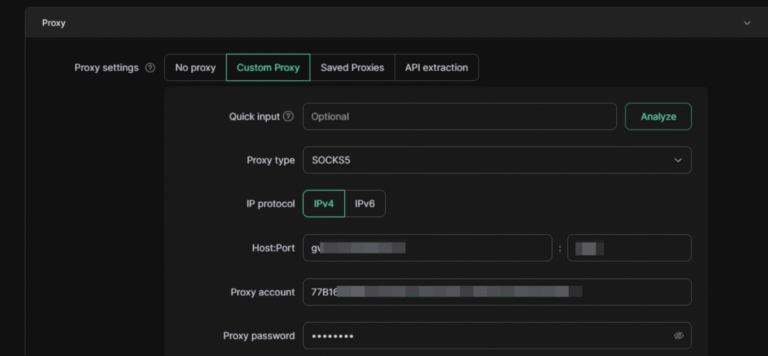
3. Configure Your Proxies. Now, let’s set up your NodeMaven proxy. Follow these simple steps:
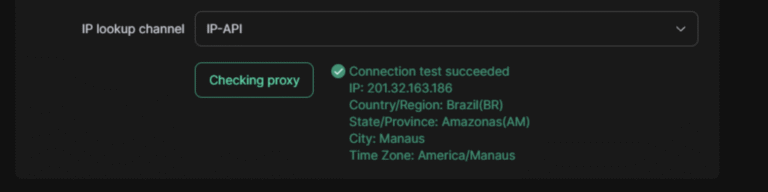
4. Click Check Proxy to ensure everything is working.
Once everything is in place, click Confirm to save your settings.
5. Click “Open” to launch your browser with the configured proxy settings.
That’s it! You’ve successfully integrated NodeMaven proxies with DICloak Anti-Detect Browser, and you’re ready to go.
Easily integrate our top-tier residential proxies with popular third-party tools.
Achieve 95% High-Quality Connections with Reliable, Clean Proxy IPs
Flexible IP rotation per request or session
Carry Forward Unused Proxy Traffic
Maintain a Consistent IP for Up to 24 Hours for Stable Sessions
Get a Proxy Setup Tailored to Your Website and Unique Business Needs
Leverage a Premium Network of 30 Million+ High-Quality Residential IPs
Access IPs Across 150+ Countries and Major ISPs