

Automating Telegram broadcasts has long become part of systematic marketing. Businesses launch cold and warm broadcasts, warm up the audience, build auto funnels, follow up leads, and scale sales. But as message volume grows, the risk grows too: spam block, restrictions, deliverability drop, loss of accounts.
In this article, we will break down how to automate Telegram broadcasts without a ban, why mindless mass sending of messages almost always leads to sanctions, and how to properly build the infrastructure, from software to proxies.
Why a business needs Telegram broadcast automation
The question of how to send a Telegram broadcast to a database is relevant for any business, entrepreneurs, arbitrage specialists, marketers, and owners of online schools.
The reason is simple: manual message sending does not scale. One account is physically limited in speed and number of dialogs. When the database grows to 5–10 thousand contacts, without automation the work turns into chaos.
Automation allows you to:
- work with large user databases;
- distribute the load across accounts;
- launch warm-up and repeated touches;
- use auto posting and auto responders;
- reduce the impact of the human factor.
But automation is not just broadcast software. It is a system where limits, infrastructure, IP addresses, account behavior, and database quality matter.
What happens if you broadcast mindlessly
Telegram actively fights spam. Algorithms analyze:
- frequency of opening new dialogs;
- number of complaints;
- response rate;
- message uniformity;
- network parameters (IP, proxies, overlaps).
If you send a cold broadcast to everyone randomly, especially to a parsed database without filtering, the result is almost predictable: a temporary spam block, and then a permanent one.
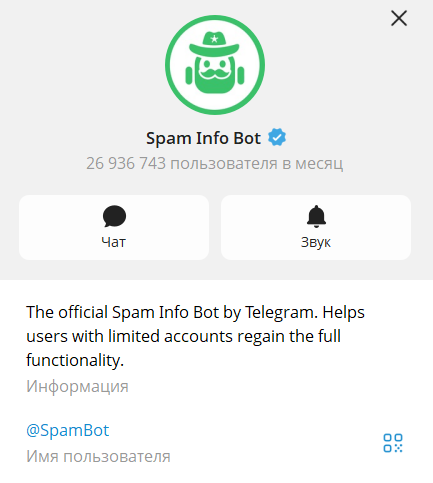
Therefore, if you have often wondered why Telegram issues a spam block, in many cases, it comes down to exactly this.
Main mistakes:
- Sending the same text without randomization.
- Too high message speed.
- Working from one IP on десятках accounts.
- No warm-up.
- Broadcasting to a non-target audience.
It is important to understand: a deliverability drop is not an accident, but a natural outcome of the wrong architecture.
Deliverability in Telegram: what it is and what it depends on
Although Telegram does not use the term “deliverability” officially, in marketing practice, it means the percentage of messages that:
- were successfully sent;
- did not lead to a restriction;
- were read by the recipient.
Deliverability is influenced by three blocks of factors:
- Behavioral — how the account behaves.
- Content — what text is being sent.
- Technical — IP, proxies, device, emulation.
It is the technical block that beginners most often ignore.
Why proxies are critical for automation
Many do not know exactly which proxies are needed for Telegram, whether to choose SOCKS5 or HTTP for Telegram. And that is natural, there are many proxy types, and not all work well with the messenger.
When multiple accounts operate from the same IP address, Telegram sees overlaps. This is a direct signal of abnormal activity. Especially if accounts are simultaneously:
- open new dialogs;
- make mass invites;
- send uniform messages.
Proxies allow you to:
- distribute accounts across different IPs;
- reduce network overlaps;
- imitate different regions;
- avoid mass linking of accounts.
For large-scale work, the preferred choice is:
- individual proxies (not public);
- SOCKS5;
- stable IPs without frequent rotation;
- geo that matches the number’s region.
Using cheap public proxies almost guaranteed reduces the account’s lifespan. Therefore, when you want to set up a Telegram broadcast, first of all you should choose high-quality working tools, the automation software itself, and high-quality proxies.
One of the best providers focused on this approach is NodeMaven. The platform is built around stability and clean network signals, which are important for Telegram automation.
What NodeMaven offers:
- Residential, mobile, and ISP proxies for different Telegram workflows
- Pre-filtered IPs screened for quality and speed
- SOCKS5 support for stable Telegram connections
- Long sticky sessions for consistent account behavior
- Traffic rollover so unused bandwidth is not lost
- Budget-friendly plans with access to both residential and mobile IPs in one package, with pricing starting from $2.00 per GB
Why it works well with Telegram automation:
- Helps reduce the risk of using blacklisted or unstable IPs
- Improves session stability during broadcasts and invites
- Supports account warm-up and long-term activity
- Allows geo-matching with phone number regions
- Makes it easier to scale infrastructure without overlaps
Many teams use residential and mobile proxies for scaling and warming accounts, while ISP proxies are preferred for long-term sessions and stable identity.
How to automate broadcasts correctly
So that Telegram broadcast automation does not kill accounts, you need to follow several principles.
- Account warm-up. Before a cold broadcast, the account must have history: chats, subscriptions, activity. A sharp start with 100 messages is a direct path to a block.
- Load distribution. Do not send 500 messages from one account. The right strategy is a pool of accounts and a limit per each.
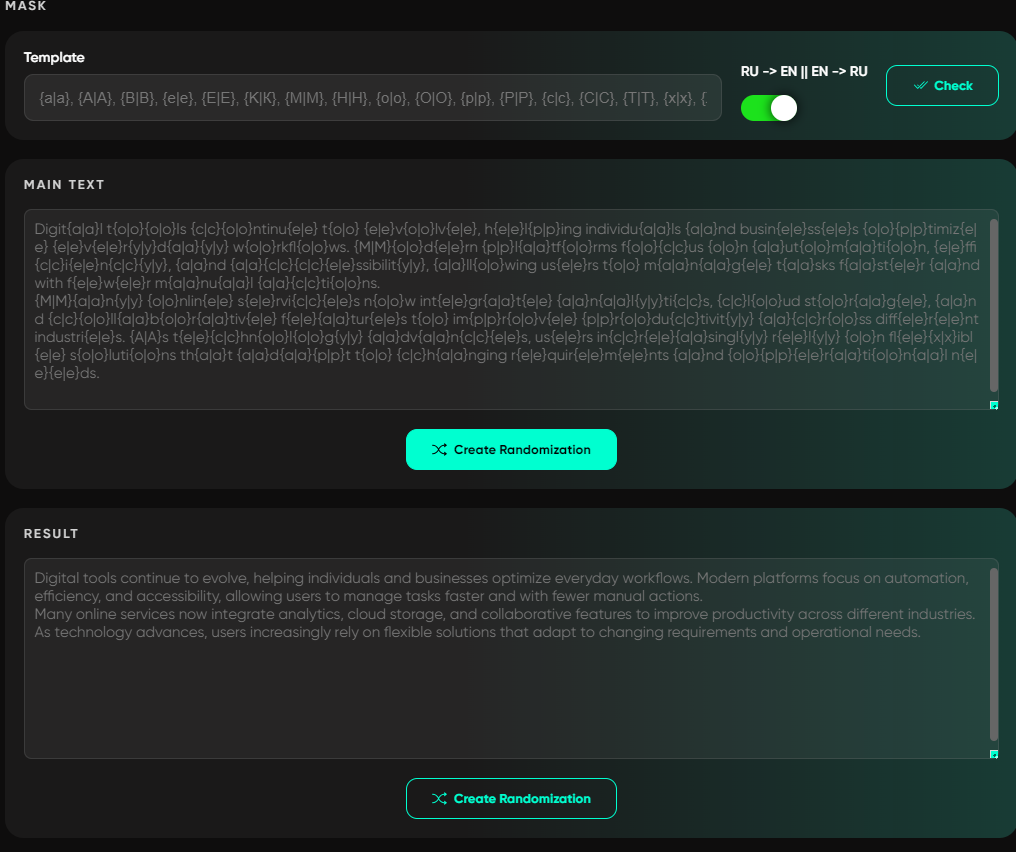
- Text randomization. Using spintax, variable blocks, personalization by name. This reduces templating.
- Working with the database. Filtering inactive users, removing duplicates, excluding those who already received a message.
- Speed control. Intervals between messages should be variable. A fixed delay is a trigger for algorithms.
How it is implemented in professional software
Modern solutions for Telegram marketing automation combine:
- a centralized account management panel;
- mass spam block checking;
- auto posting;
- broadcasts by ID and by database;
- text randomization;
- thread distribution;
- proxy checker and IP overlap analysis.
Exactly this pool of solutions is provided by Telegram Expert for professional work with Telegram.
The key advantage of the software is infrastructure control. You can:
- assign a separate proxy to each account;
- check proxy quality before launch;
- automatically remove restricted accounts from work;
- manage speed and number of threads.
This reduces chaos and allows scaling broadcasts without sharp losses.
Bundle: accounts + proxies + limits in Telegram Expert
The correct model looks like this: account → individual proxy → limit on the number of messages → complaint monitoring → reporting.
With this approach, even a cold Telegram broadcast to a database becomes a manageable process.
If you remove one element, for example, work without proxies, the system becomes vulnerable. One ban can drag along dozens of accounts due to network overlaps.
The software has tools and solutions for each element of this bundle.
Centralized account management: account panel
In Telegram Expert, the basis of all work is the account panel. This is not just a list of sessions, but a full-fledged system for managing statuses and load.
What is important here for broadcasts:
- distribution of accounts by folders: active, temporary spam block, permanent spam block, frozen, archive, etc.;
- mass account selection (select / select all);
- assigning actions to a group at once;
- automatic distribution of accounts by folders based on check results.
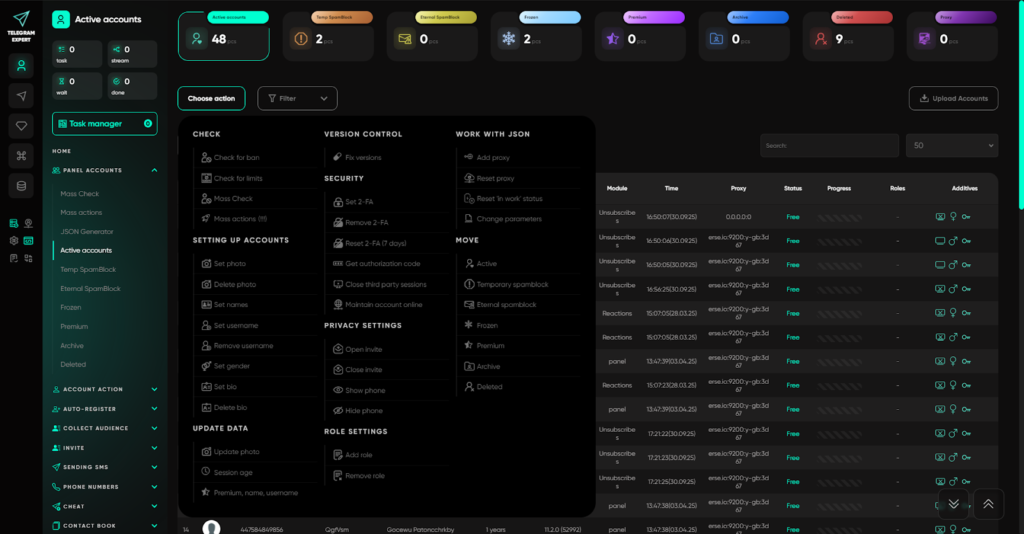
All this allows you to basically warm up accounts and monitor their operability to quickly bring them into work.
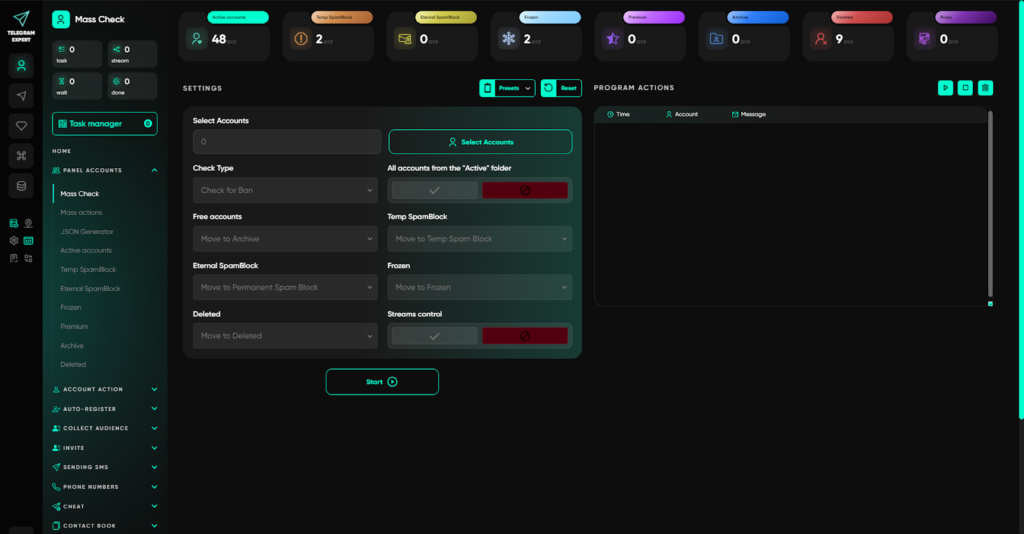
The key module is Mass Check. It allows you to check a pool of accounts for restrictions and, if necessary, automatically move problematic ones to the “temporary spam block” folder. This is critical to maintaining deliverability: restricted accounts do not continue to participate in the broadcast and do not drag metrics down.
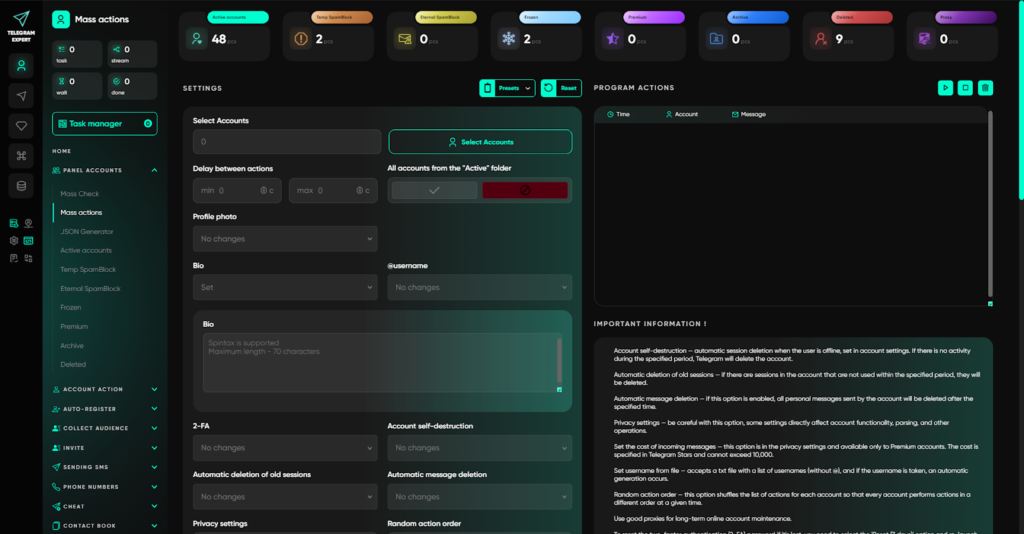
Additionally, the Mass Actions module makes it possible to:
- manage privacy,
- change name, bio, username,
- reset proxies,
- automatically distribute accounts by folders, and much more.
Thus, infrastructure control is implemented not manually, but systematically.
Working with proxies: adding, checking, and overlap analysis
The “one account — one proxy” bundle in Telegram Expert is implemented through separate sections:
Section “Proxies”
Here proxies are added to the system and pass an initial check:
- availability,
- response speed,
- basic operability.
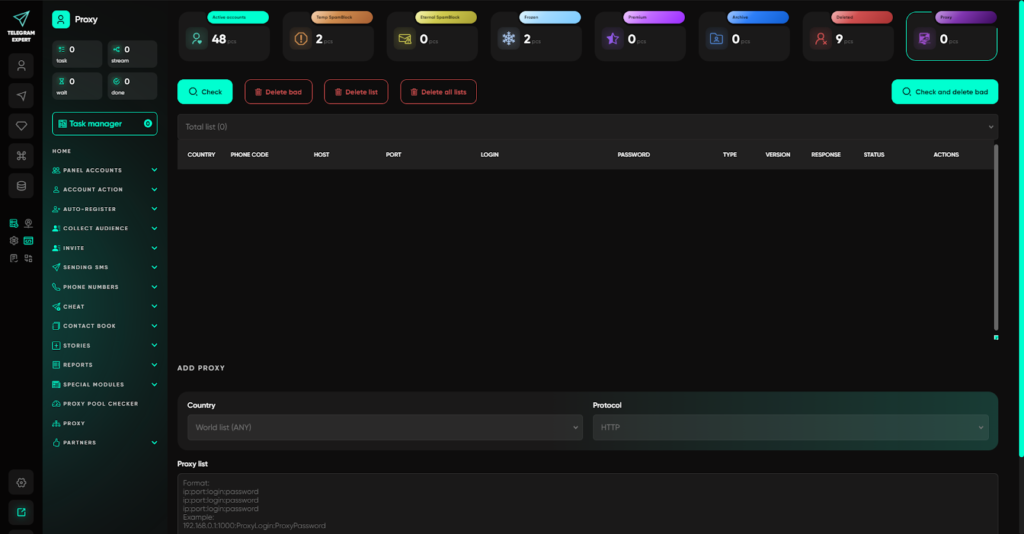
This allows filtering out problematic IPs before launching the broadcast.
Proxy pool checker
A separate tool for analyzing proxy pools. It checks IP address overlaps.
If several proxies actually exit through the same IP, Telegram sees a network linkage. During mass broadcasting, this increases the risk of blocking an entire group of accounts at once.
The checker allows you to:
- detect IP duplicates,
- evaluate the real uniqueness of the pool,
- understand the profitability of the infrastructure used.
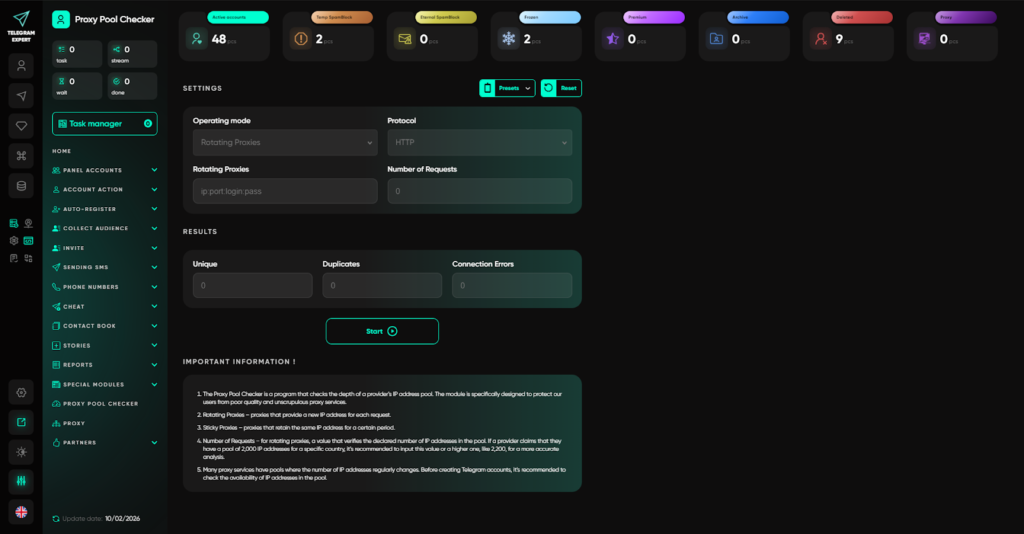
As a result, you can build the right model: assign an individual proxy to each account and minimize network overlaps.
To set up this bundle with NodeMaven, you first need to generate proxy credentials and paste them into Telegram Expert.
How to get NodeMaven proxy credentials (step by step)
- Log in to your NodeMaven account.
- Choose your proxy type in the dashboard menu (Rotating Residential or Mobile, or Static Residential (ISP)) and set targeting if needed (country, city, ZIP, ISP).
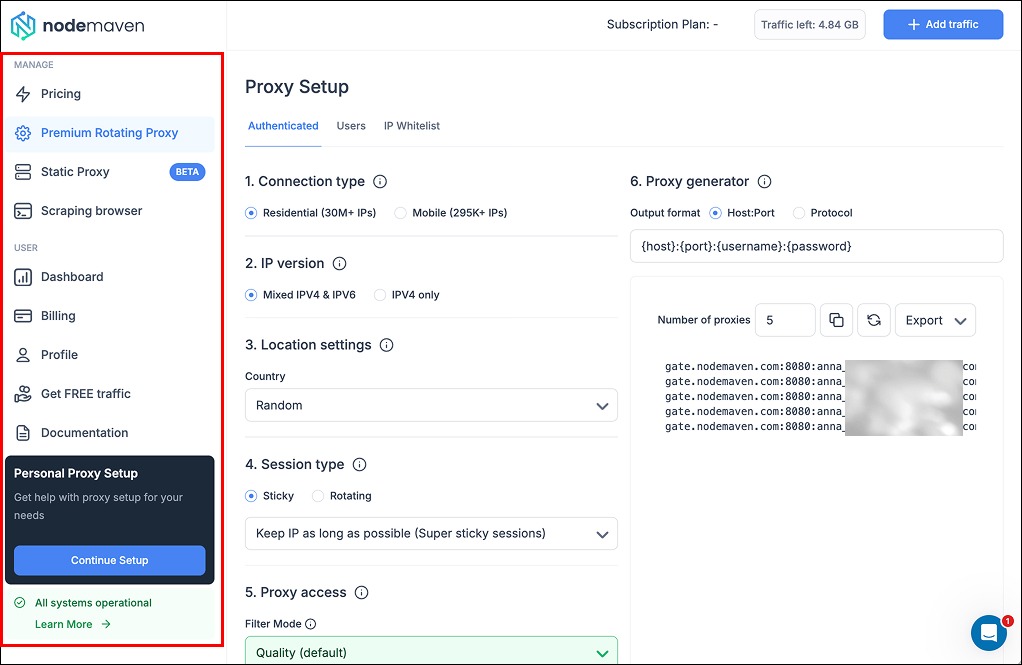
- Select your session mode (sticky or rotating) based on the task.
- Generate proxies and copy the credentials from the list.
- Use the proxy string in the format: username:password@ip:port
- In Telegram Expert, open the Proxies section and paste the proxy list.
- Run the built-in proxy check and then use Proxy pool checker to confirm there are no IP overlaps.
- Assign one proxy to one account and save the setup.
Why NodeMaven works well for Telegram Expert proxy workflows
- Clean residential and mobile IPs with pre-filtering for quality and speed
- Stable sticky sessions for long-lived Telegram accounts
- Precise geo targeting to match the region of phone numbers
- Budget-friendly pricing with residential and mobile traffic starting from $2.00 per GB
- One plan that gives access to both residential and mobile IPs, making scaling easier
Limits and load control: thread distribution
In Telegram Expert, the load distribution logic is implemented through:
- thread management,
- setting the number of accounts in a task,
- limiting operations per account,
- a calculator in the “Reports” section.
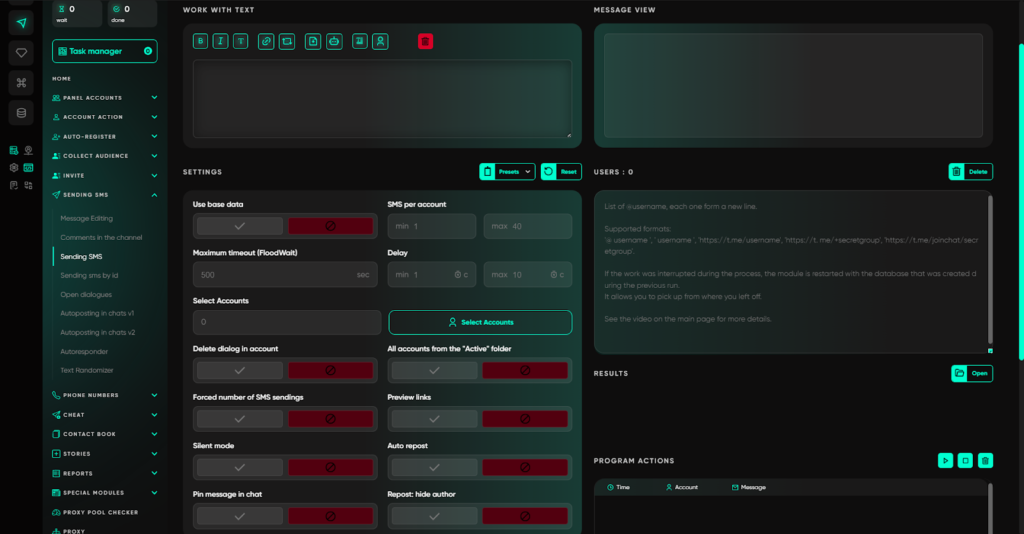
For example, when launching the module SMS Sending or SMS Sending by ID, you can:
- set the number of accounts participating in the broadcast;
- distribute the database among them;
- control the message volume per account.
In the “Reports” section there is a Calculator that allows you to see how many broadcasts and invites each account has performed. This helps avoid overloading the same sessions.
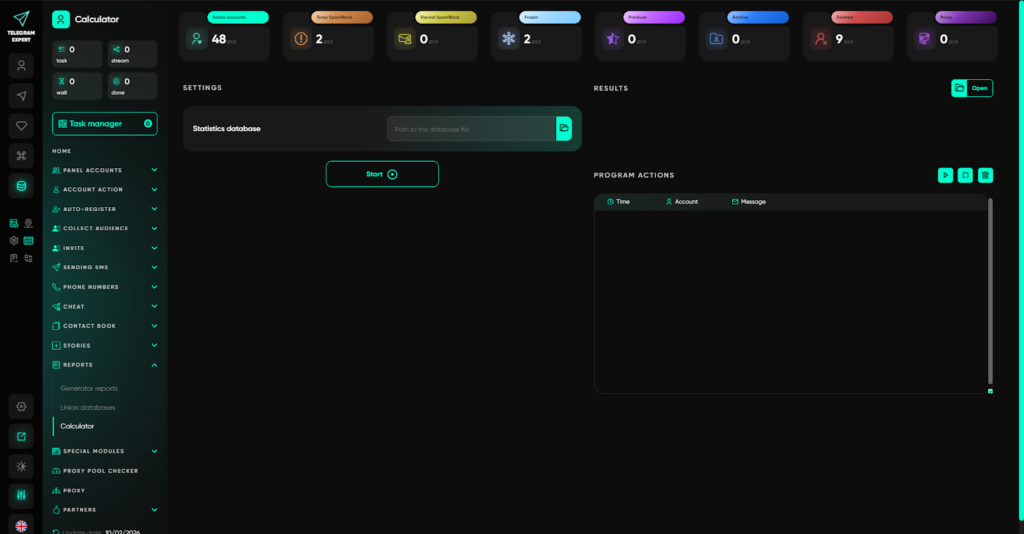
If an account starts getting restrictions, it can be automatically removed from work via checking and moving it to a separate folder.
Text randomization and reduced templating
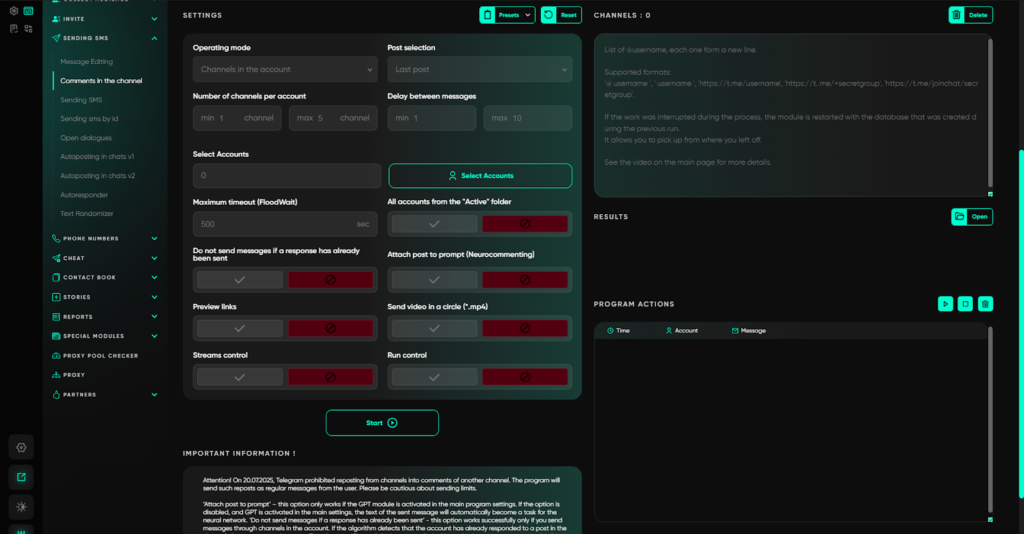
In the SMS Sending modules there are capabilities:
- text randomization via spintax,
- message personalization,
- sending non-standard posts with buttons.
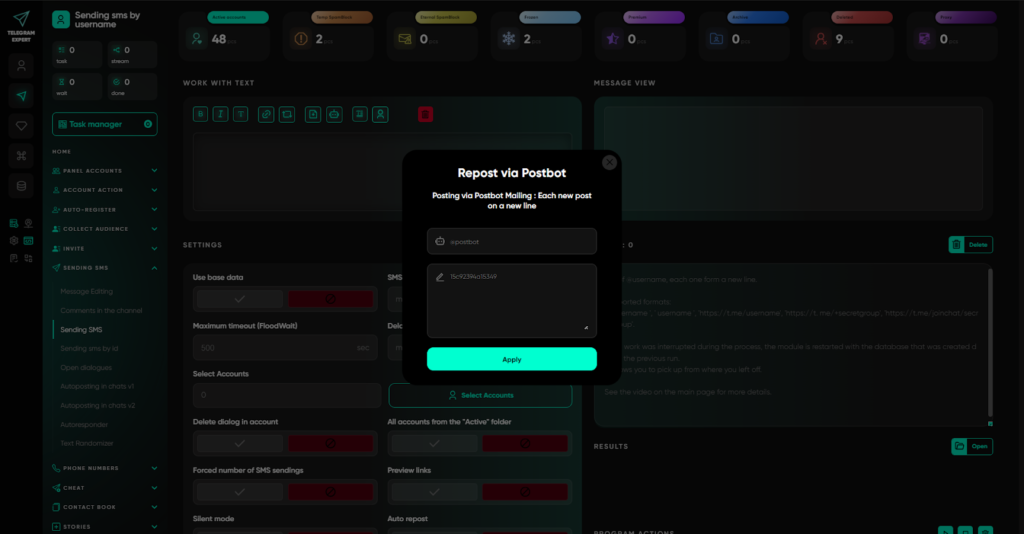
Additionally, a Text Randomizer is available, which:
- uniquifies messages,
- substitutes symbols,
- reduces templating.
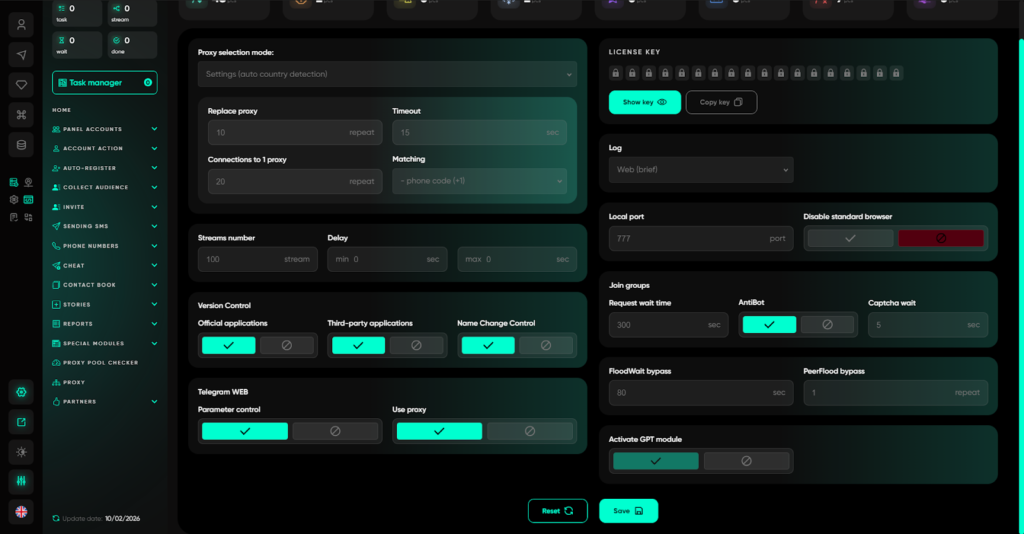
And when the GPT module is enabled, the text can be generated by the neural network based on a prompt in all broadcast modules. This makes messages less uniform, which reduces the likelihood of filtering, because even with one prompt, the neural network outputs different variants of the text.
In addition, if you send comments to channels, there is an option of neuro-commenting, when the neural network takes into account not only your prompt, but also the text of the post itself, allowing you to personalize all replies to the context.
Working with the database: cleanliness and segmentation
So that a cold Telegram broadcast to a database does not lead to complaints, audience filtering is important.
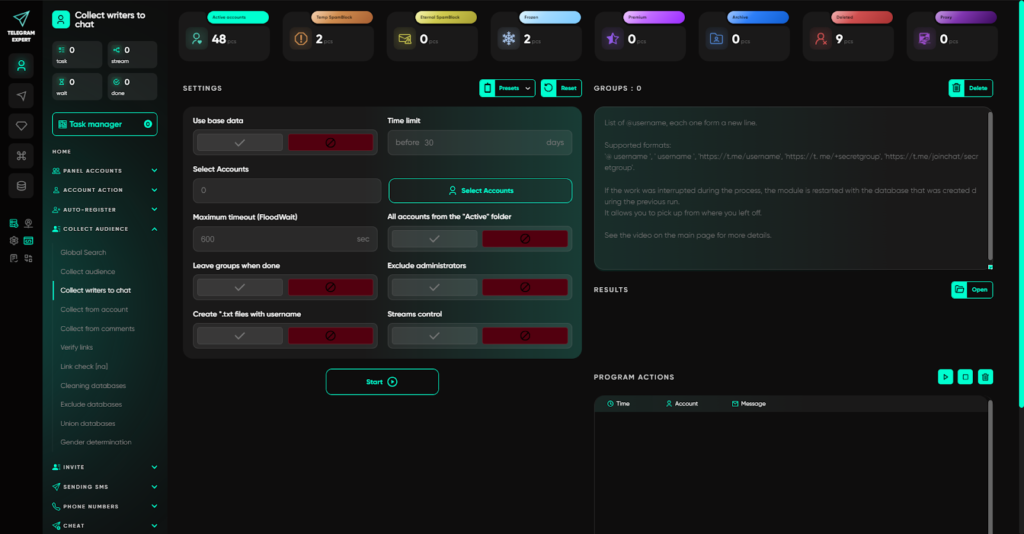
In the Audience Collection section, available:
- collecting active users (for example, those who wrote in a chat over the last 30 days);
- filtering by language;
- database cleaning (removing users without photos, etc.);
- excluding duplicates;
- merging databases;
- link checking.
This allows sending messages to a more relevant audience.
Account warm-up
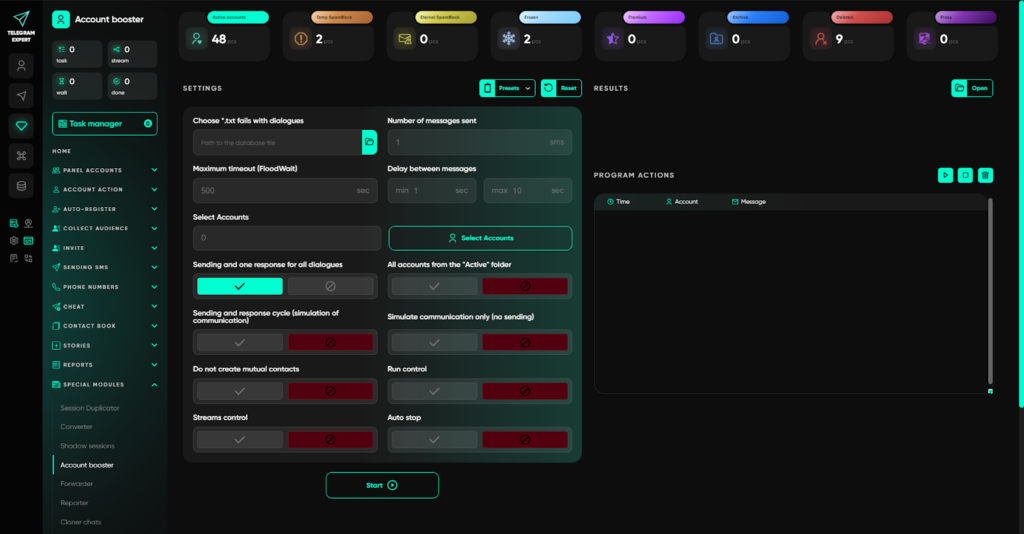
In the “Special modules” section there is an Account Booster. It warms up accounts through automatic mutual correspondence between them using different methods.
This is an important stage before launching a mass broadcast. An account with a history of correspondence and activity looks more natural to algorithms than an empty session that immediately starts opening hundreds of new dialogs.
Work model in Telegram Expert: step-by-step logic
A practical scheme looks like this:
- Registration or adding accounts through the “Auto-registration” section or “Add account”.
- Assigning individual proxies and checking them through the “Proxies” section and “Proxy pool checker”.
- Warm-up through Account Booster.
- Status checking through “Mass Check”.
- Preparing and cleaning the database in the “Audience Collection” section, if the database already exists. If not, then forming it and further корректировка.
- Launching the broadcast through “SMS Sending” or “SMS Sending by ID” with randomization.
- Controlling results through “Reports” and the Calculator.
- Automatic exclusion of restricted accounts.
If you remove one element, for example, refuse individual proxies or do not control the number of threads, the infrastructure becomes vulnerable.
With systematic work through Telegram Expert, the broadcast stops being a chaotic process and turns into a managed model with control of each link: account → proxy → limits → database → reporting.
It is exactly this architecture that allows scaling Telegram marketing without sharp deliverability losses.
Automation vs manual work
Many still believe that manual sending is safer. In practice — no.
Manual mode:
- no speed control;
- easy to make mistakes;
- difficult to keep statistics;
- impossible to scale.
Automation with proper configuration:
- reduces the human factor;
- fixes limits;
- provides reports;
- allows testing hypotheses.
The main thing is not to confuse automation with spam. And do not forget to test all work, because limitations can be different, and the same approaches will not fit absolutely every account.
How to avoid a spam block during mass broadcasting
Many try to understand how to avoid a spam block in Telegram and how many messages can be sent in Telegram. There is no universal number. Limits are dynamic and depend on:
- account age;
- region;
- audience quality;
- response rate.
A practical approach is a gradual increase of load and constant monitoring of statuses.
If restrictions appear:
- reduce speed;
- temporarily remove the account;
- check proxies;
- evaluate the message text.
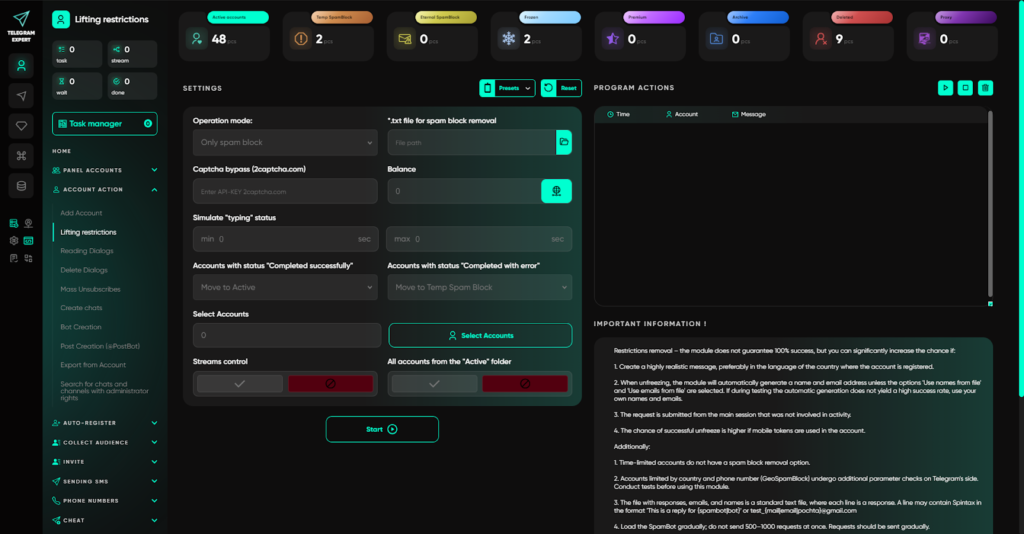
And if the spam block has already been received, then you can remove the restriction from accounts via “Restriction Removal” in Telegram Expert, if the count goes into the hundreds of accounts, the software itself takes over the conversation with the bot and tries to remove the spam block or freeze.
Conclusion
Telegram broadcast automation is not just a tool, but an infrastructure.
It includes:
- high-quality accounts;
- individual proxies;
- limit control;
- a clean database;
- variable content;
- analytics.
Mindless mass broadcasting almost always leads to deliverability drop and blocks. A systematic approach, on the contrary, allows scaling Telegram marketing without critical losses.
In 2026, the winners are not those who send more, but those who build a stable work model. And in this model, proxies, account architecture, and грамотная automation play a key role.
If you want not just to send broadcasts, but to build a manageable, scalable system without chaos and mass bans,use Telegram Expert.
It is a tool that unites accounts, proxies, limits, and analytics within a single infrastructure and allows you to launch broadcasts with control over every stage.
Build a stable model of work in Telegram — and do not fight blocks.